

Reader controls
How Meridian's reader controls work — a masthead popover with text size and Light/Dark/System appearance, remembered per reader and synced across tabs.
Meridian gives readers two reading-experience controls in the masthead utility row: Text size and Appearance. Both choices are remembered between visits and propagate across all tabs the reader has open.
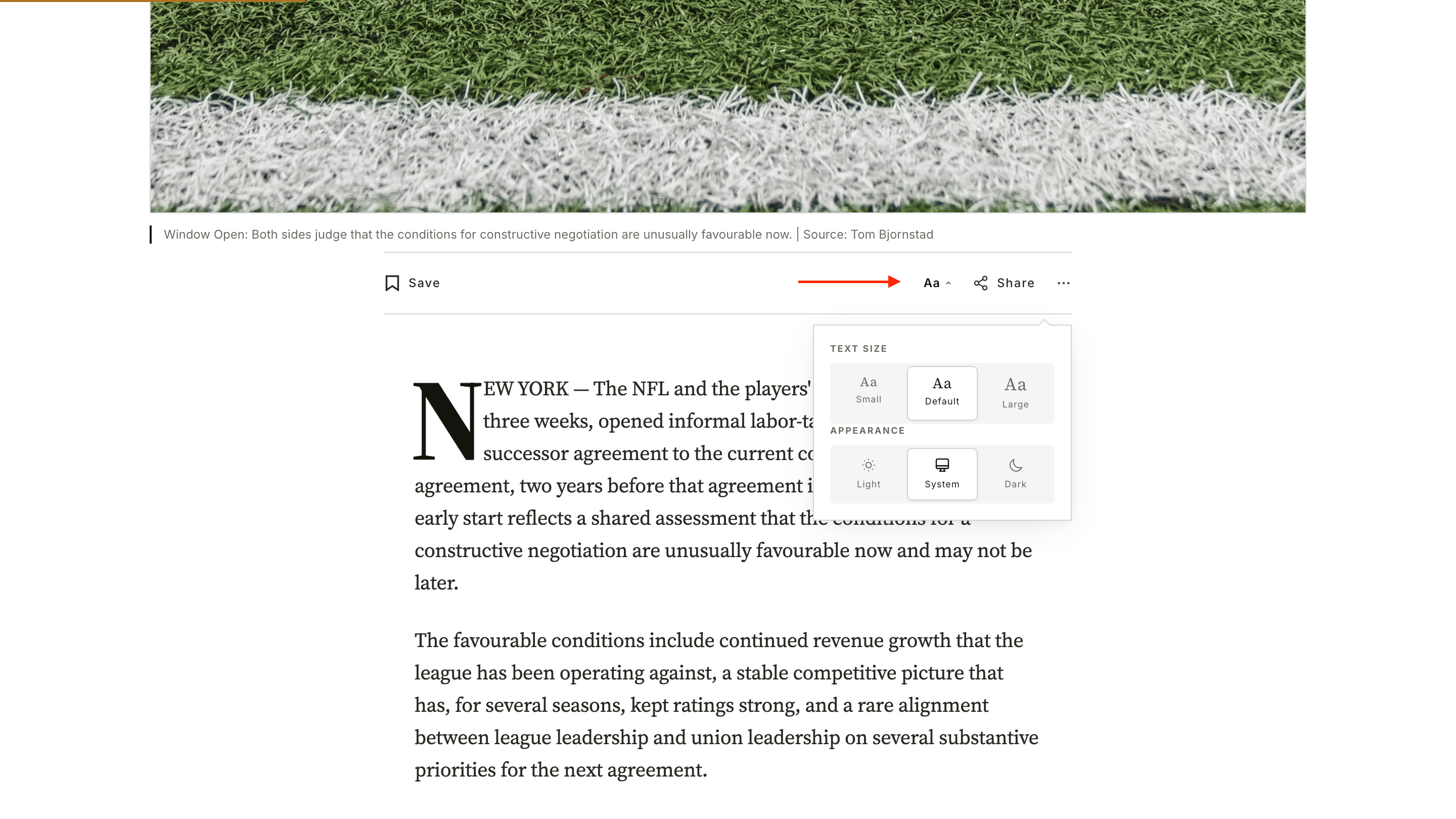
Where they appear
The reader-controls button sits in the masthead utility row, alongside the date stamp and the search field. Click or tap the button to open a small popover with both controls.
The popover is reachable on every page of the site, including the homepage, archives, and the post page.
What's not there
Reader controls only expose text size and color mode. They don't expose the Color scheme lock or the Background palette (those are admin-only theme settings). Reader-side controls are limited to choices that affect reading comfort.
Text size
Three choices — Small, Default, Large. The choice scales the article body type and every supporting text element (captions, blockquotes, pull quotes, list markers) in concert.
- Persists in
localStorageunder thereadingFontSizekey. - Survives across browsing sessions in the same browser.
- Embedded content (tweets, videos, social cards) stays at its native size — only theme-controlled text scales. This matches the "reader mode" UX of Substack and Medium.
Appearance
Three choices — Light, Dark, System.
- Light — force light mode for this reader.
- Dark — force dark mode for this reader.
- System — follow the reader's OS preference (the default).
The choice persists in localStorage under the theme key and survives across browsing sessions.
Admin override wins
If you've locked the site's color scheme to Light or Dark in Site wide settings, the reader-controls Appearance picker is hidden entirely — readers can't override the admin choice. The Text size picker still works.
Cross-tab sync
Both preferences sync across every tab the reader has open in the same browser. Flip the appearance in one tab, every other tab follows instantly. Same for text size.
The sync uses the standard browser storage event and is removed on pagehide so it doesn't block bfcache restores.
No flash of unstyled content
Meridian uses an inline <head> script to apply the saved appearance preference before the page paints. There's no flash of light content on a dark-mode visit (or vice versa) on first paint. The script is small (a few lines reading localStorage and prefers-color-scheme), and with ads off it's the only inline script the theme ships — turning on Enable ads with Ad consent mode adds a second inline block for the consent baseline. Strict CSP installs need to whitelist each inline script's SHA-256 hash. See For developers for the hash workflow.
Bookmarks
Set up Meridian's saved-articles feature — Save buttons, a masthead popover, and a /bookmarks/ page — stored in the reader's browser, no API key needed.
Membership Page
A subscription-rates page built from your native Ghost tiers — live prices, benefits, free trials and one-click Portal checkout, in two layouts, with no theme settings to fill in.