

Signup forms
Meridian's signup forms follow your Ghost signup settings, just like Ghost's own signup popup. They show your signup notice, can require agreement before anyone joins, and ask for a name when Ghost does.
Meridian has four signup forms of its own: the homepage newsletter box, the newsletter signup at the end of every post, the free signup in the membership band, and the free plan on the membership page's Join Card. Since version 1.12.0 they all follow the same settings as Ghost's own signup popup, so readers join the same way wherever they sign up. Every signup form shows each one.
Signup options
In Ghost Admin open Settings → Membership → Signup portal → Customize, then the Signup options tab. Three settings there change Meridian's forms:
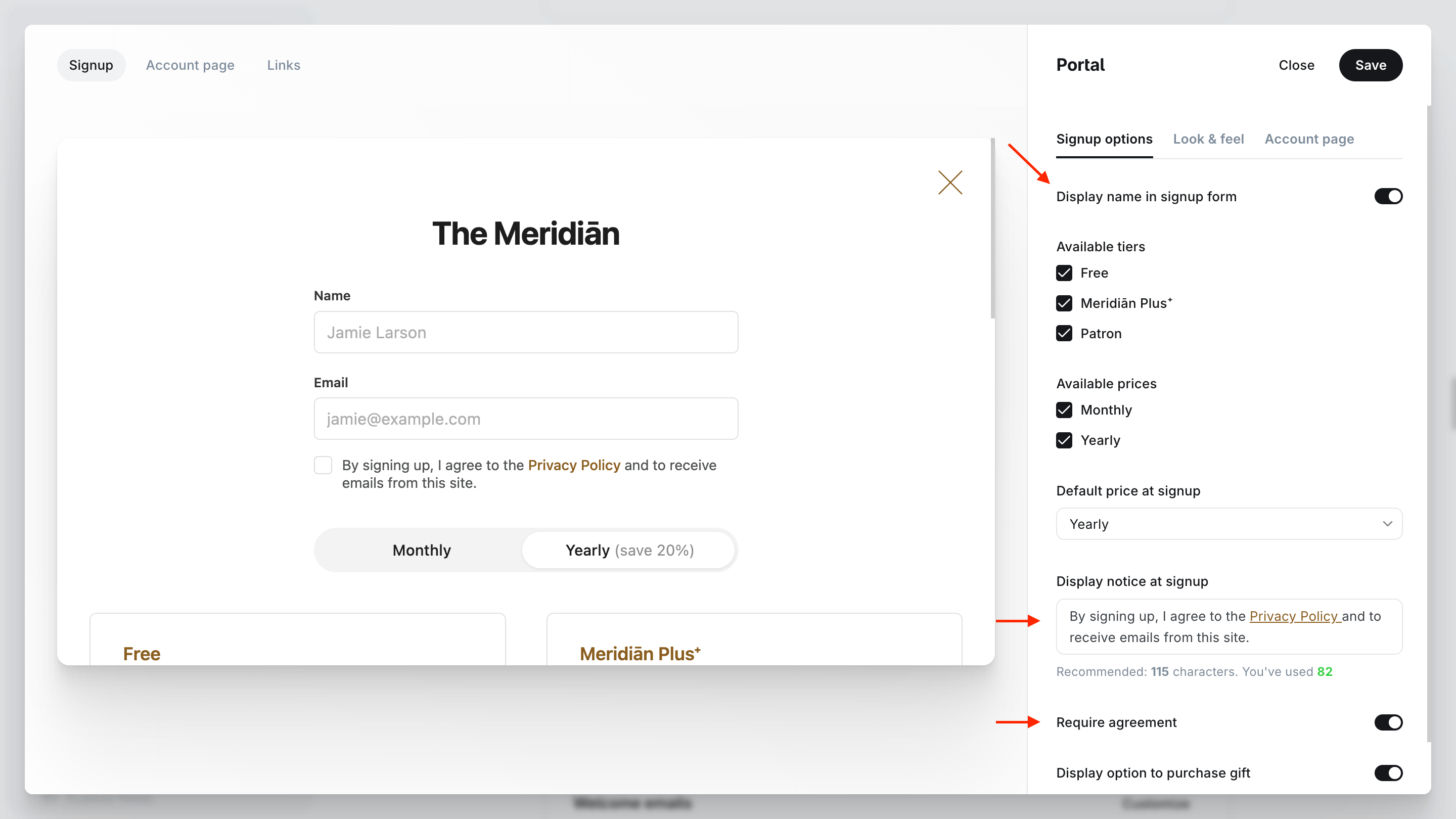
| Ghost setting | What Meridian's signup forms do |
|---|---|
| Display name in signup form | A Name field appears above the email address, and readers must fill it in. |
| Display notice at signup | Your notice appears under the email address, links included. |
| Require agreement | The notice becomes a checkbox, and the form won't send until readers tick it. Ghost shows this switch once your notice has text. |
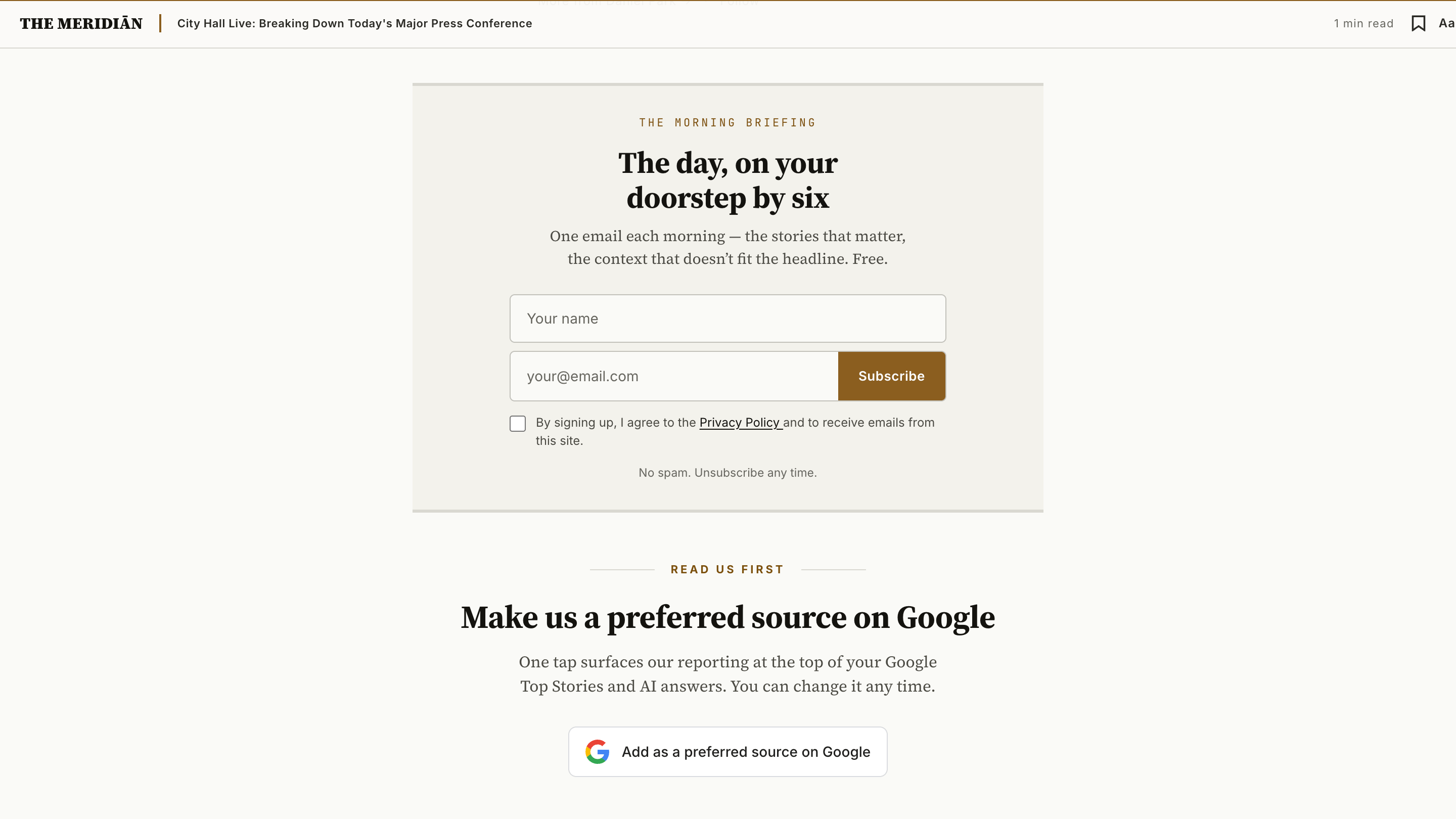
Here is the end-of-article signup with all three switched on:
Asking for a name
Ghost switches Display name in signup form on for every new site, so after updating to 1.12.0 most sites see a Name field in every signup form. The name is saved on the member in Ghost, the same as a name typed into the popup, and the first word of it is what Ghost uses to greet readers by first name in your emails.
To keep email-only forms, switch the setting off. That also removes the name field from Ghost's own popup.
A notice and required agreement
Use the notice for anything readers should see before they join, such as a link to your privacy notice or your terms. With Require agreement on, no form sends until the box is ticked: not the popup, and not any of Meridian's forms. A link in the notice opens in a new tab, so readers can read your policy without losing what they typed.
What Ghost keeps
Ghost doesn't save the tick itself. It creates the member only after they click the confirmation link in their inbox, and it keeps the date they joined. If you need a record of consent, write down the date you switched Require agreement on: from then on, everyone who joins through Meridian's signup forms or Ghost's popup has to tick the box first.
That date doesn't cover every member, though. The paid plan buttons on your membership page and in the membership band open Stripe checkout directly, so readers who buy there never see the notice or the checkbox. Signup cards in your posts, members you import and members you add yourself skip it too.
Every signup form
All four forms follow the settings above. Here is each one with a name field and a notice that requires agreement:
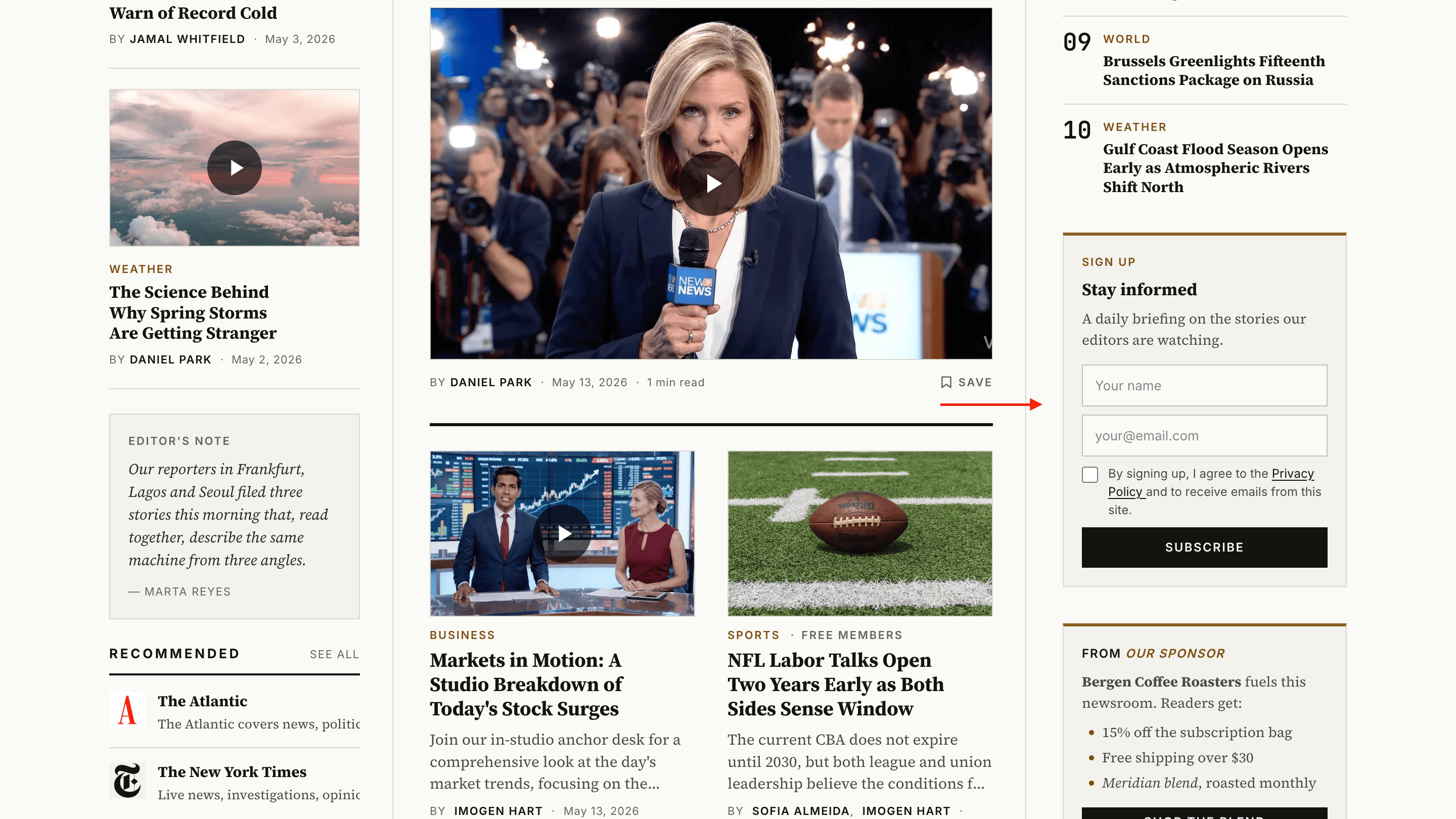
The newsletter box in your homepage rail. Its wording comes from a page with the slug newsletter-box, or the theme's own wording without one. See Homepage newsletter box.
Customise with Code injection
The notice has its own hook in every form, [data-part="terms"], so you can restyle it from Settings → Code injection:
<style>
  [data-part="terms"] { font-size: 13px; }
</style>
See Code injection for every hook.
Homepage newsletter box
Write your own wording for the newsletter box in the homepage rail. It lives on a Ghost page; without one, the box keeps the theme's wording.
Ads
Fill Meridian's six ad slots plus the homepage in-feed from Ghost pages — image banners or AdSense code. Off by default; paying members read ad-free unless you decide otherwise.