

Newsletter signup
An end-of-article newsletter signup card in an editorial "sign-off" style. Editorial copy lives on a Ghost page; when published it replaces the membership prompt for logged-out readers, and the prompt returns if you remove it.
The Newsletter signup card is a centred band, set off by a heavy top rule, that sits at the end of a post — an editorial "sign-off" with a kicker, a serif headline, a short lede, and an inline subscribe form. Like Meridian's other CTAs, its copy lives on a Ghost page, and the card only renders once that page exists.
It occupies the same slot as the post-page member CTA: when the newsletter page is published, the card replaces the "Become a member" prompt for logged-out readers; remove the page and the member prompt comes back. (See What shows, and when.)
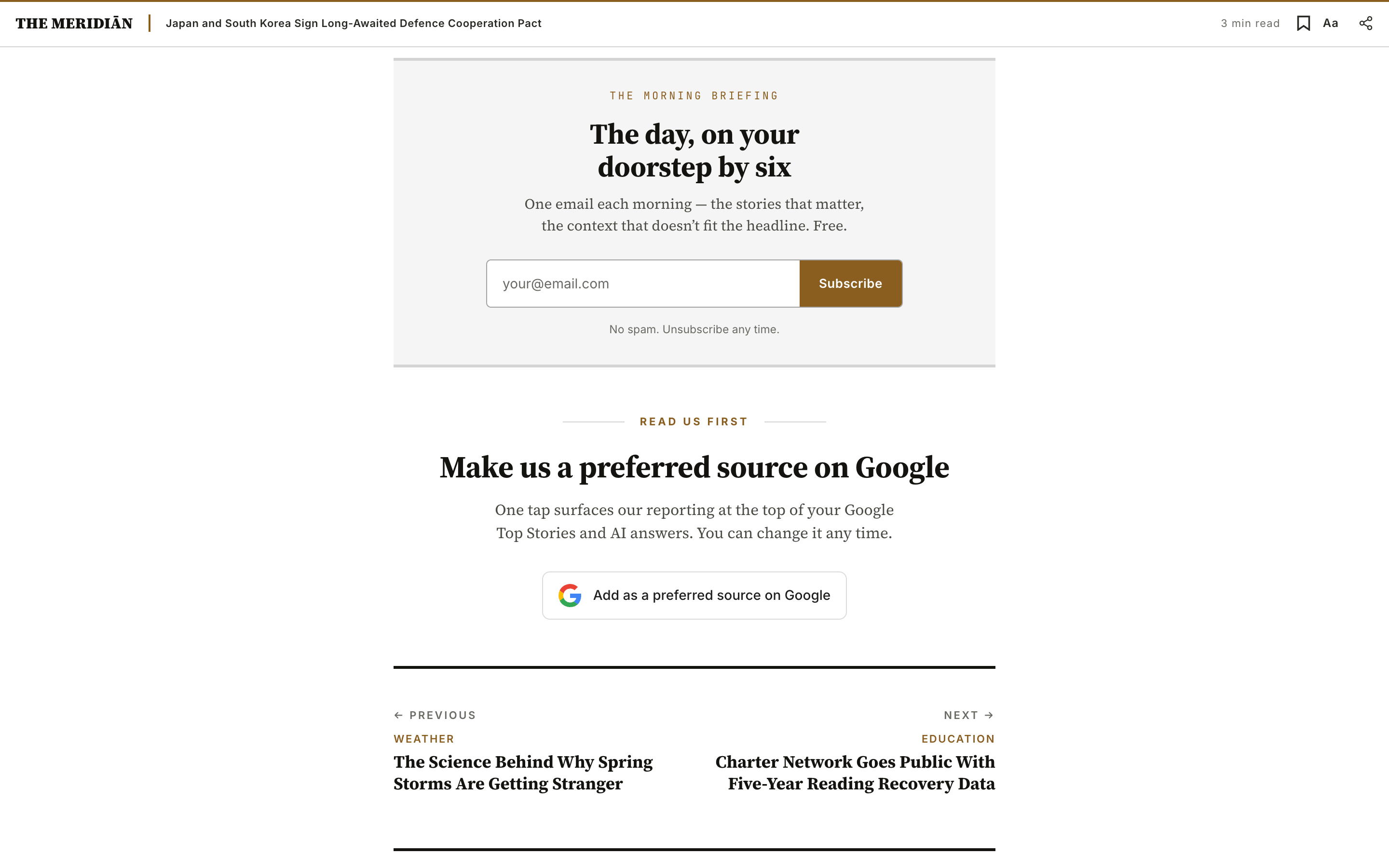
How the card is composed
- A kicker — the small mono label above the headline (e.g.
The Morning Briefing). - A headline + lede — the pitch, in your heading and body type.
- The subscribe form — an inline email field + button, wired to Ghost Portal. The button label and the fine print under it are yours to set, or leave on the defaults.
You author the kicker, headline, and lede — and optionally the button label and fine print. The form itself is handled for you.
Editorial copy lives on a Ghost page
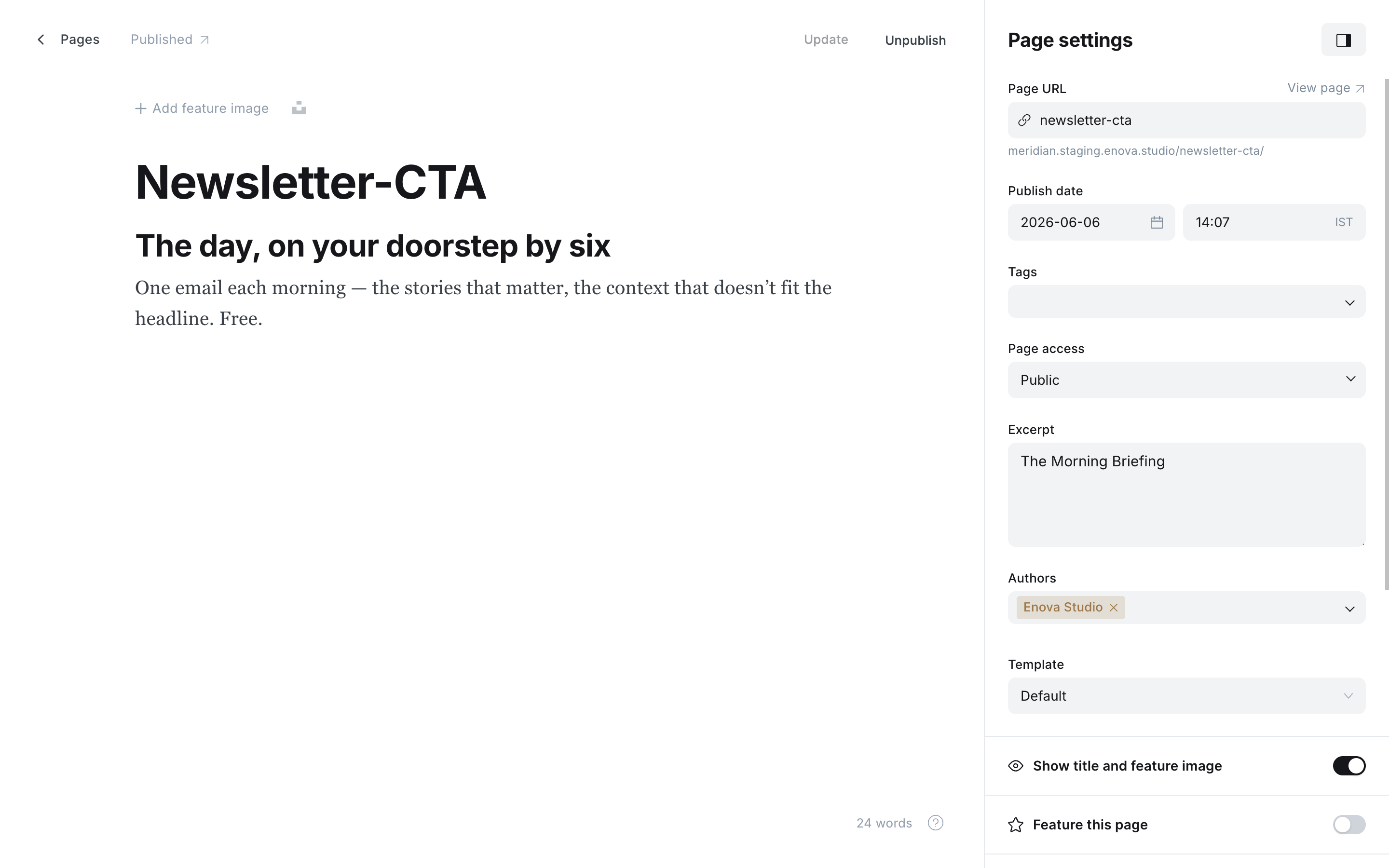
The text slots map one-to-one to fields on a Ghost page (not a post) with the slug newsletter-cta.
| Page field | Slot in the card | Notes |
|---|---|---|
custom_excerpt | Kicker (top label) | Optional — e.g. The Morning Briefing. Falls back to a localised Sign up when blank. |
html (body) | Headline + lede | One <h2> (the headline) followed by one or more <p> (the lede). |
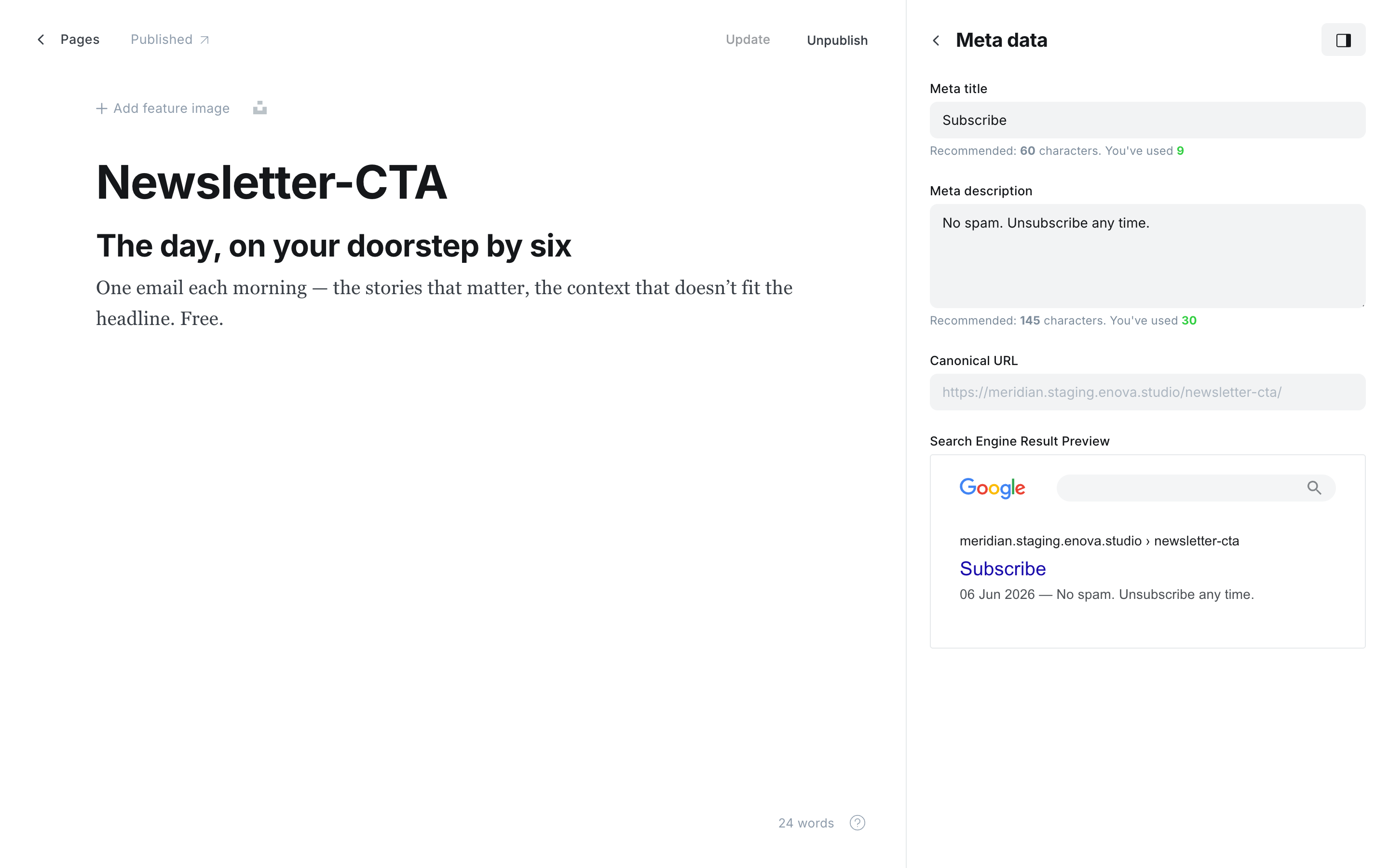
meta_title | Subscribe button label | Optional — overrides the default Subscribe. |
meta_description | Fine print (under the form) | Optional — overrides the default No spam. Unsubscribe any time.. |
title | — | Backend label only. Not rendered — name it whatever helps you find the page. |
Newsletter page — editor
Newsletter page — meta data
Create the page
In Ghost Admin, go to Pages → New page. Title it whatever you like — the title isn't rendered.
Set the slug to newsletter-cta
In Page settings, set the Page URL to newsletter-cta. It's a content source, not a destination — it doesn't need to be linked from your navigation.
Set the kicker (optional)
In Page settings → Excerpt (which becomes custom_excerpt), type your newsletter's name or kicker — for example The Morning Briefing. Leave it blank to use the localised default.
Customize the button + fine print (optional)
In Page settings → Meta data, set Meta title for the button label and Meta description for the fine print under the form. Leave them blank to keep the defaults (Subscribe / No spam. Unsubscribe any time.).
Author the headline and lede
In the editor, type the headline as a normal Heading 2, then write the lede as one or more paragraphs underneath.
Publish
Click Publish. The card appears at the end of every post for logged-out readers on the next render.
The form needs members enabled
The subscribe form uses Ghost Portal, so it only renders when memberships are on (Ghost Admin → Settings → Membership). It subscribes readers to your default newsletter(s).
What shows, and when
The slot above the preferred-source card holds one CTA for logged-out readers on posts they can fully read:
- Newsletter page published → the newsletter signup card.
- Newsletter page missing or unpublished → the post-page member CTA (
Become a member), driven by the Member CTA headline / body settings.
In both cases it's shown only to logged-out visitors, and only on posts they can access in full — on a gated post the paywall prompt takes over instead, so the two never stack. Paid and free members reading accessible content see neither.
The page is the switch
There's no theme toggle. Publishing the newsletter-cta page swaps the newsletter card in; unpublishing or deleting it brings the member CTA back.
Versus the homepage newsletter box
Meridian has two newsletter signups, for two moments:
- This card — a prominent, page-driven editorial sign-off at the end of a story.
- The homepage newsletter box — a compact, always-on widget in the homepage body, with fixed (translatable) copy.
They're independent and can both run.
Preferred source on Google
Add Meridian's end-of-article Google preferred source card — copy lives on a Ghost page with slug preferred-source; publish to show it, draft to hide.
Ads
Fill Meridian's six ad slots plus the homepage in-feed from Ghost pages — image banners or AdSense code. Off by default and hidden from paid members.