

Editor's Picks
Curate Meridian's Editor's Picks strip on the homepage with Ghost's native Featured flag — up to 8 posts, newest first, no tags or settings needed.
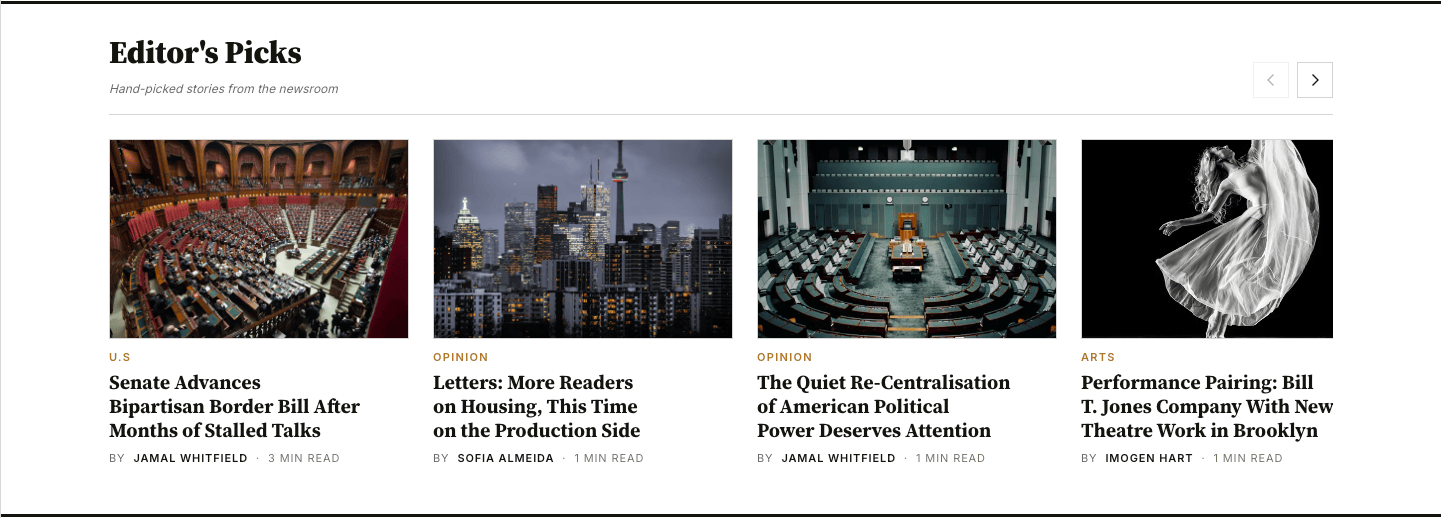
The Editor's Picks strip is a horizontal scroll carousel on the homepage. It surfaces posts you've marked as Featured in the Ghost editor — newest-first, up to 8 posts at a time.
How it works
- The strip pulls every post where Ghost's native Featured flag is on.
- Posts are sorted newest-first; the strip shows up to 8.
- The strip silently disappears when you have zero featured posts — no empty chrome, no broken state.
- The strip is rendered between the home-top ad slot (the billboard below the lead stories) and the tag-dispatched section rows on the homepage.
Marking a post as Featured
The Featured flag is a Ghost-native toggle. It's not a tag.
Open the post you want to feature in the Ghost editor.
Click the Settings icon in the upper-right corner of the editor to open the post sidebar.
Scroll to the Featured toggle in the post sidebar and switch it on.
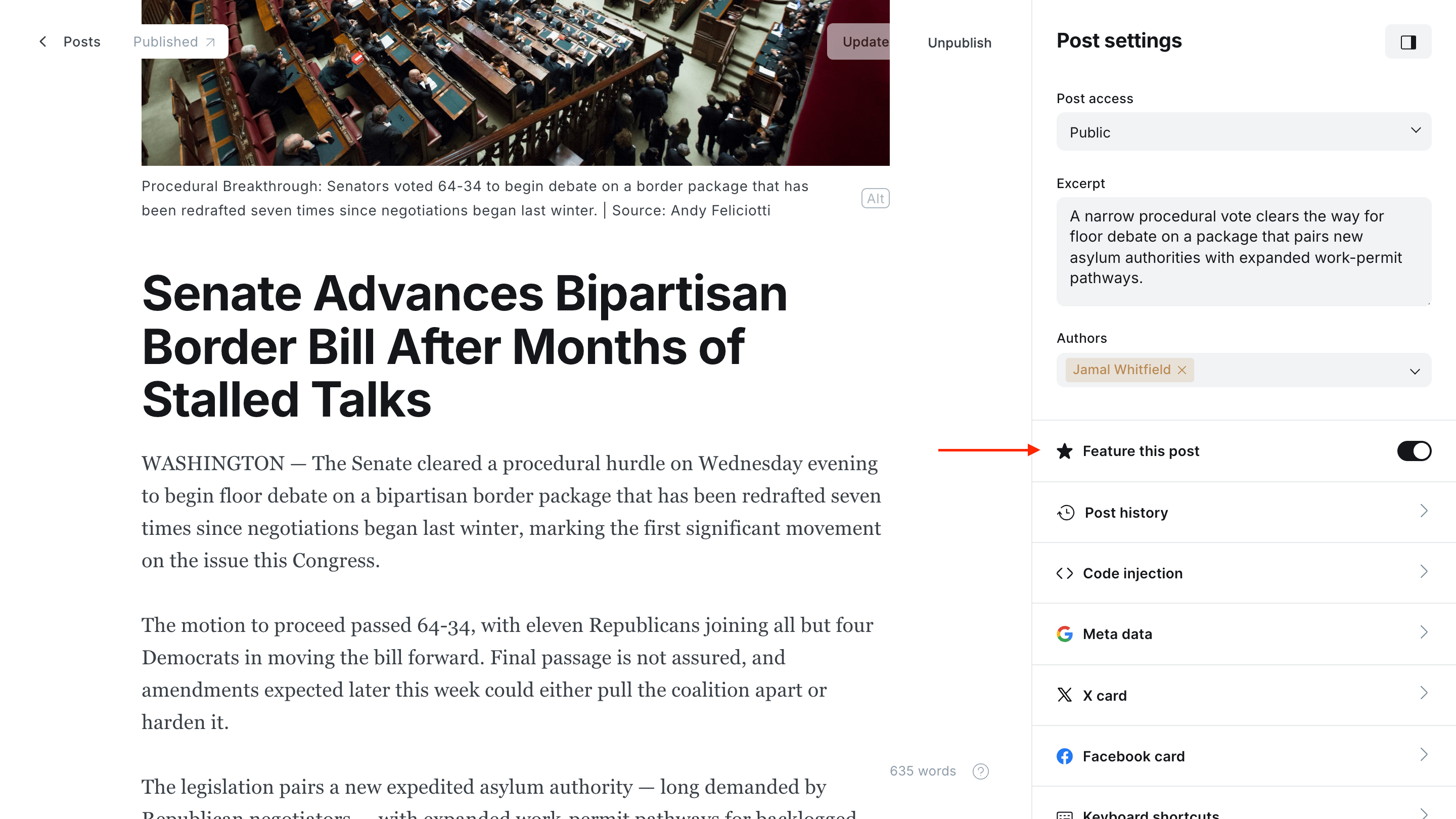
Click Update (or Publish, if the post is unpublished) to save.
The strip on your homepage will update on the next page load.
Featured is editorial — not a tag
Featured is a separate field on every post in Ghost — it's a true boolean, not a tag. Apply or unapply it freely as your editorial calendar shifts; Meridian re-reads the flag on every homepage render.
Hiding the strip
There's no theme setting to disable the strip — Meridian shows it whenever there's at least one featured post. To hide it on a quiet day, unfeature every post; the strip auto-removes itself when zero posts are featured.
Accessibility & motion
- Scroll arrows on either side of the strip are visible at every breakpoint (including phone), so keyboard users have a real control instead of relying on swipe-only.
- Arrows disable automatically at scroll boundaries — left arrow greys out at the start, right arrow at the end.
- Reduced-motion preference is respected: the scroll-snap degrades from smooth to instant under
prefers-reduced-motion: reduce. - Slide labels include the post title, so screen readers announce
{n}: {title}instead of the bare ordinal.
Sections page
A custom page template that turns a single Ghost page into a topic hub. Add the tags you want to feature, and each one renders as an editorial section with its name, description, archive link, and latest stories.
Editor's note
Add an Editor's note panel to Meridian's homepage aside from a Ghost page with slug editors-note — body, byline, and a translated eyebrow. Optional.