

Preferred source on Google
Add Meridian's end-of-article Google preferred source card — copy lives on a Ghost page with slug preferred-source; publish to show it, draft to hide.
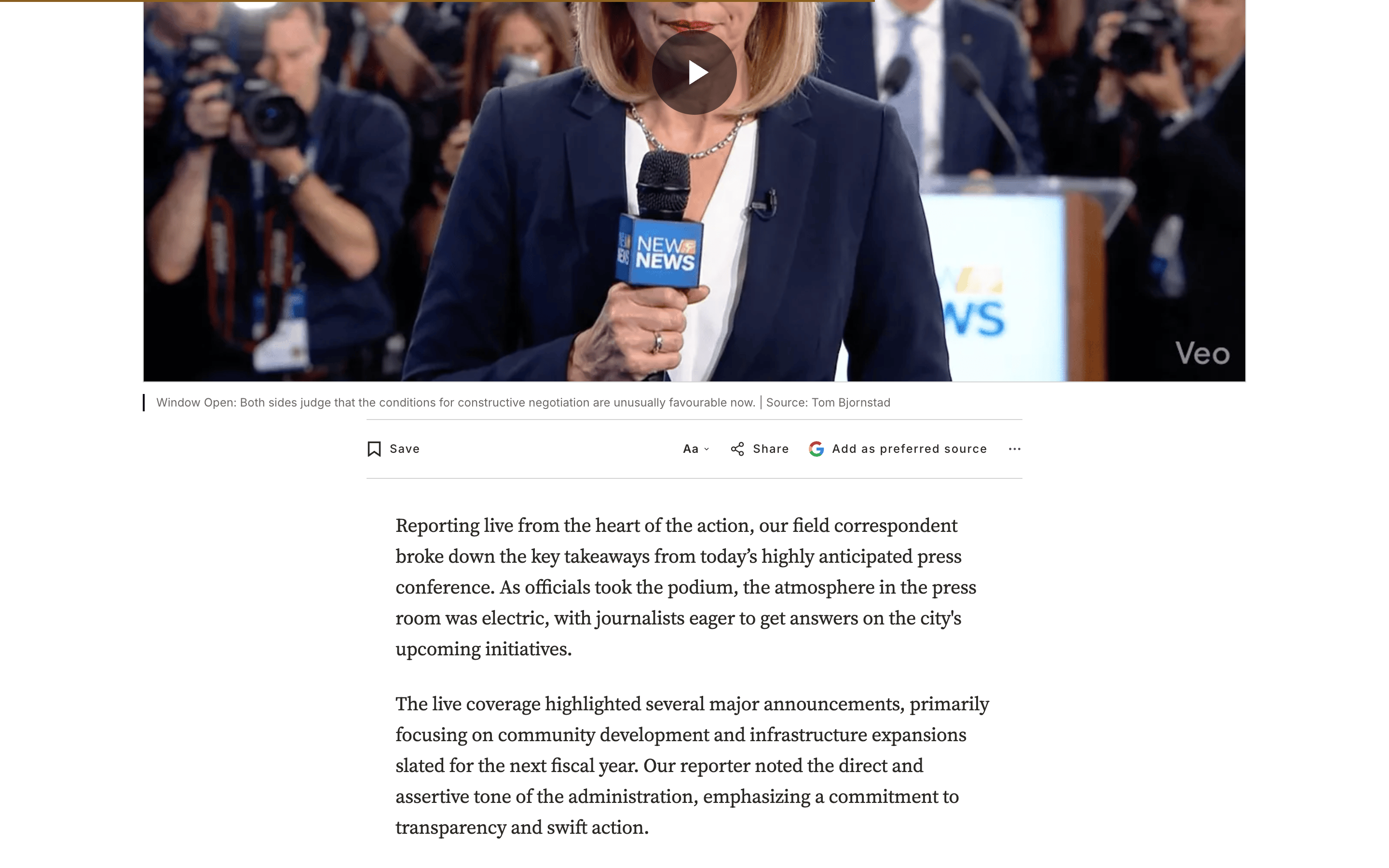
The Preferred source card is a centred, rule-framed band that appears at the end of every post, just after the subscribe CTA. It invites readers to add your publication to their Google Preferred Sources — one tap that surfaces your reporting at the top of their Google Top Stories and AI answers. Like the Membership CTA, its copy lives on a Ghost page, and the card only renders once that page exists.
Preferred-source page — Toolbar button
Preferred-source page — CTA
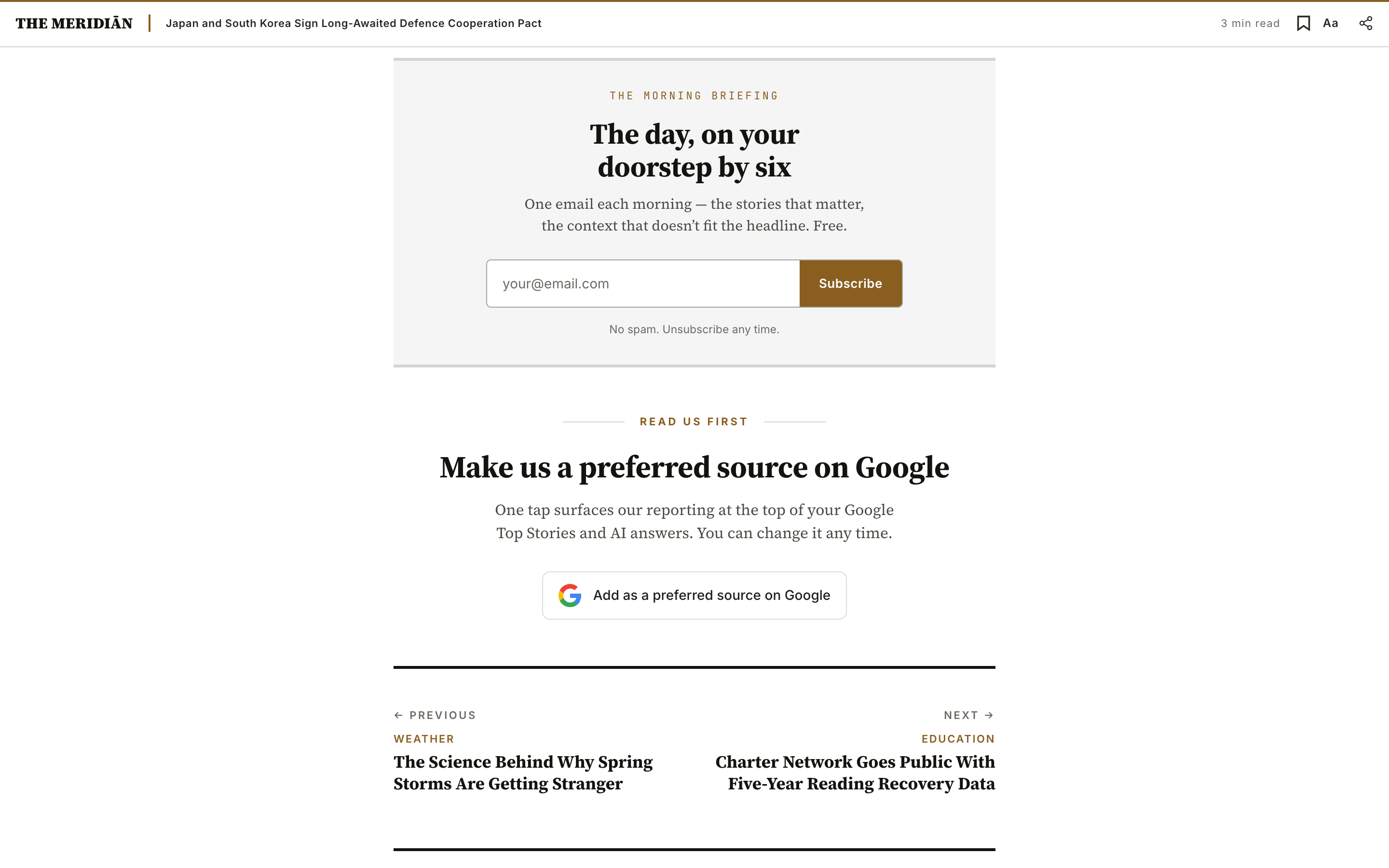
How the card is composed
The card has three parts:
- A kicker — the small all-caps label above the headline (e.g.
Read us first). - A headline + sub-copy — the pitch, set in your heading and body type.
- The Google button — a faithful recreation of Google's official "Add as a preferred source on Google" button (the unaltered 4-colour "G", a light surface in light mode and a dark surface in dark mode) that deep-links to Google Preferred Sources for your site. Because it's real HTML/CSS rather than Google's flat image, the label is translated into every locale. The destination is fixed, but the button's label and hover text are yours to set (or leave on the defaults).
You author the kicker, headline, and sub-copy — and, optionally, the button's label and tooltip. The button always points at the same Google Preferred Sources destination as the compact "Add as preferred source" button in the post toolbar and footer. The button surface follows the reader's color mode — a light surface in light mode, a dark surface in dark mode — with the 4-colour "G" unaltered in both.
Editorial copy lives on a Ghost page
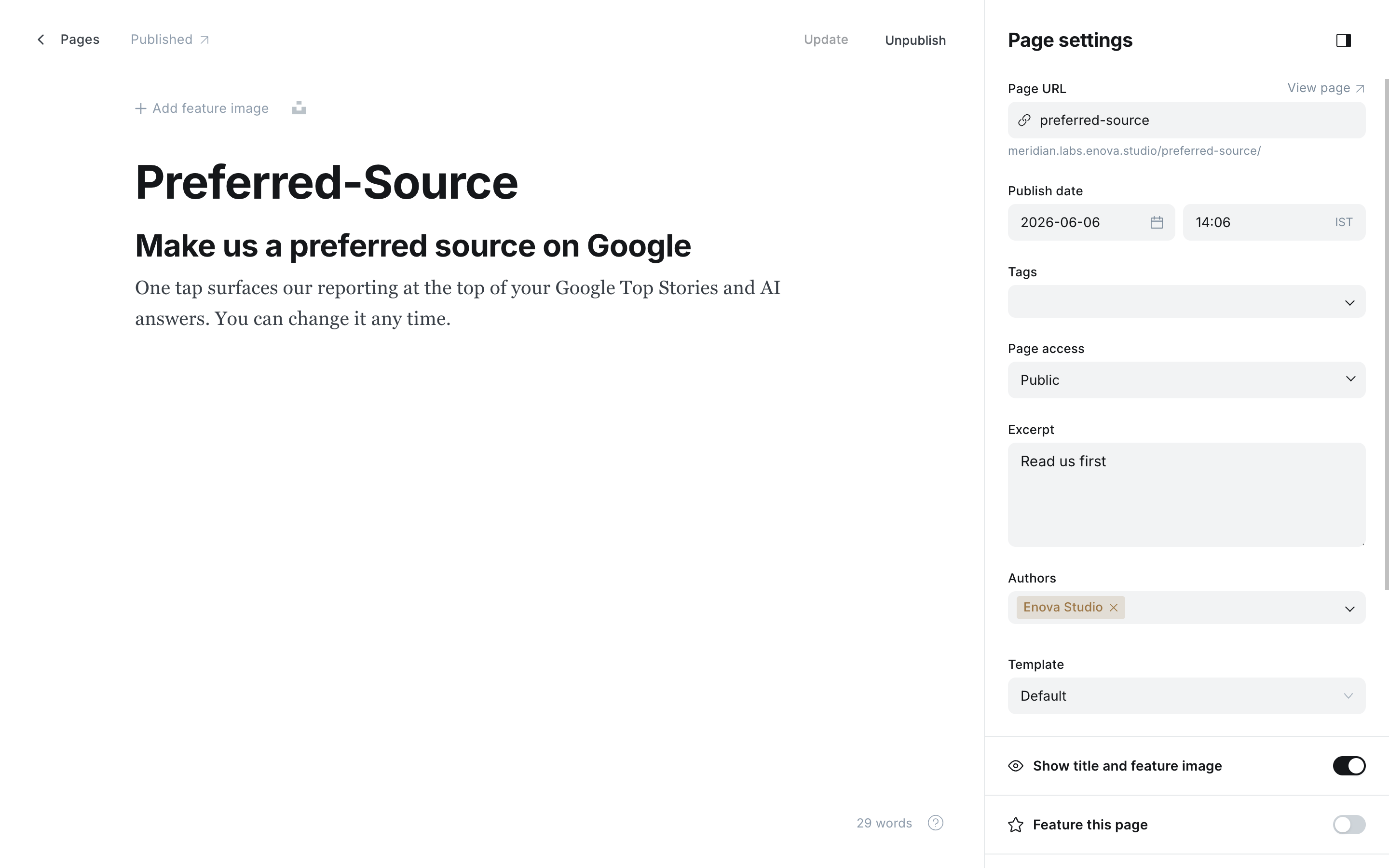
The text slots map one-to-one to fields on a Ghost page (not a post) with the slug preferred-source.
| Page field | Slot in the card | Notes |
|---|---|---|
custom_excerpt | Kicker (top label) | Optional — e.g. Read us first. Falls back to a localised Read us first when blank. |
html (body) | Headline + sub-copy | One <h2> (the headline) followed by one or more <p> (the sub-copy). |
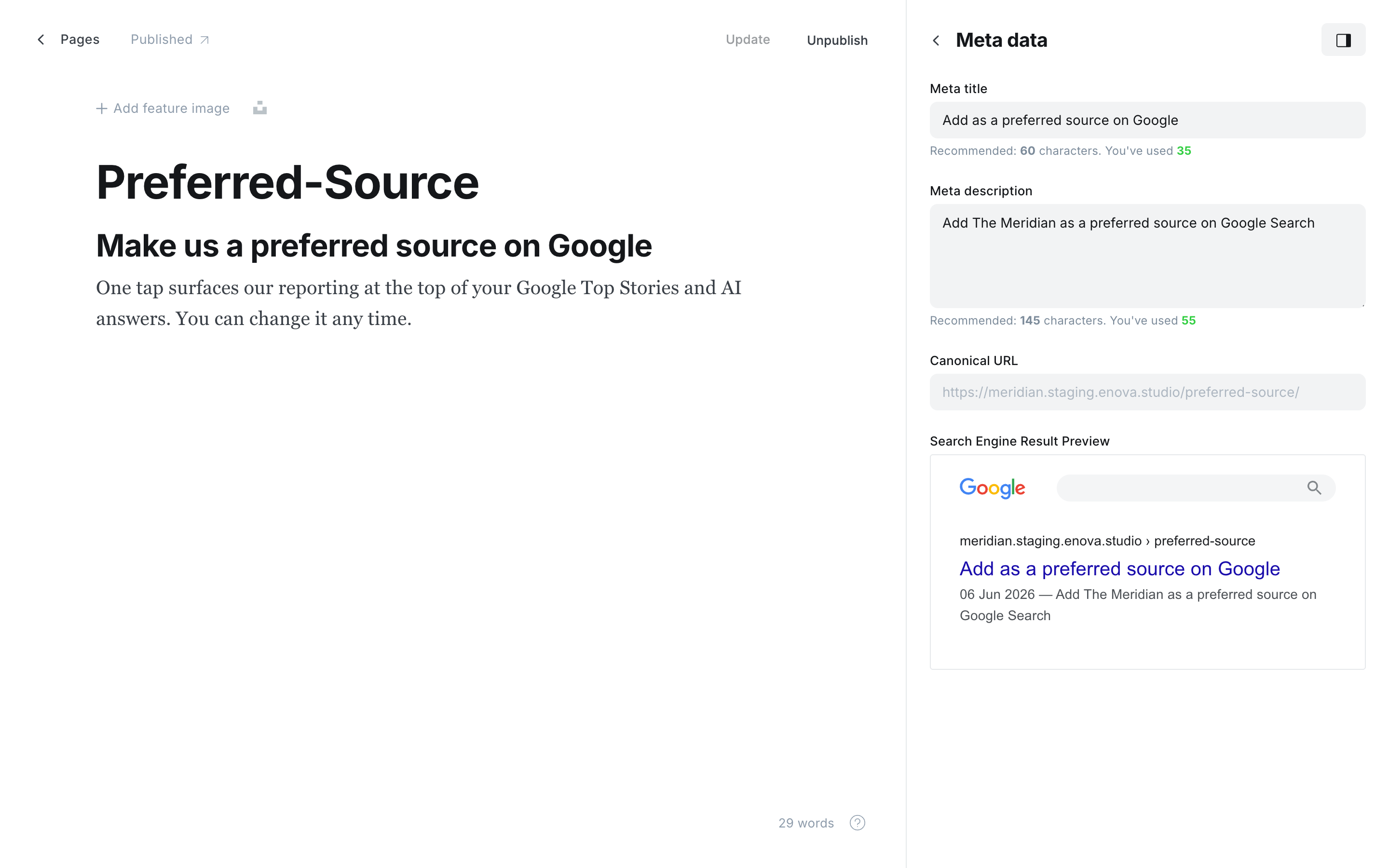
meta_title | Button label | Optional — overrides the default Add as a preferred source on Google. |
meta_description | Button tooltip (hover text) | Optional — overrides the default Add {site} as a preferred source on Google Search. |
title | — | Backend label only. Not rendered — name it whatever helps you find the page. |
Preferred-source page — editor
Preferred-source page — meta data
Create the page
In Ghost Admin, go to Pages → New page. Title it whatever you like — the title isn't rendered.
Set the slug to preferred-source
In Page settings, set the Page URL to preferred-source. The page is a content source, not a destination — it doesn't need to be linked from your navigation.
Set the kicker (optional)
In Page settings → Excerpt (which becomes custom_excerpt), type your kicker — for example Read us first. Leave it blank to use the theme's localised default.
Customize the button text (optional)
In Page settings → Meta data, set Meta title for the button's label and Meta description for its hover text. Leave them blank to keep the defaults (Add as a preferred source on Google).
Author the headline and sub-copy
In the editor, type the headline as a normal Heading 2, then write the sub-copy as one or more paragraphs underneath.
Publish
Click Publish. The card appears at the end of every post on the next render.
The kicker is editable per language
When you leave the Excerpt blank, the kicker shows a translated Read us first from the theme's locale files. Set the Excerpt to override it with your own wording in your publication's voice.
Hiding the card
There's no theme toggle — the Ghost page is the switch.
- The
preferred-sourcepage is missing or unpublished — the card doesn't render on any post. Delete the page, or set it back to draft, to hide it. Re-publish to bring it back. - That's the only condition. The card is shown to every reader on every post while the page is published, regardless of membership state.
Publishing the page turns it on
Because visibility is driven purely by the page, creating and publishing preferred-source is what switches the card on. If you're not ready for it, keep the page as a draft.
Relationship to the toolbar button
Meridian ships two ways to surface Google Preferred Sources:
- The toolbar, footer and menu button (
Add as preferred source): a compact, always-visible button on every article, in the footer and in the hamburger menu, driven by the Enable preferred source theme setting. See Site wide settings → Enable preferred source. - This end-of-article card (this page) — a prominent editorial band driven by the
preferred-sourceGhost page.
They're independent: the card is governed by the page, the button by the setting. Use the button for a low-key, ever-present nudge; add the card when you want a deliberate, end-of-story ask. Run both, either, or neither.
Home hero widgets
Put your own content cards in the homepage rail, under the newsletter box. Each widget is a Ghost page tagged
Newsletter signup
An end-of-article newsletter signup card in an editorial "sign-off" style. Editorial copy lives on a Ghost page; when published it replaces the membership prompt for logged-out readers, and the prompt returns if you remove it.