

Bookmarks
Set up Meridian's saved-articles feature — Save buttons, a masthead popover, and a /bookmarks/ page — stored in the reader's browser, no API key needed.
Meridian ships a built-in Bookmarks feature: a Save button on every post card and post hero, a small bookmarks popover in the masthead, and a full saved-articles page at /bookmarks/. Everything is stored in the reader's own browser — no Ghost Members API key, no server-side storage, no per-reader configuration.
Local-first by design
Bookmarks are 100% client-side. They're stored in the reader's localStorage and synced across tabs in the same browser via storage events. Clearing browser data wipes them; signing in or out doesn't affect them; they don't leave the reader's device.
What readers see
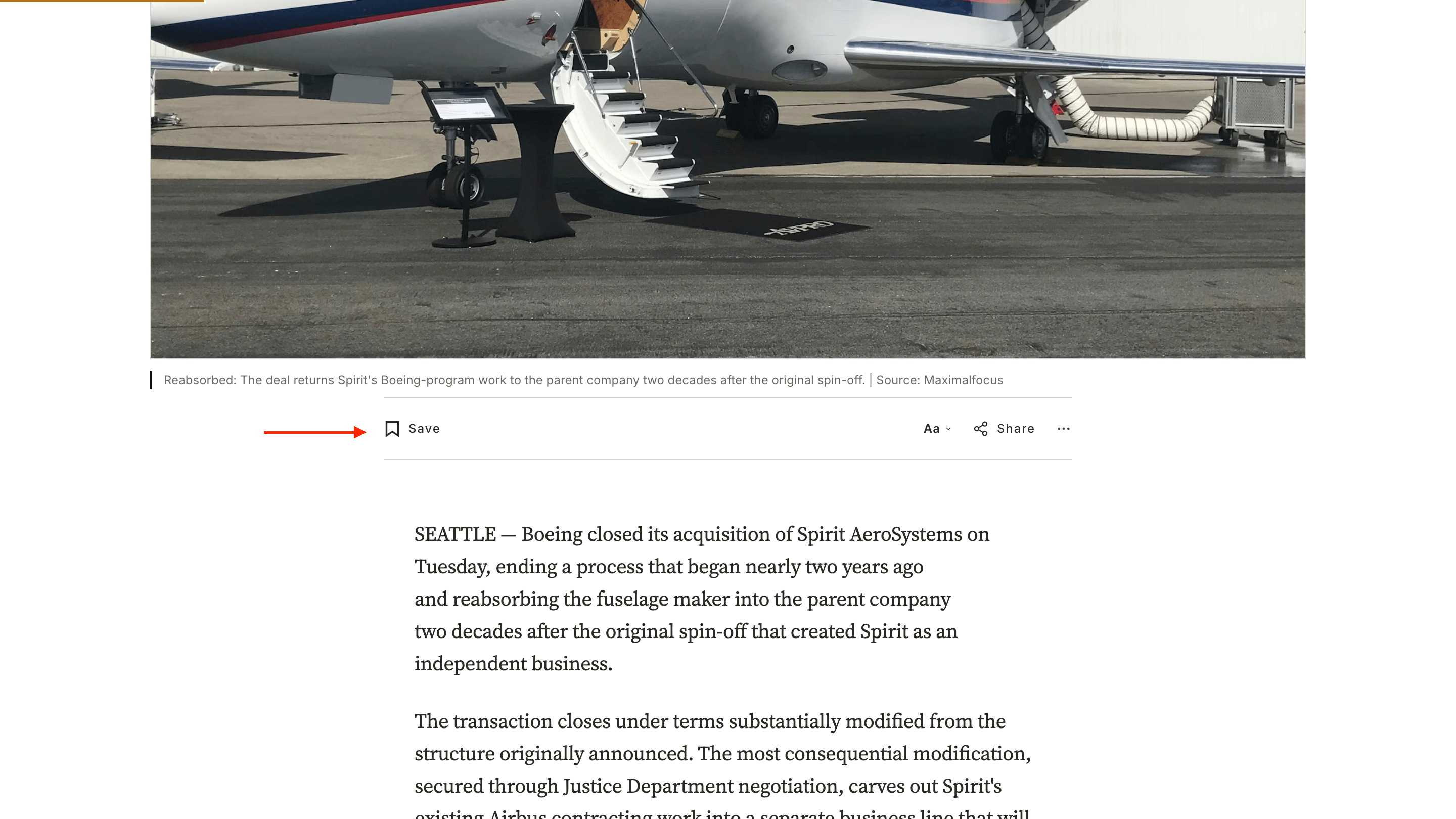
- Save button on every post card (homepage feed, archives, related coverage rail) and on the post hero. Clicking it toggles save state; the icon fills when saved.
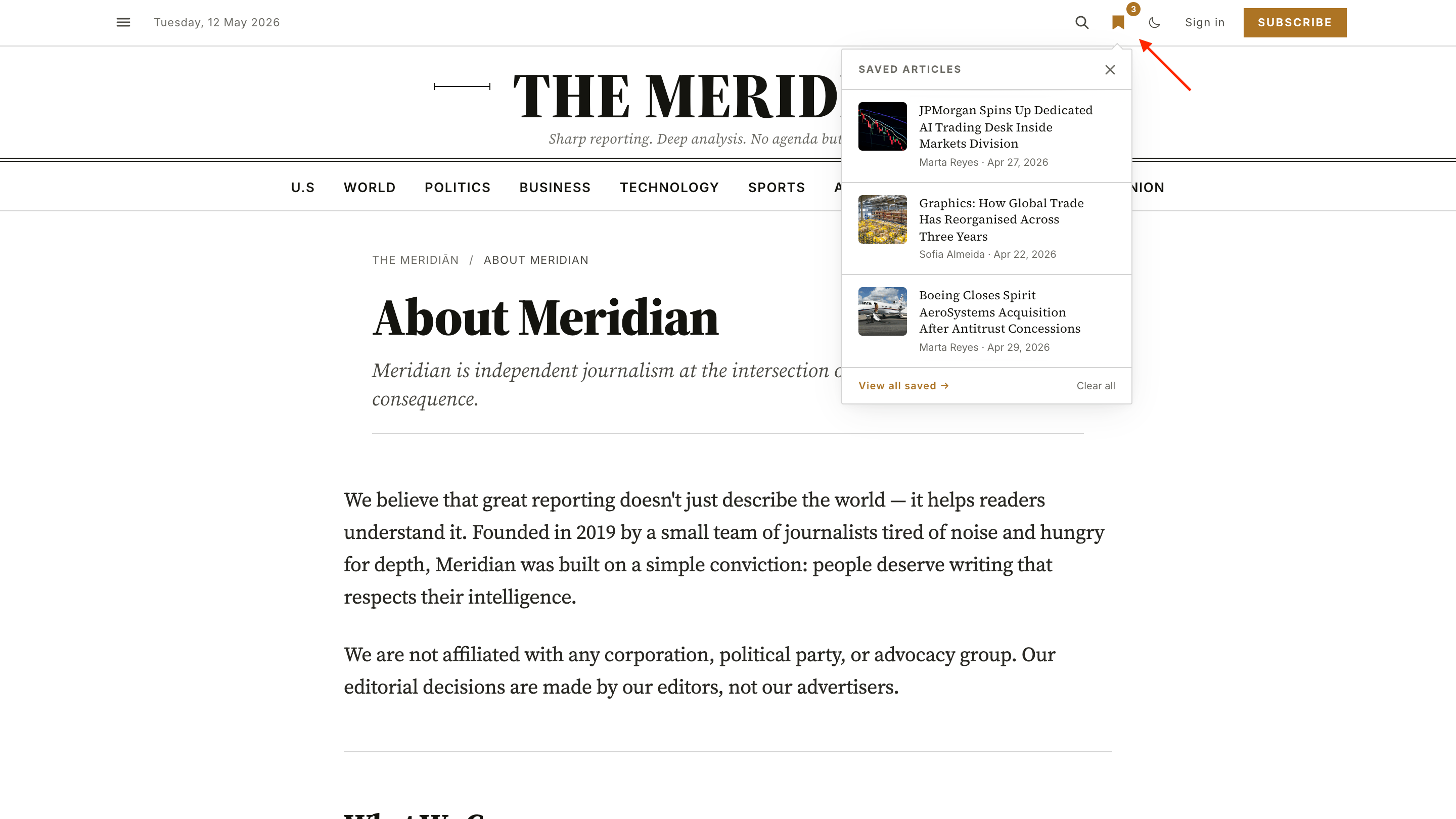
- Bookmarks popover in the masthead utility row — opens a small list of the reader's saved articles for quick access.
- Bookmarks page at
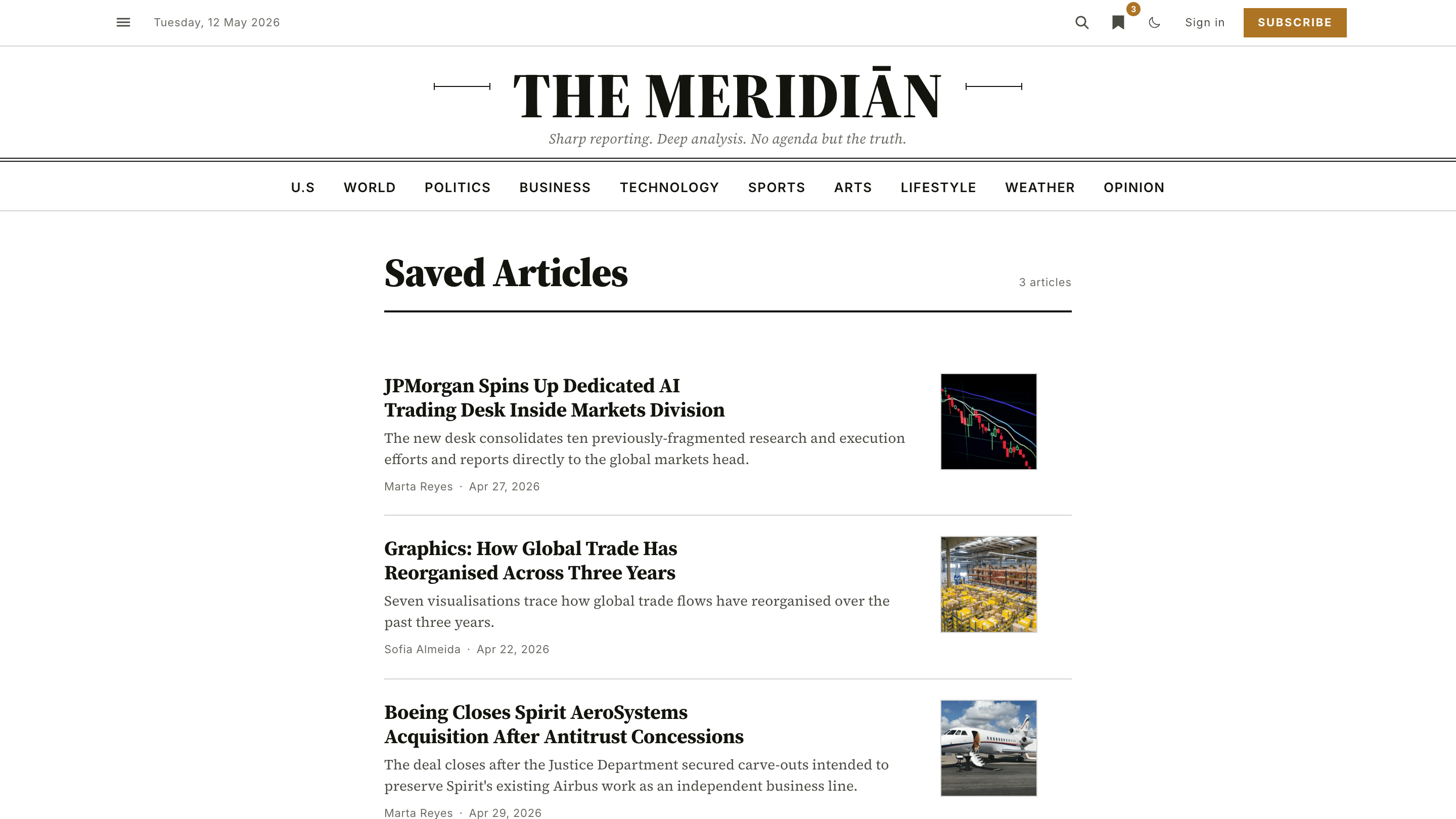
/bookmarks/— the full list, reverse chronological, with per-article Remove and a Clear all action.
Save button on a post card
Bookmarks popover open in the masthead
Bookmarks page with saved articles
Setting up the page
The /bookmarks/ page is wired by a Ghost page with the slug bookmarks. Meridian's custom page-bookmarks.hbs template takes over rendering — the Ghost body content of the page is ignored, so the title and excerpt are the only fields that matter.
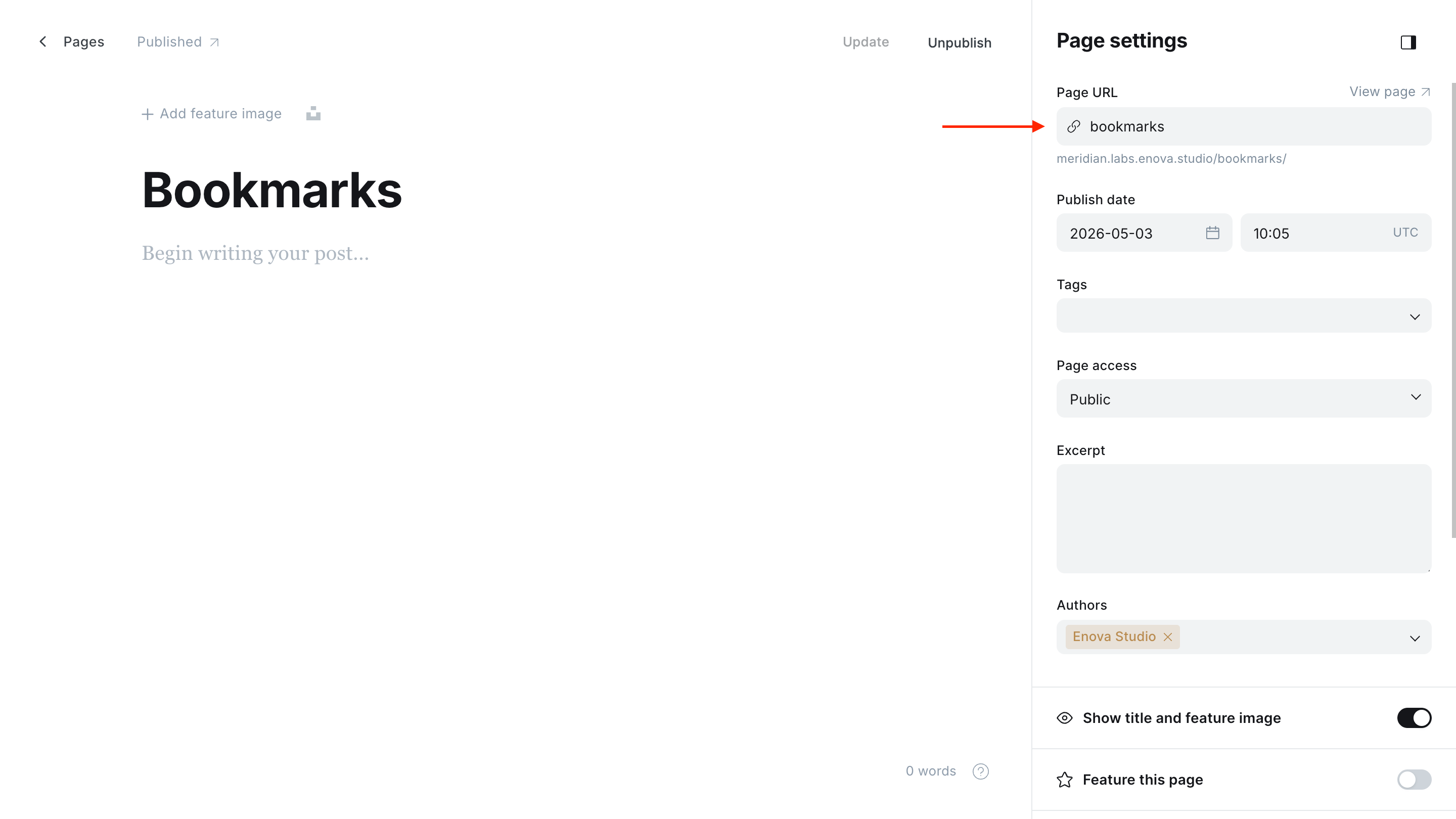
Create the page. In Ghost Admin, go to Pages → New page.
Set the title. Title it Saved articles, Bookmarks, or whatever fits your voice. This title renders as the page heading.
Set the slug to bookmarks. In Page settings, set the Page URL field to bookmarks. The page will publish at /bookmarks/.
Publish. Click Publish. The Save buttons across your site will now route to a real destination.
The page must exist
Without a Ghost page at the bookmarks slug, the Save buttons and the masthead popover still work — saves are stored and listed as usual — but the popover's View all saved → link hides itself and there's no full saved-articles page for readers to visit. Create the page to give bookmarks a real destination.
Body content is ignored
Meridian's page-bookmarks.hbs template renders the saved-articles list directly. Anything you put in the Ghost editor body for this page is discarded. Use the title and (optionally) excerpt to describe the page, but leave the body empty.
How the data is stored
For developers and curious readers: the bookmarks data lives in the browser's localStorage under the key bookmarks. Each entry stores the post's title, excerpt, feature image, primary author, and publish date — enough to render the saved-articles list and the popover without re-fetching anything.
If an older entry exists with only an ID (a legacy format from an earlier draft of this feature), it degrades gracefully — it still shows up on the page, with a shorter card.
The cross-tab sync is built on the standard browser storage event: save a story in one tab and every other tab updates immediately. The listener is removed on pagehide so it doesn't block bfcache.
Persistent video player
Keep a started video playing in a mini-player as readers move between pages — how it works, the settings, members-only videos, accessibility, and analytics.
Reader controls
How Meridian's reader controls work — a masthead popover with text size and Light/Dark/System appearance, remembered per reader and synced across tabs.