

Printing
Meridian ships a print-editorial layout — a cover masthead, running headers, and a source colophon — reachable from the article action toolbar.
Meridian is a print-editorial theme, and that extends to actual paper. Every article carries a Print action that produces a newspaper-style printout — a cover masthead, running page headers, graceful handling of embedded media, and a colophon footer crediting the source. Readers get a clean PDF or hard copy without any of the on-screen chrome.
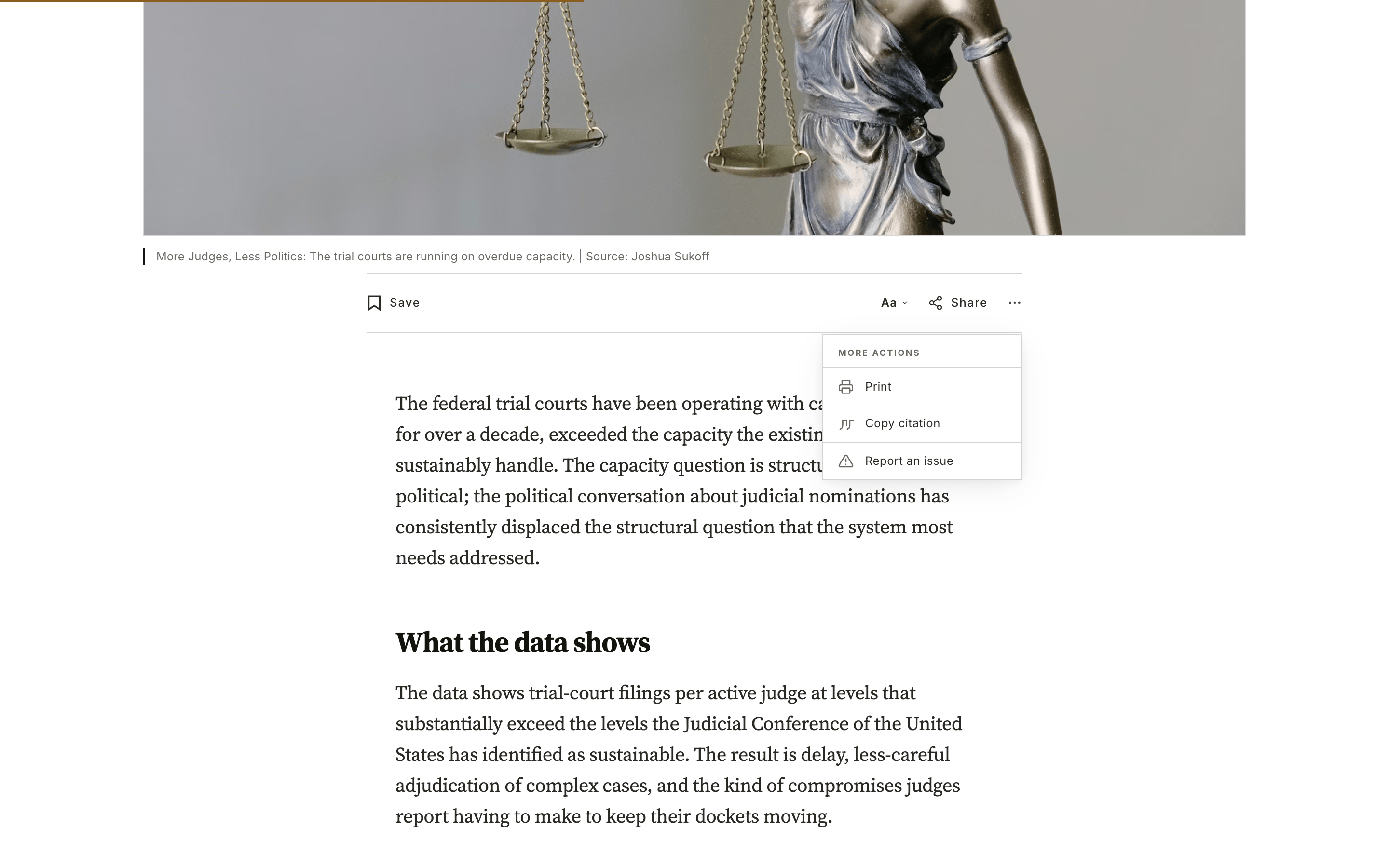
Where to find it
The Print action lives in the More actions menu — the ⋯ button at the end of the article action toolbar, alongside Save, Comments, reader controls, and Share.
Open the ⋯ menu and choose Print. Meridian hands off to the browser's standard print dialog, where the reader can print to paper or save as PDF.
The action also appears in the compact toolbar that slides in after the reader scrolls past the top of the article, so it's reachable from anywhere in the piece.
What gets printed
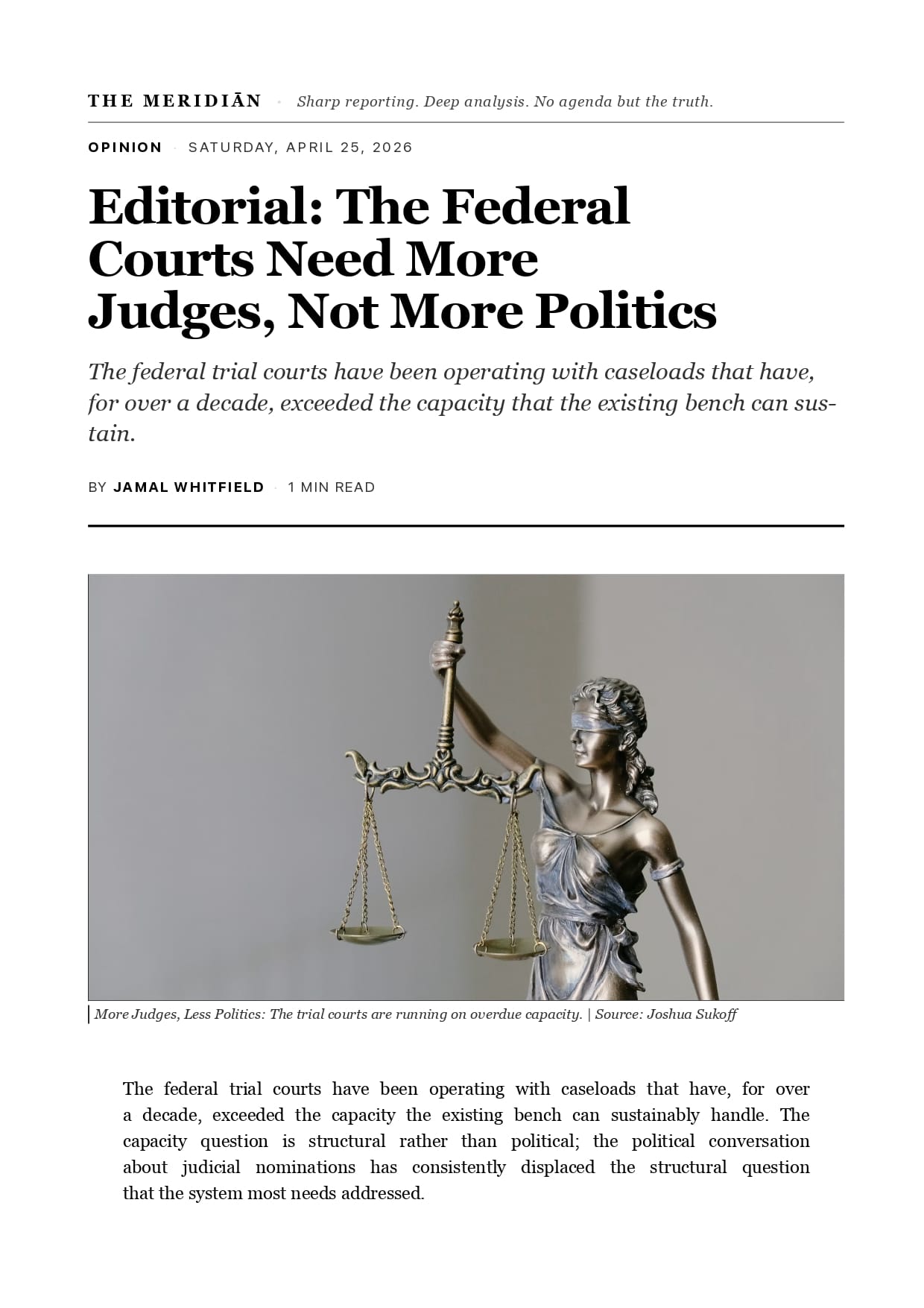
Choosing Print doesn't print the web page as-is. Meridian swaps in a dedicated print layout:
- Cover masthead — the publication name, section, dateline, headline, standfirst, and byline, set as a newspaper front page.
- Feature image — kept on the cover page, sized to fit.
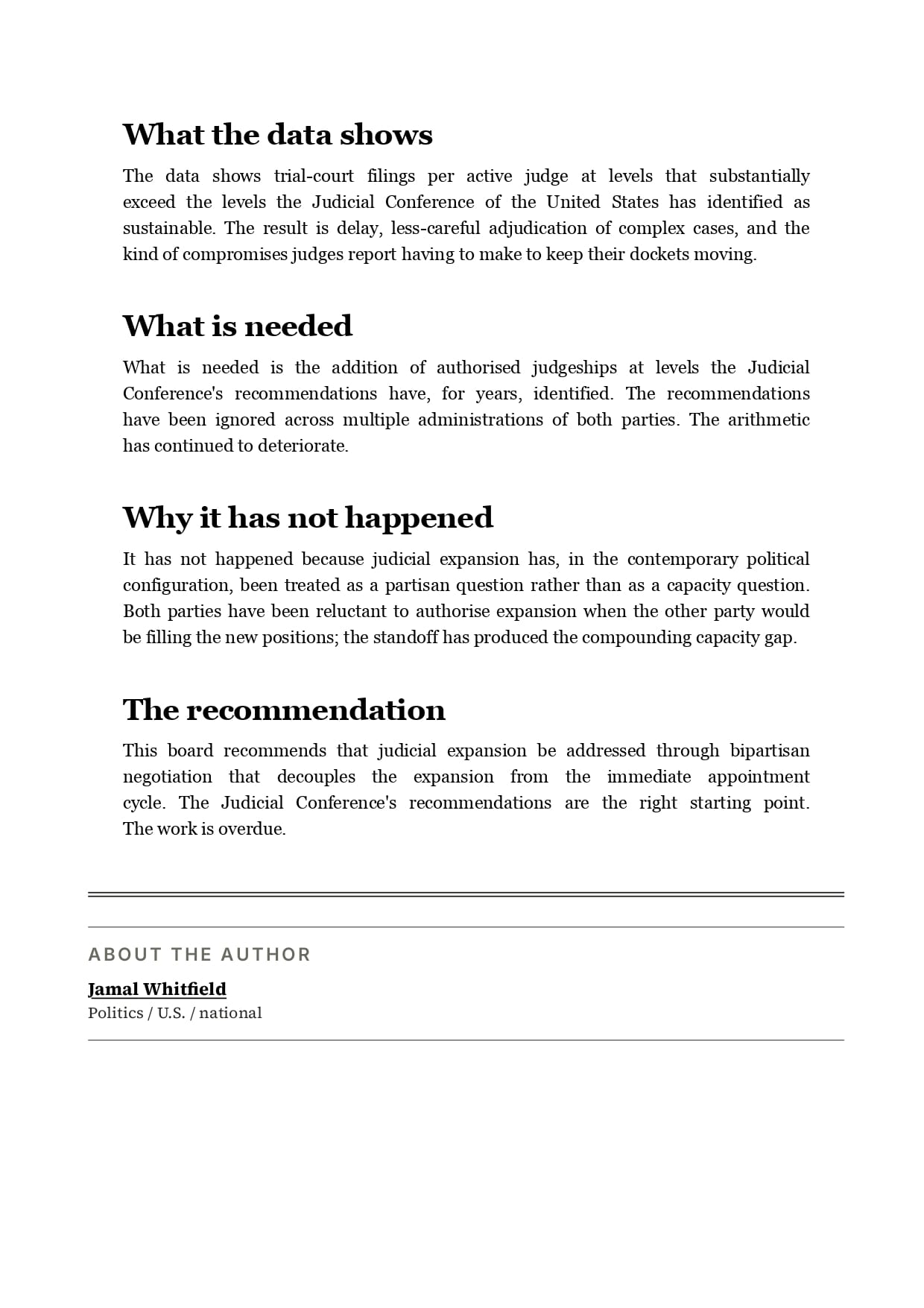
- Running headers and footers — the article title across the top of each page, the site name and a page count (
2 / 5) along the bottom. - Editorial typography — body text re-set in a serif face, justified with hyphenation, with drop caps preserved on posts that use them.
- Graceful media fallbacks — videos, audio players, and embeds that can't print collapse to a short "view at the original article" line rather than a blank box. Bookmark and product cards collapse to their title and link.
- Source colophon — a footer crediting the publication, the full article URL, and the date the copy was retrieved.
On-screen elements that don't belong on paper — navigation, the toolbar, comments, search, related-story rails, and membership prompts — are removed automatically.
Printed Page 1
Printed Page 2
Printed in your language
The cover page and colophon follow your site's publication language — the same as the rest of the theme. There's nothing extra to configure.
Members-only posts
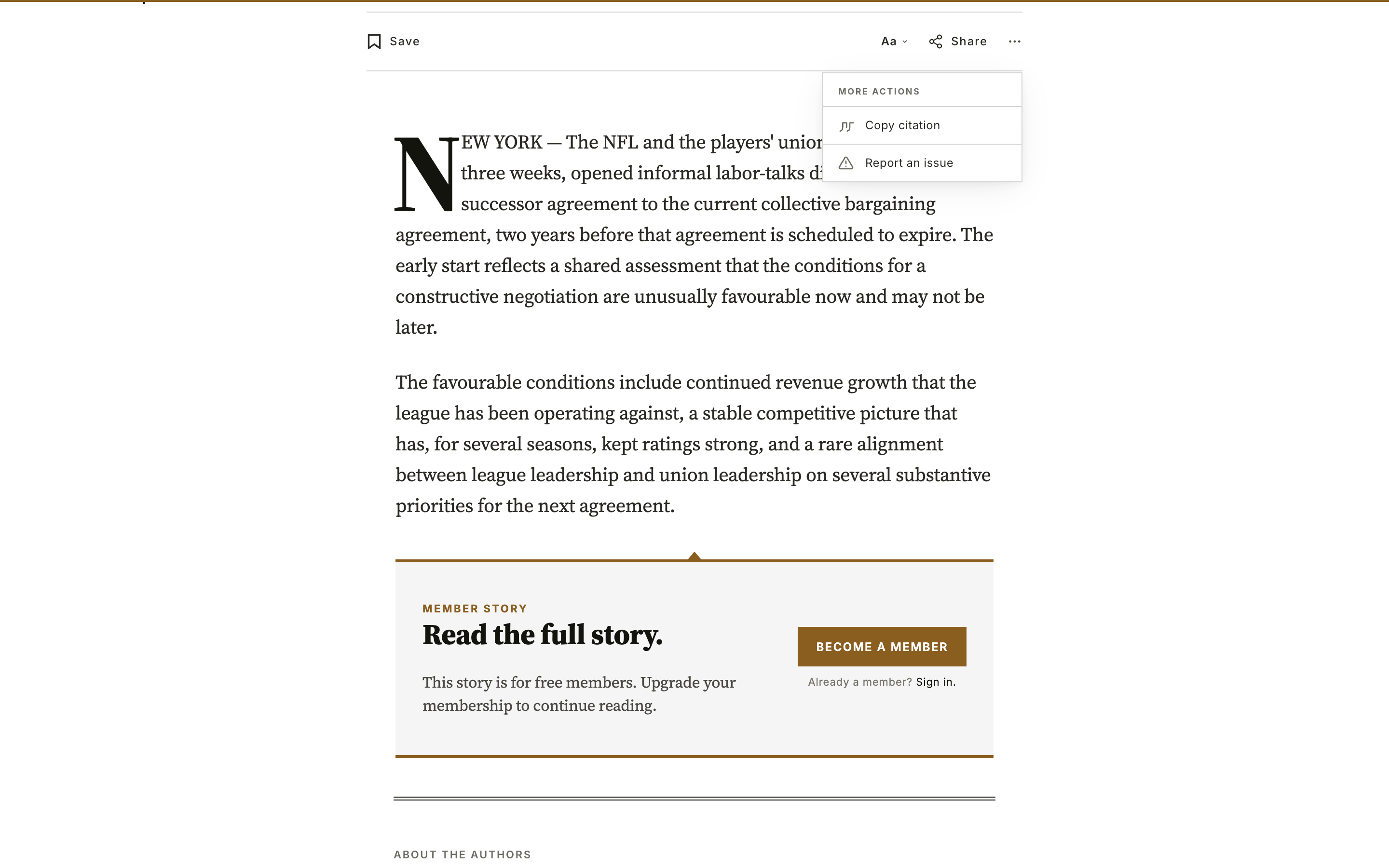
When a visitor lands on a members-only or paid post they don't have access to, they only see the public preview — there's no full article to print. Meridian handles this for you:
- The Print action is hidden. On a post the visitor can't fully read, Print simply doesn't appear in the
⋯menu, so they're never offered a printout that would come up almost empty. - Direct printing still degrades cleanly. A reader can always trigger their browser's own print command (Ctrl/Cmd + P) — that can't be intercepted. If they do, Meridian prints just the cover page and a short note explaining the article is members-only and where to sign in, instead of a page of teaser text and a sign-up box.
Nothing to set up
This behaviour is automatic and tied to Ghost's own access rules. A post counts as restricted whenever the current visitor can't read its full content — public posts, and members signed in at the right tier, always get the full Print action.
Publication Language
Meridian ships in 14 languages. Set your publication language in Ghost Admin and the theme's interface adapts automatically — no code or manual translation needed.
Code injection
Restyle Meridian with CSS in Ghost's Code injection box — every section and component has a stable data-* handle that survives theme updates.