

Archive intro
Customize the header on Meridian's paginated archive pages (/page/2/ onward) from a Ghost page with slug archive-intro. Optional, with built-in fallback copy.
The archive intro is the header that sits above the chronological story grid on Meridian's paginated archive pages — the /page/2/, /page/3/, … pages a reader lands on when they page back through your older stories. It's a small uppercase kicker, a large title, and an italic standfirst line beneath it. Out of the box it reads "Earlier reporting / The newsroom, day by day / A chronological archive of every story filed by our reporters and columnists." You can replace all three from Ghost without touching theme code, by creating a single page.
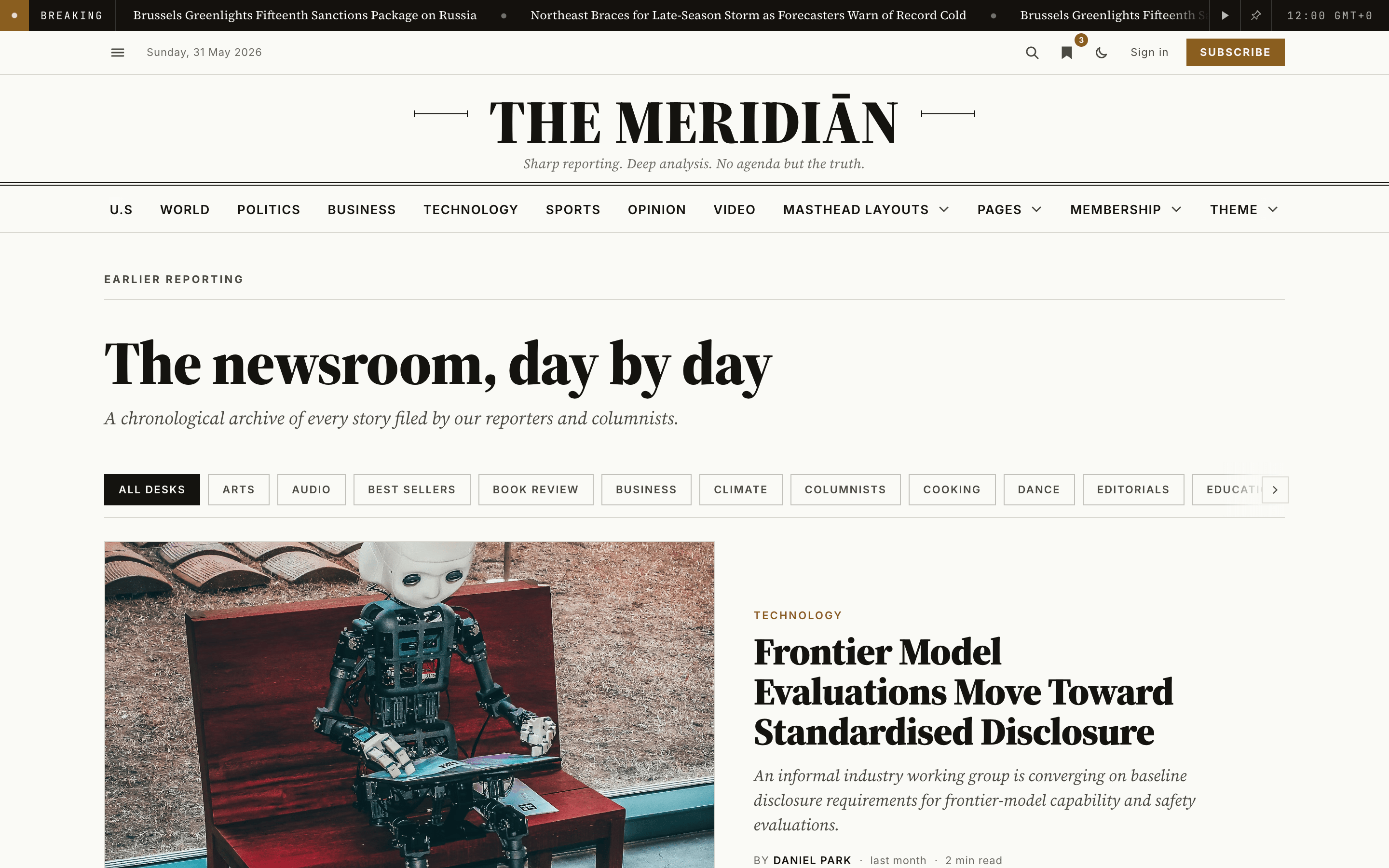
Not the homepage's archive tail
The homepage ends with its own fixed "From the archive" heading above the story grid at the bottom of the front page. That tail is built-in and is not affected by the archive-intro page — this page customizes only the header readers see once they click through to /page/2/ and beyond.
This is entirely optional. If you never create the page, the built-in wording shown above stays exactly as it is.
How it's composed
The header has three parts, all sourced from one Ghost page with slug archive-intro:
| Page field | Slot in the header | Notes |
|---|---|---|
title | Main heading | Required — a Ghost page always has a title, so this is always used. |
meta_description (Meta description) | Eyebrow kicker | Optional — falls back to "Earlier reporting" when left blank. |
custom_excerpt (Excerpt) | Italic standfirst | Optional — falls back to the built-in sentence when left blank. |
The page itself is just a content source for the archive header — you don't need to link it anywhere.
Setting it up
The page in Ghost
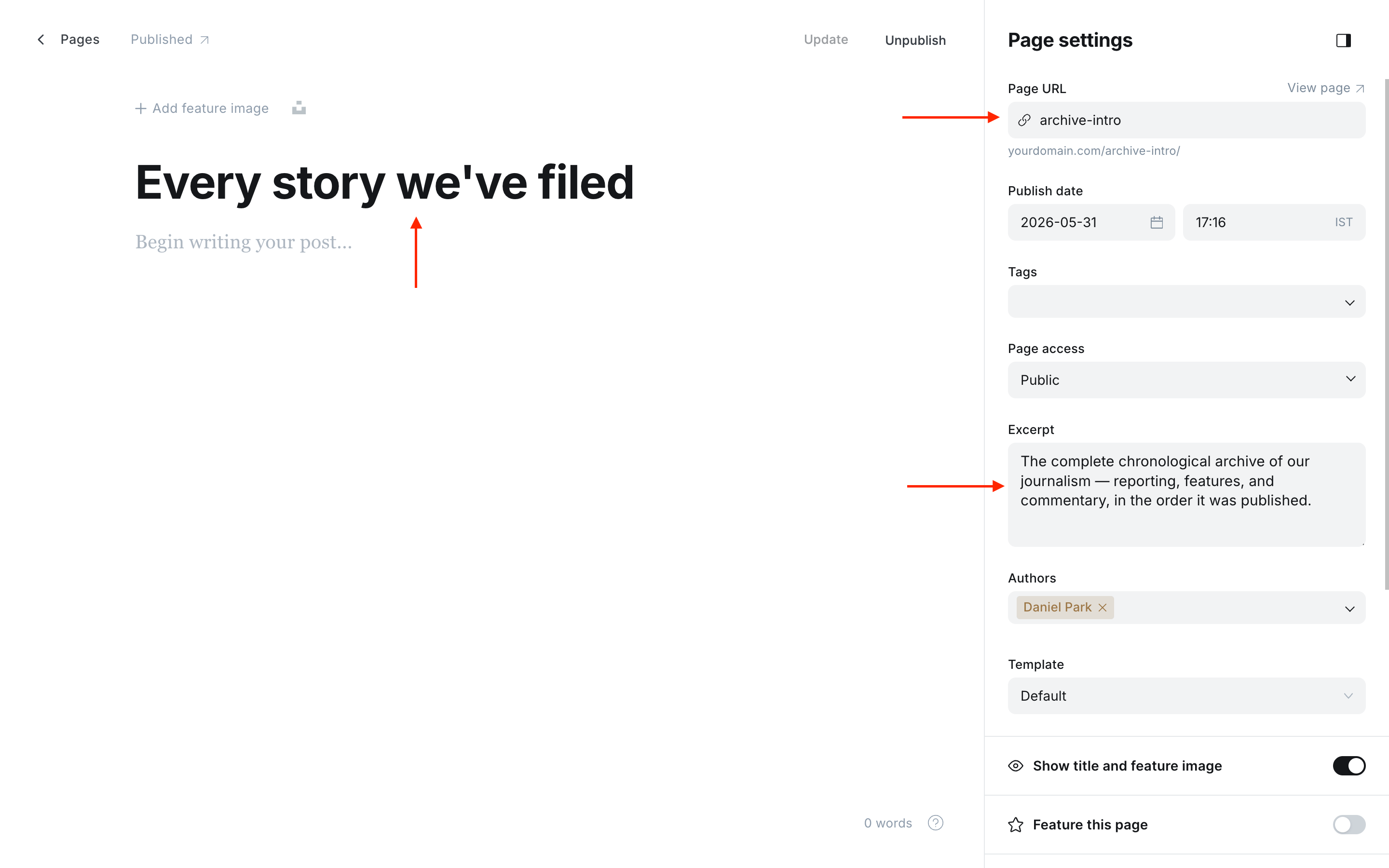
Previewing the header
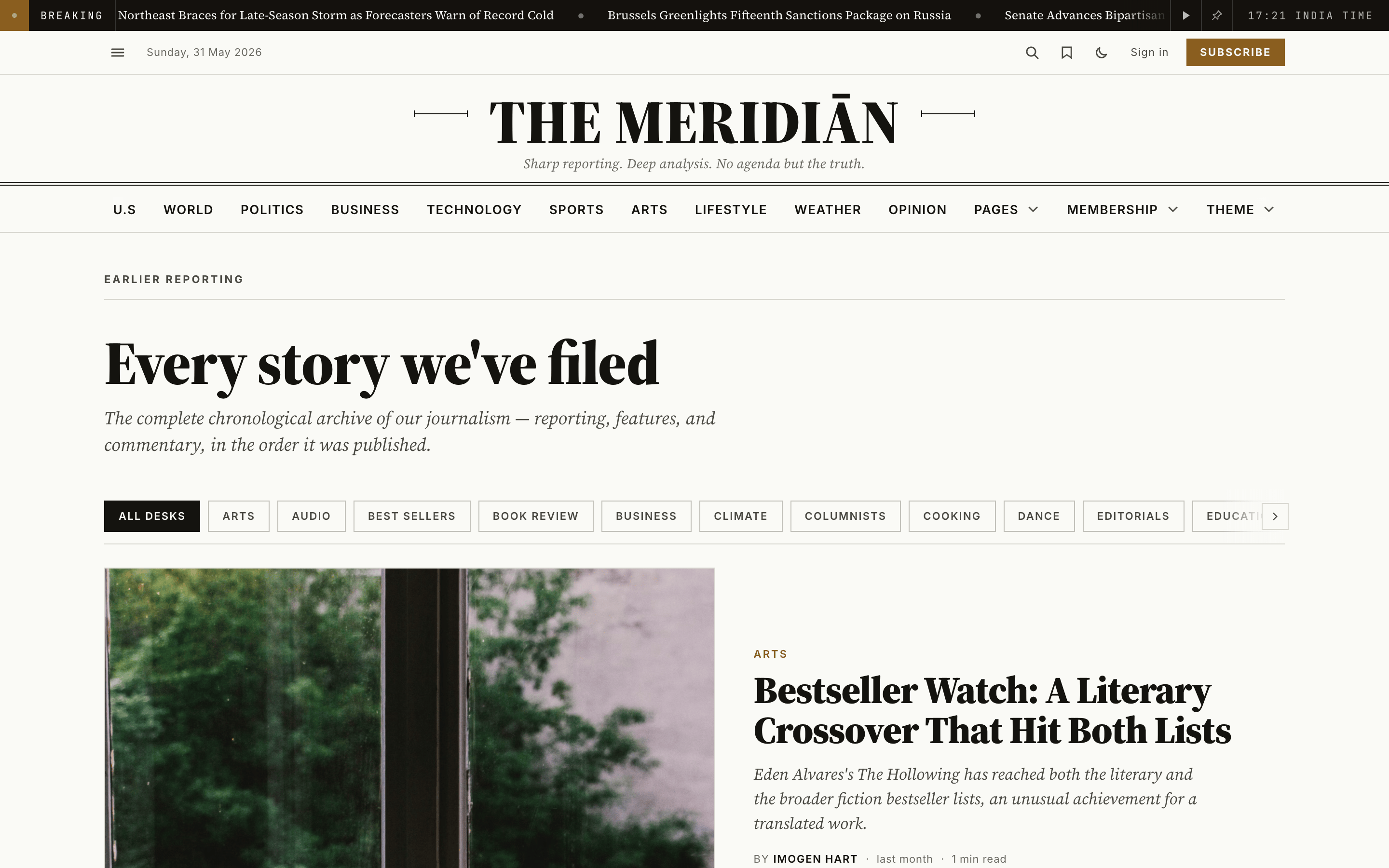
Create the page. In Ghost Admin, go to Pages → New page.
Set the title. The page title becomes the large heading on the archive header. Type the heading you want, e.g. "The newsroom, day by day".
Set the slug to archive-intro. In Page settings, set the Page URL to archive-intro. The page does not need to be linked from your navigation.
Set the eyebrow and standfirst. Still in Page settings:
- Meta data → Meta description — the small uppercase kicker above the heading. Leave blank to keep "Earlier reporting".
- Excerpt — the italic standfirst line below the heading. Leave blank to keep the built-in sentence.
Publish. Click Publish. The new header copy appears on the paginated archive pages (/page/2/ onward) on the next render.
Reverting to the built-in copy
There's no theme setting toggle — the Ghost page is the toggle:
- Set the page to draft — the header reverts to the built-in copy until you re-publish.
- Delete the page — the built-in copy returns permanently.
- Clear a single field (Excerpt or Meta description) — just that part falls back to its built-in default, while your custom title stays.
Desk chips
Under the archive header sits a row of desk chips: one link per section, with the current section highlighted on tag pages. Out of the box the strip lists your first 50 public tags alphabetically. To choose which desks appear, and in what order, create a page slugged desk-chips:
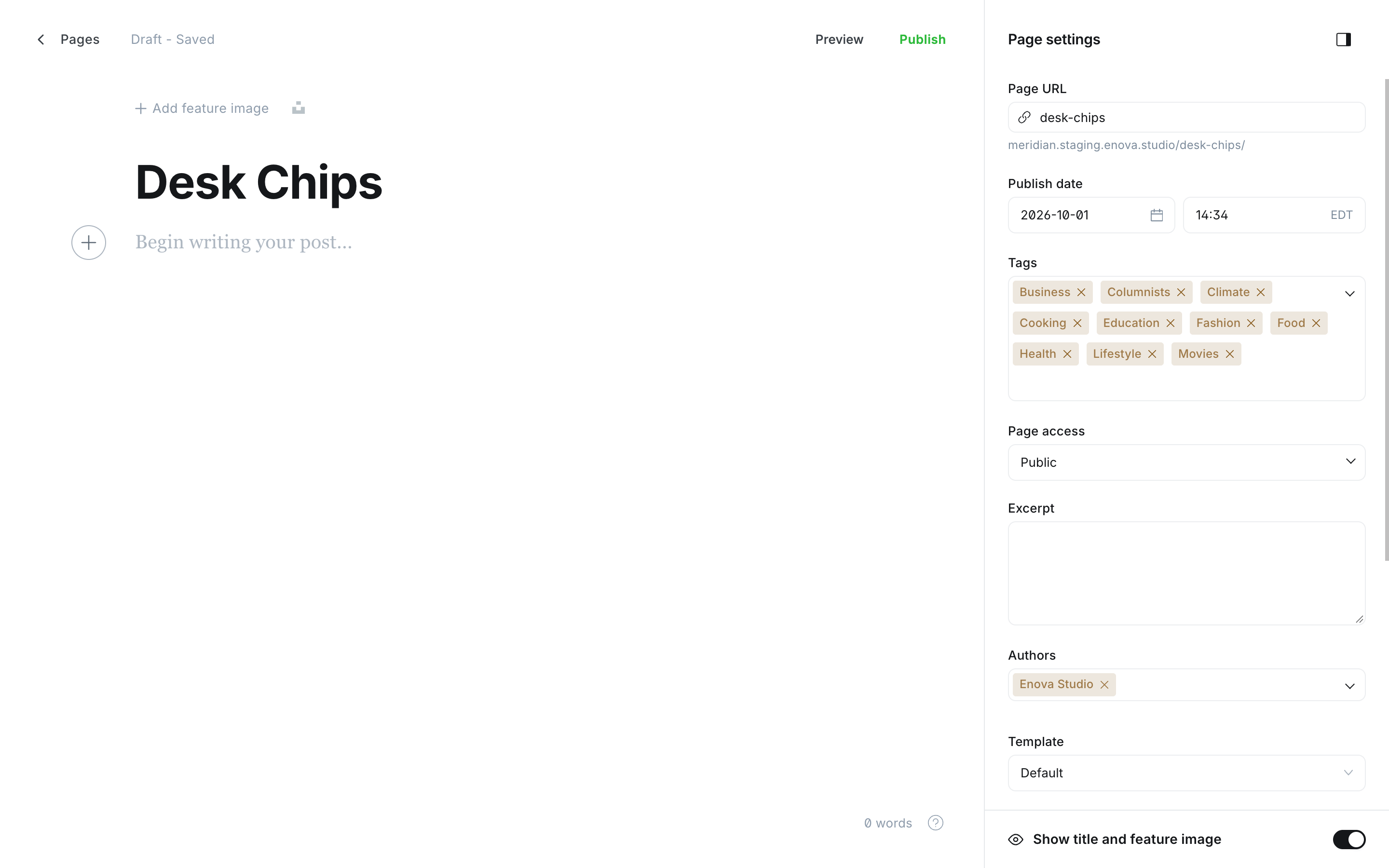
Create the page. In Ghost Admin, go to Pages → New page and set its Page URL to desk-chips. A page you already have at desks is left alone.
Add the desks as tags. In Page settings → Tags, add the public tags you want as chips, in the order you want them shown. Internal #tags are ignored.
Publish. The strip now shows exactly those desks in that order. Remove a tag from the page and its chip goes; unpublish or delete the page and the alphabetical strip returns.
Give the page a job
A published page at /desk-chips/ is reachable by readers. Choose the Sections template in the page's settings so it doubles as a section directory, or add a noindex meta tag in its Code injection → Page header if you'd rather keep it out of search results.
A tag that isn't on the list
On a tag page for a desk you left off the curated list, the strip still shows, but no chip is highlighted. All desks links to the front page, which is page 1 of the archive. On /page/2/ and beyond, All desks is the current chip instead: highlighted, not linked.
What's not here
The archive intro is intentionally three short fields. If you want more:
- A note in the homepage sidebar — use the Editor's note panel.
- Rich rows with images and cards — use a homepage section.
- A section archive heading — tag pages take their title and standfirst straight from the tag's own name and description in Ghost, so edit those on the tag itself.
Editor's note
Add an Editor's note panel to Meridian's homepage aside from a Ghost page with slug editors-note — body, byline, and a translated eyebrow. Optional.
Persistent video player
Keep a started video playing in a mini-player as readers move between pages — how it works, the settings, members-only videos, accessibility, and analytics.