

Hosts & guests
How the Meet the hosts and Recent guests homepage sections are built from your Hosts page roster and guest authors.
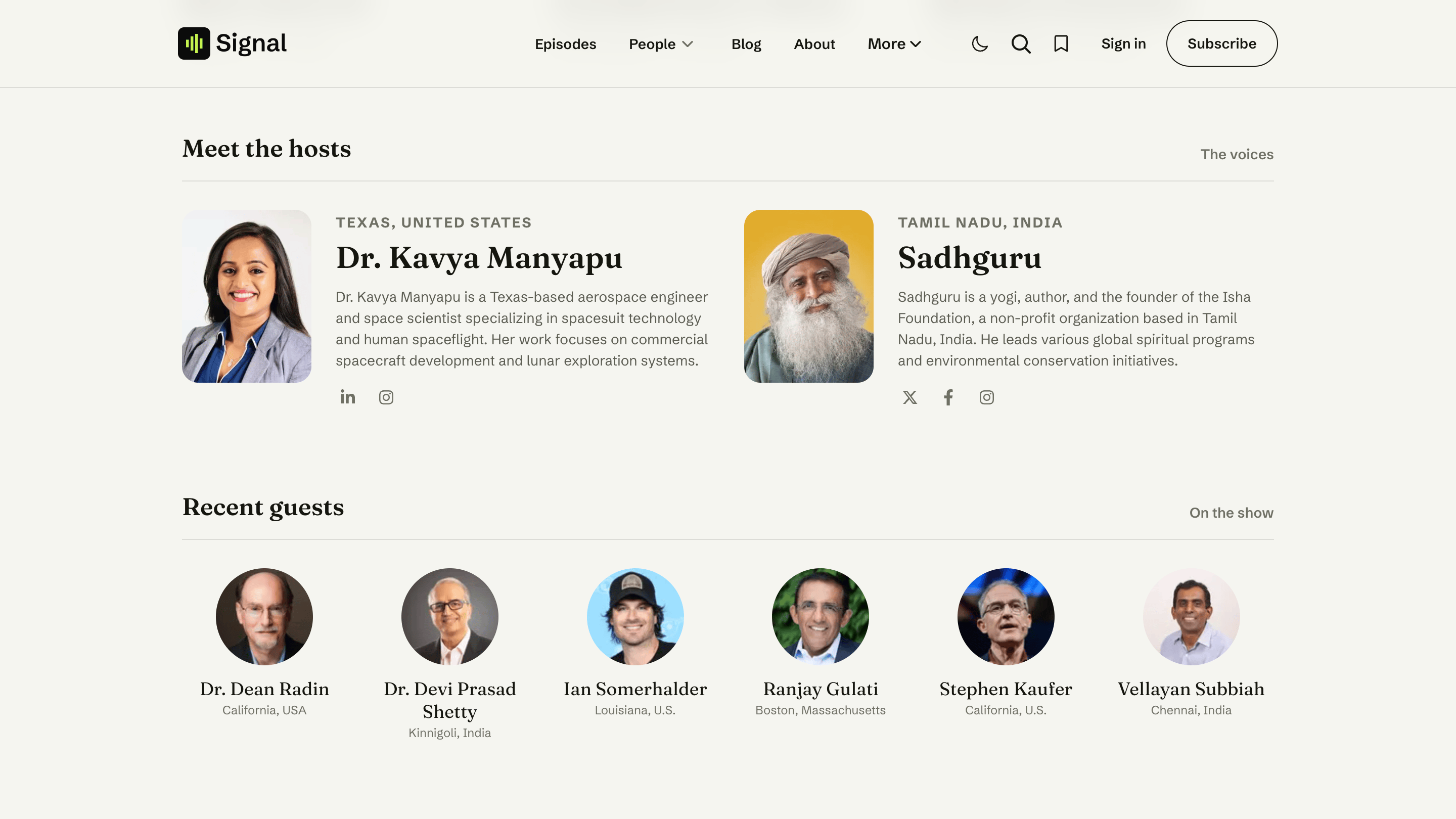
Two homepage sections introduce the people behind your show: Meet the hosts and Recent guests. Both build themselves from the authors in your Ghost site and your Hosts page roster — you don't arrange them by hand.
Meet the hosts
Your show's regular hosts, shown as a grid of cards with each person's photo, role, short bio, and social links.
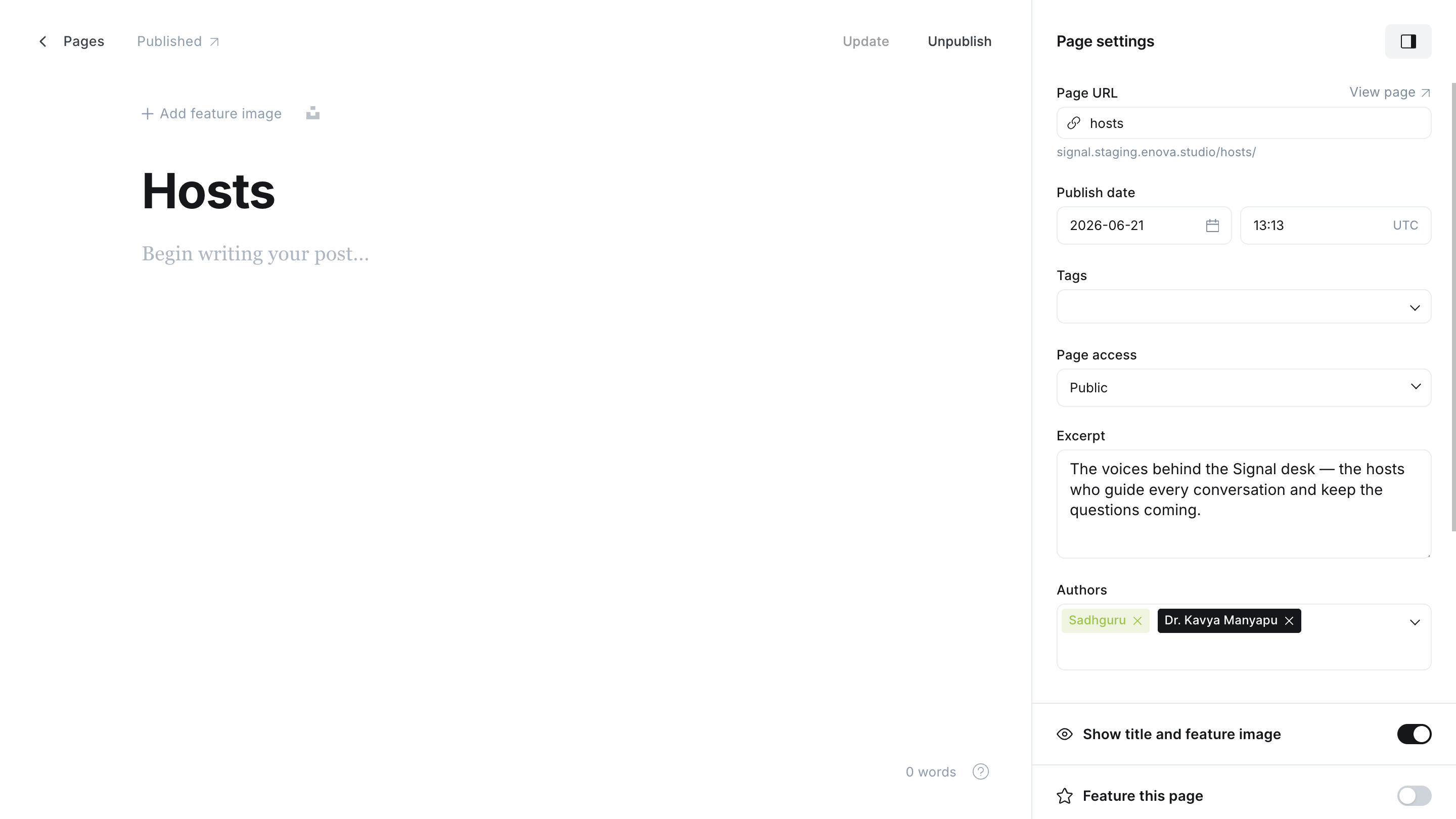
The hosts shown are the authors assigned to your Hosts page (the page slugged hosts; see Hosts). Assign a staff member there and they appear here automatically; without a published Hosts page the section stays hidden.
The role line comes from Location
The small line under each name (for example "Host & Producer") is the person's Location field in their Ghost staff profile. Fill it in to label what they do on the show.
Recent guests
The people who've joined you on the show, shown as a row of avatars. A guest is anyone with a published appearance who isn't on your Hosts page, so they're never mixed up with your hosts.
Guests are usually added with Signal Tools
The Signal Tools browser extension (included with Signal) creates a guest as a Ghost Contributor — photo, bio, and social links filled in — in one step. You can also add them by hand in Settings → Staff.
Choosing exactly who appears
- The page slugged
hostsdecides Meet the hosts: exactly the people assigned to it, and it powers the full/hosts/page. - A page slugged
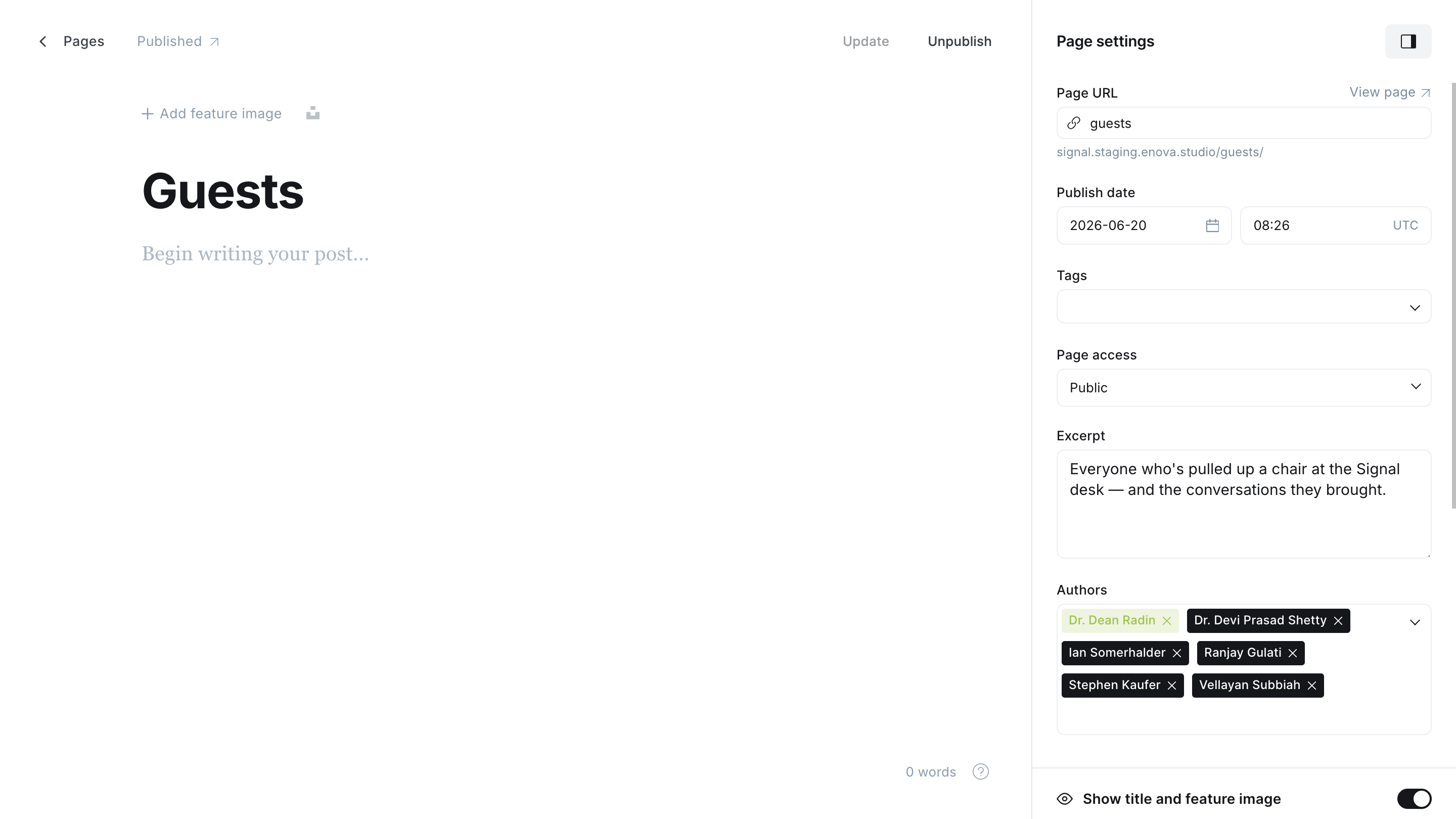
guestshand-picks Recent guests (for instance, to leave a one-time guest off the homepage) and powers the full/guests/page. Without one, the row lists every guest automatically.
The guests page also sets the order of the Recent guests row: it lists that page's authors in the order you assign them there, so dragging your newest guest to the top of the author list puts them first on the homepage. This holds even with the #auto-guests tag — as long as the page has two or more authors, the homepage row follows your list while the /guests/ directory stays automatic and A–Z. With no guests page, or a tagged page with a single author, the row lists everyone A–Z.
Meet the hosts
Recent guests
Full instructions for the roster and the curation pages live in the pages below.
Related
- Content model — hosts vs. guests and curating who appears.
- Pages — the Hosts and Guests pages.
- Social links — the icons on each person's card.