

Overview & install
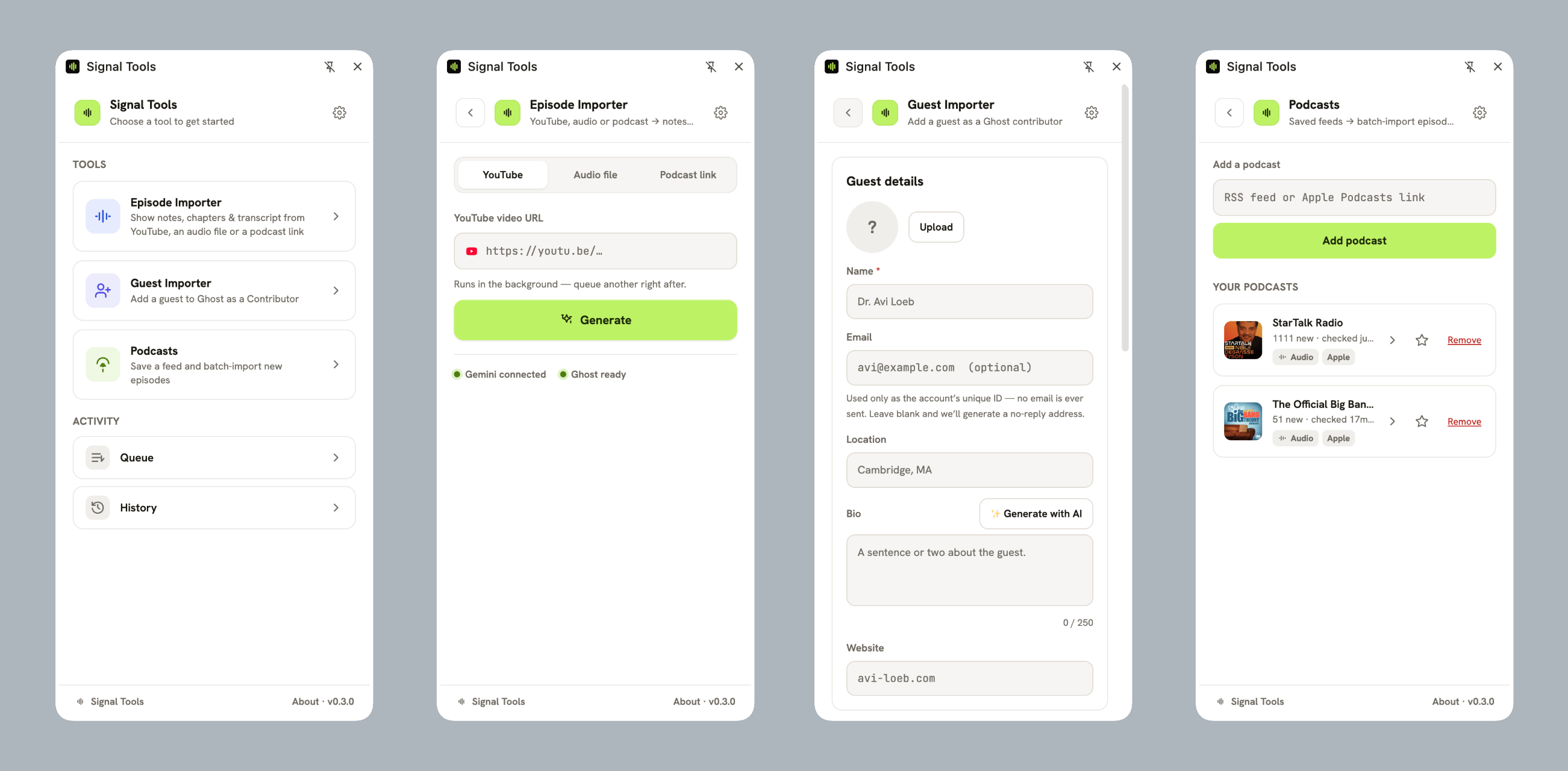
Signal Tools is the companion browser extension included with the Signal theme — turn a YouTube video, audio file, or podcast feed into a ready-to-publish episode, and add guests to your Ghost staff.
Signal Tools is the companion browser extension included with your Signal license. It does the slow, manual parts of running a podcast site for you — it runs as a side panel in your browser and talks directly to your own Ghost site, with no middle-man service, so your content and keys stay on your machine.
It has three tools:
Import episodes
The Episode Importer turns a YouTube video, an audio file, or a podcast link into a ready-to-publish episode — transcript, chapters, show notes, and cover image.
Add guests
The Guest Importer adds a guest to your Ghost staff as a Contributor — a credited author with no login — with their bio, photo, and social links, and keeps your Guests page's roster in sync.
Podcasts
The Podcasts tool saves a podcast feed and batch-imports new episodes as they're released.
Included with your Signal license
Signal Tools comes included with your Signal license at no extra cost — it's activated with the same license key as the theme, from the purchase confirmation email Lemon Squeezy sent you. There's nothing else to buy. See Setup & connect.
Install
Install Signal Tools from your browser's extension store:
- Chrome, Edge, Brave, Arc & other Chromium browsers — Chrome Web Store
- Firefox — Firefox Add-ons
After installing, pin the extension and open its side panel. A short three-step setup walks you through activating your license and connecting your services — see Setup & connect.
How it fits your workflow
Signal Tools always creates drafts and staff in your Ghost site — it never publishes for you. A typical flow:
- Import an episode (or batch-import from a saved feed) → review the draft in Ghost → publish.
- Add the guests who appear on it → assign them as authors on the episode.
Everything it creates is ordinary Ghost content, fully editable in Ghost Admin afterward — with or without the extension.
What you'll need
To get the most out of Signal Tools you'll connect a few services (all set up in Setup):
- A Gemini API key (free) — required.
- An AssemblyAI API key — required only if you import audio files or podcasts.
- Your Ghost site — optional, but needed to send drafts and add guests.
Related
- Setup & connect — license, API keys, and connecting Ghost.
- Content model — how episodes and guests map to Ghost.
Publish your first episode
Go from a blank editor to a live episode page — add the title and cover, drop in your video or audio, write the show notes, and publish.
Setup & connect
Activate Signal Tools with your Signal license key, add your Gemini (and AssemblyAI) API keys, optionally add a Claude backup, and connect your Ghost site.