

Content model
How Signal maps your show onto Ghost — episodes and blog posts are both posts, hosts and guests are authors, shows are tags, and internal tags set each post's content type.
Signal runs entirely on Ghost's native content — there's nothing custom to learn or maintain. Once you know how your show maps onto Ghost's posts, authors, and tags, every part of the theme falls into place.
| Content | Ghost primitive | Where it lives |
|---|---|---|
| Episode (video, audio, or embed) | Post | /episodes/{slug}/ |
| Blog post (a written article) | Post tagged #blog | /blog/{slug}/ |
| Host / guest | Author (staff) | /people/{slug}/ |
| Show / topic | Tag | /topics/{slug}/ |
Two content types
Every post you write is one of two content types, and a single internal tag decides which:
- Episodes — the default. A post with no
#blogtag is an episode: it gets the full podcast layout with a player, the show-notes / transcript / chapters tabs, and its hosts and guests. - Blog posts — a post tagged
#blog. It gets a clean, reader-focused article layout: a title, a simple author byline with reading time, the feature image, your writing, and comments. No player, no tabs, no host/guest labels.
The two types live in separate places — episodes under /episodes/, blog posts under /blog/ — and each keeps to itself: blog posts never show up in your episode feeds, and episodes never show up on the blog. You can run a pure podcast and never touch the blog, or mix long-form writing in whenever you like.
Episodes are posts
Every episode is a Ghost post, published to the /episodes/ collection and shown at /episodes/{slug}/. The episodes archive (and its topic filters) live at /episodes/, and the podcast's feed is at /episodes/rss/.
You write an episode like any Ghost post: a title, a feature image (used as the episode cover and poster), the show notes in the body, and one or more authors. The media itself — a video embed, an uploaded video, or an audio file — goes in the post body; Signal lifts it into the player automatically.
Let Signal Tools do the heavy lifting
The Signal Tools extension (included with Signal) turns a YouTube video, an audio file, or a podcast feed into a ready-to-publish episode draft — transcript, chapters, show notes, and cover image included.
Episode types
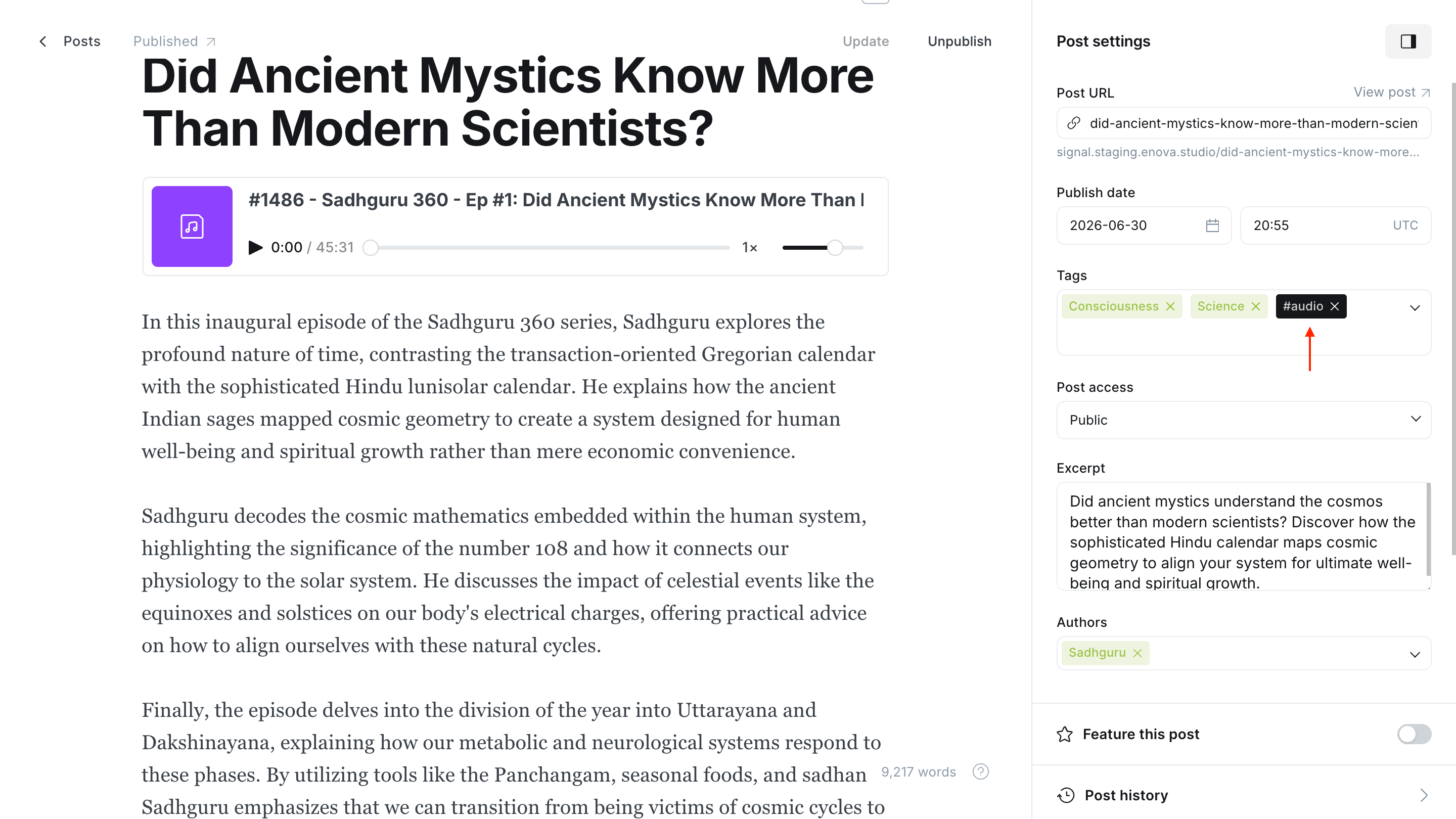
An episode is a video by default. Two optional internal tags change how its hero plays:
| Type | Internal tag | Hero |
|---|---|---|
| Video (default) | none | The video plays inline and in the persistent player |
| Audio | #audio | A waveform audio player |
| Embed | #embed | The episode's third-party embed (e.g. a Spotify player) is lifted into the hero |
Internal tags are Ghost tags whose name starts with #. They never appear to readers — no archive, no tag label — they just tell Signal how to present the post. Add them in Post settings → Tags. See Media player for how each type plays.
Featured episodes
Toggle Featured on a post (in the post settings) to surface it in the Featured episodes row on your homepage. See Episode sections. (Blog posts are never pulled into the episode rows, even when featured.)
Blog posts
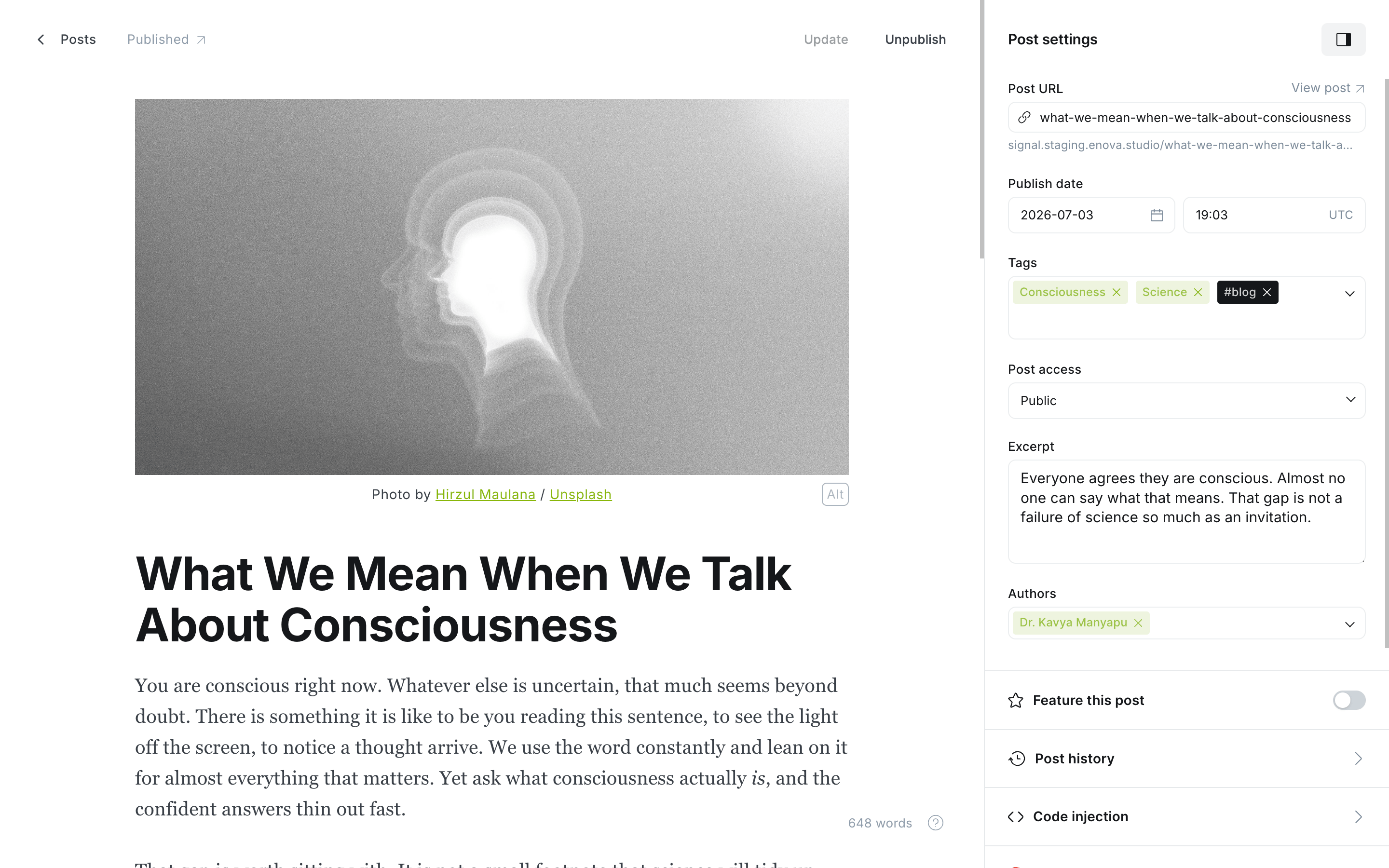
A blog post is a written article — an editorial, an announcement, a companion read for an episode. It uses the same Ghost editor as everything else; one internal tag turns it into a blog post.
Write your post in Ghost as usual — title, feature image, body, and an author.
In Post settings → Tags, add the internal tag #blog (type the #, then blog). Ghost hides internal tags from readers, so it never shows as a label.
Publish. The post appears at /blog/{slug}/ with the clean article layout, and is listed on your blog index at /blog/.
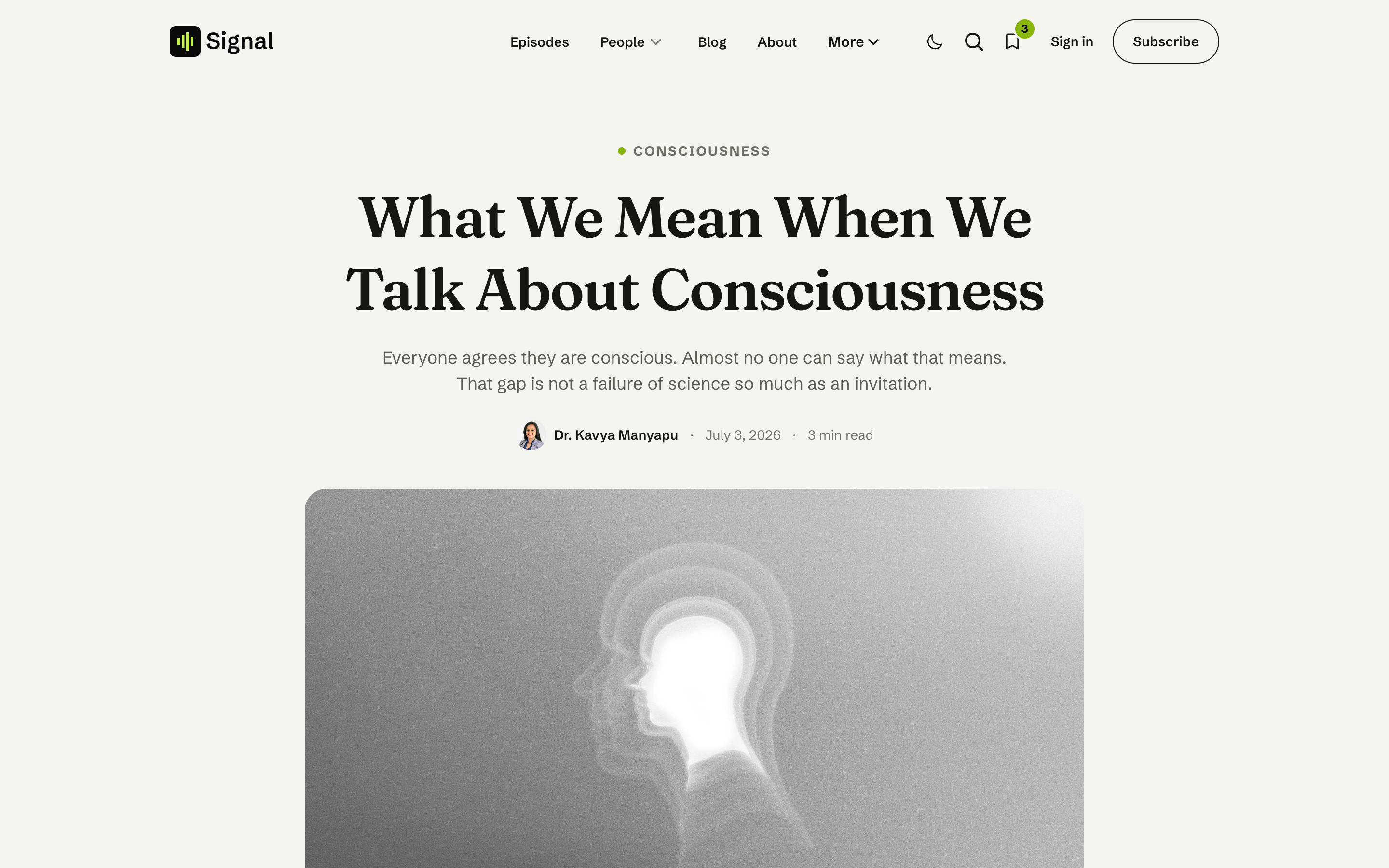
A blog post shows:
- The topic (its primary tag), the title, and your excerpt.
- A plain author byline — name, date, and estimated reading time. Writers are shown as authors, never as "hosts" or "guests."
- The feature image, then your article, then an author bio card and comments.
- A "More from the blog" row of other articles, when you have more than one.
The blog index and feed
All your blog posts are listed at /blog/, newest first, and the blog has its own feed at /blog/rss/ (separate from the podcast feed at /episodes/rss/). To give readers a way in, add a Blog link to your menu — see Navigation.
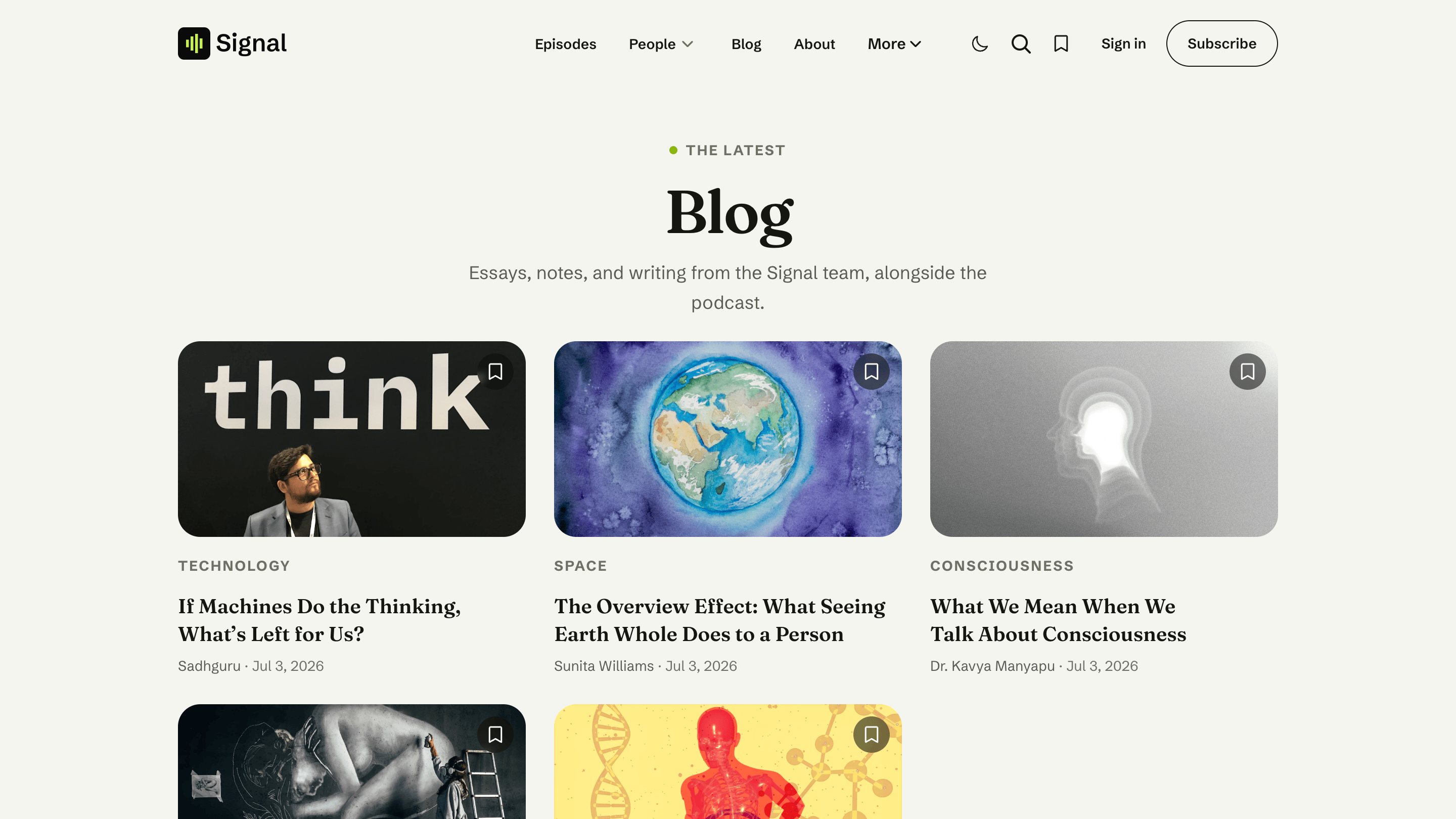
Your homepage also gains a From the blog band showing your three latest articles. It stays hidden until you publish your first blog post, so a pure podcast never shows an empty section.
One-time setup: update your routes
The /blog/ address is defined in the theme's routes.yaml. If you're upgrading an existing Signal site, upload the new routes.yaml once — Settings → Labs → Beta features → Upload routes file — or /blog/ will return "not found." Fresh installs that follow Installation already have it.
Hosts and guests are authors
Everyone credited on an episode is a Ghost author. On the episode's Hosts & Guests tab, each author is labelled Host or Guest by one rule, used everywhere in Signal: anyone assigned as an author of your Hosts page is a host; everyone else is a guest. Add or reorder authors in the post settings; the labels follow the Hosts page roster, not the order.
Each person shows their name, photo, bio, and — from their Ghost Location field — their role or title (for example, "Host of Signal" or "CEO, Acme"). Their profile page lives at /people/{slug}/ and lists everything they've appeared on.
Host and guest labels are an episode idea. A blog post simply credits its author in the byline — there are no host/guest roles on written articles.
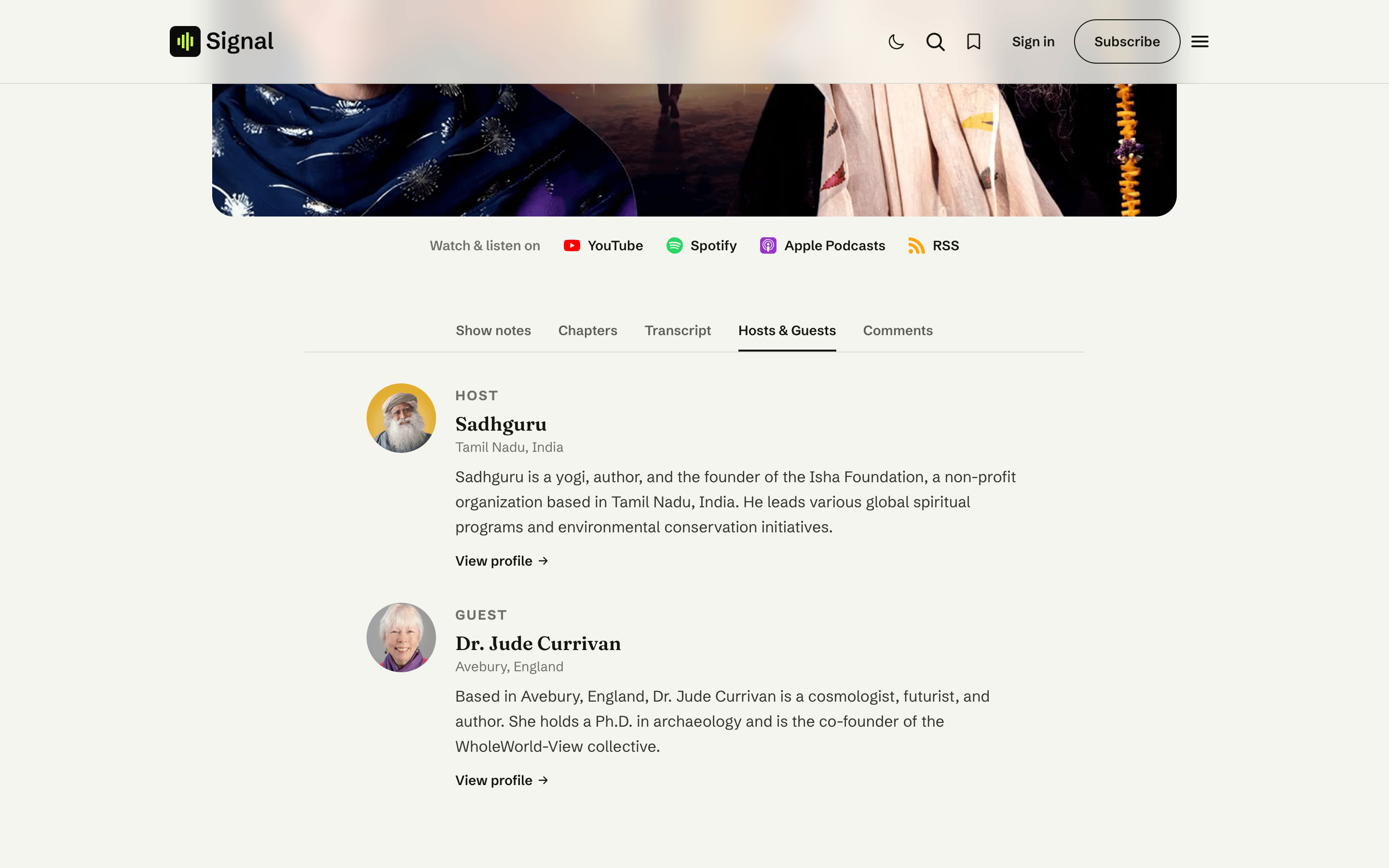
Who counts as a host vs. a guest
Across the site (the homepage Meet the hosts and Recent guests grids, the episode tab, profile labels, and the directories), Signal sorts people by the Hosts page roster:
- Hosts — the authors assigned to your published Hosts page (Page settings → Authors on the page slugged
hosts). - Guests — everyone else who has appeared on a published post.
Without a published Hosts page, Signal stays neutral: episode pages list people without Host or Guest labels, the homepage hosts section hides, and guest lists show everyone who has appeared. Creating the Hosts page switches the labels on.
Changed in Signal 1.3.0
Signal used to sort people by their Ghost staff role (Contributor = guest). Ghost's September 2026 update (6.63) stopped exposing staff roles to themes, so the Hosts page's author list is now the source of truth. If hosts show up as guests or people appear twice on an episode after updating Ghost, update Signal to 1.3.0 or later and make sure your Hosts page is published with your hosts assigned. One side effect to know: a non-host staff member with a published post (say, an editor who writes blog posts) counts as a guest in automatic lists unless you add them to the Hosts page or curate the Guests page.
Guests are usually added with Signal Tools, which creates each one as a locked Contributor — a credited author with no login. You can also add them by hand in Settings → Staff. (The Contributor role no longer affects how Signal labels people, but it's still the right role for guests: it grants no login and stays outside the staff-user limit.)
Guests don't count toward your Ghost(Pro) staff limit
Ghost doesn't count Contributors toward the staff-user limit on Ghost(Pro) plans, so your guest roster can grow as your show does without pushing you to a higher plan — only hosts (editorial roles) count. Self-hosted Ghost has no staff-user limit at all. See Ghost's members & staff-users guide.
Curating who appears
The Hosts page is the curation: its authors are the roster, shown on the homepage grid and at /hosts/. For guests, create a Ghost Page with the slug guests and assign the authors you want featured. Signal then uses that page's authors for the homepage grid and links the section to /guests/. The guests page also sets the order of the homepage Recent guests row: it follows the page's author list, so the guest at the top of that list leads the row. That applies whenever the page has two or more authors, #auto-guests or not; automatic lists run A–Z. See Pages.
For the Guests page, curation is the default but optional: add the internal tag #auto-guests to the page and the directory switches to the automatic list: everyone with a published credit minus the Hosts page roster (the homepage Recent guests grid does too, unless the page still has two or more authors assigned). The two modes, and how to choose, are covered in Guests.
Shows and topics are tags
Public tags become your shows or topics, with an archive at /topics/{slug}/. A post's primary tag (the first in its list) is the label shown on cards. The /episodes/ archive and topic pages carry a row of topic filter chips so listeners can narrow by topic. Every public topic appears — ordered by how many episodes carry it — in a single row that becomes a horizontal scroller when the topics outrun the space, with arrows on desktop, swipe on touch, and the topic you're viewing kept in view.
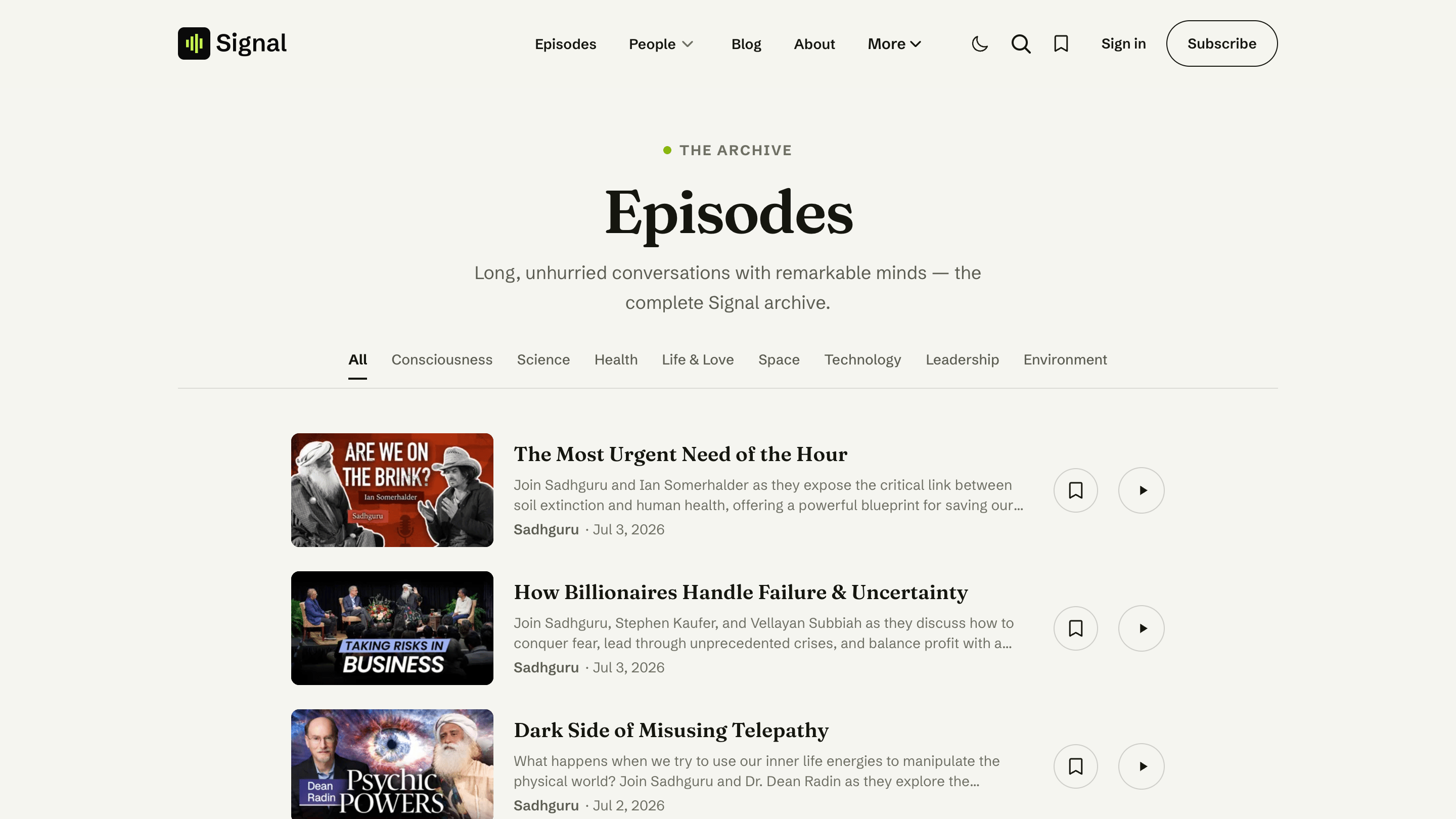
A topic can span both content types: if you tag a blog post with the same public topic as some episodes, that /topics/ page shows them together — each row clearly marked so readers can tell an article from an episode at a glance (episodes carry a play cue; articles are badged Blog). The same is true of a person's /people/ page.
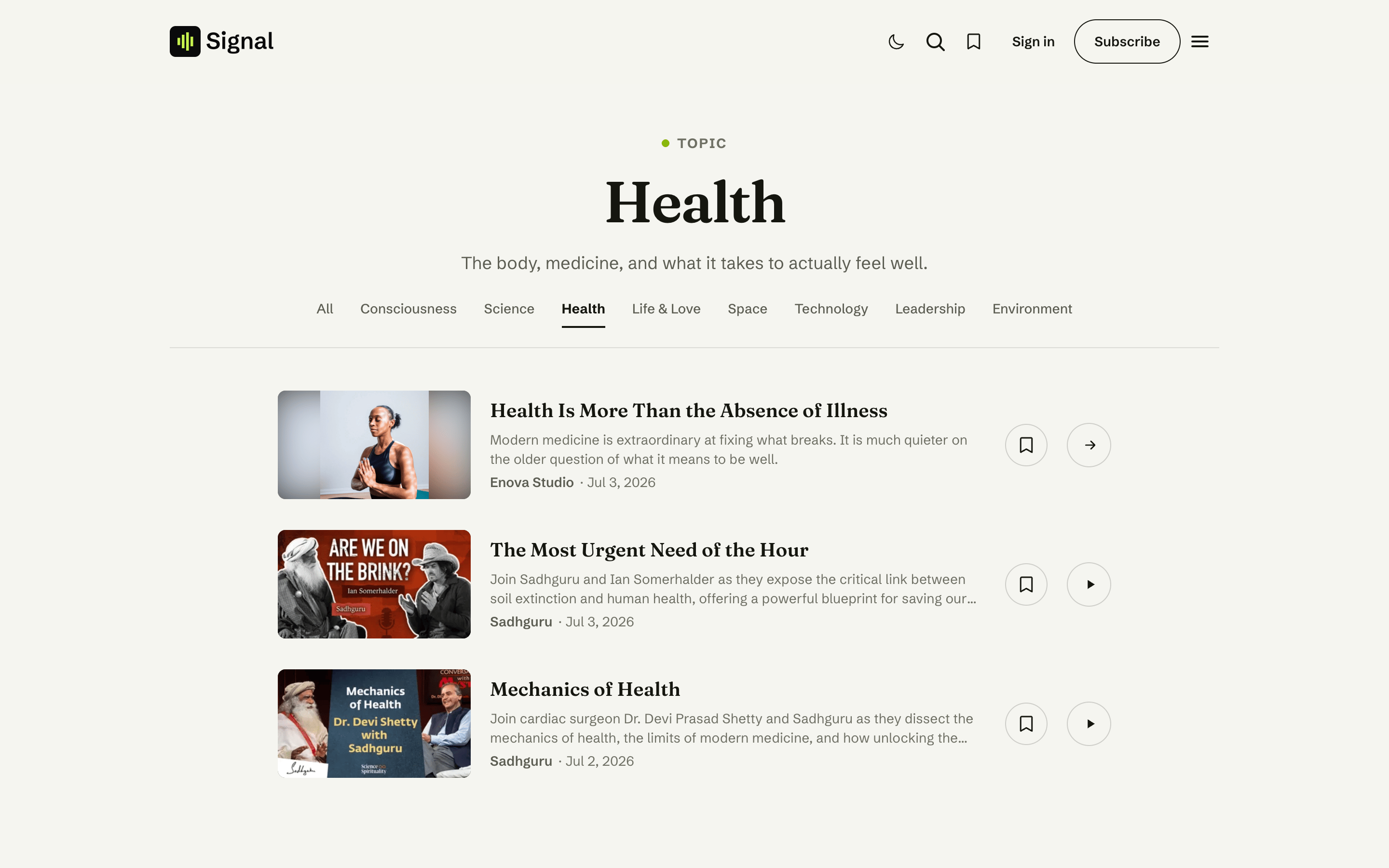
To keep a blog post out of your topic archives entirely, simply don't give it a public topic tag — the #blog internal tag alone never creates or appears on a topic page.
Related
- Navigation — add a Blog link to your menu.
- Signal Tools — create guests (with social links) in one step.
- Episode page — the tabs, players, and up-next that make up an episode.
- Pages — the Hosts and Guests directory pages.