

Episode sections
The three homepage sections built from your posts — Featured episodes, Recent conversations, and From the blog.
Three homepage sections are built straight from your published posts. Two of them need no setup at all; the third just needs you to tag your written articles.
Featured episodes
A highlight strip of up to three episodes you've hand-picked. Use it for a season opener, a standout interview, or whatever you want new visitors to see first.
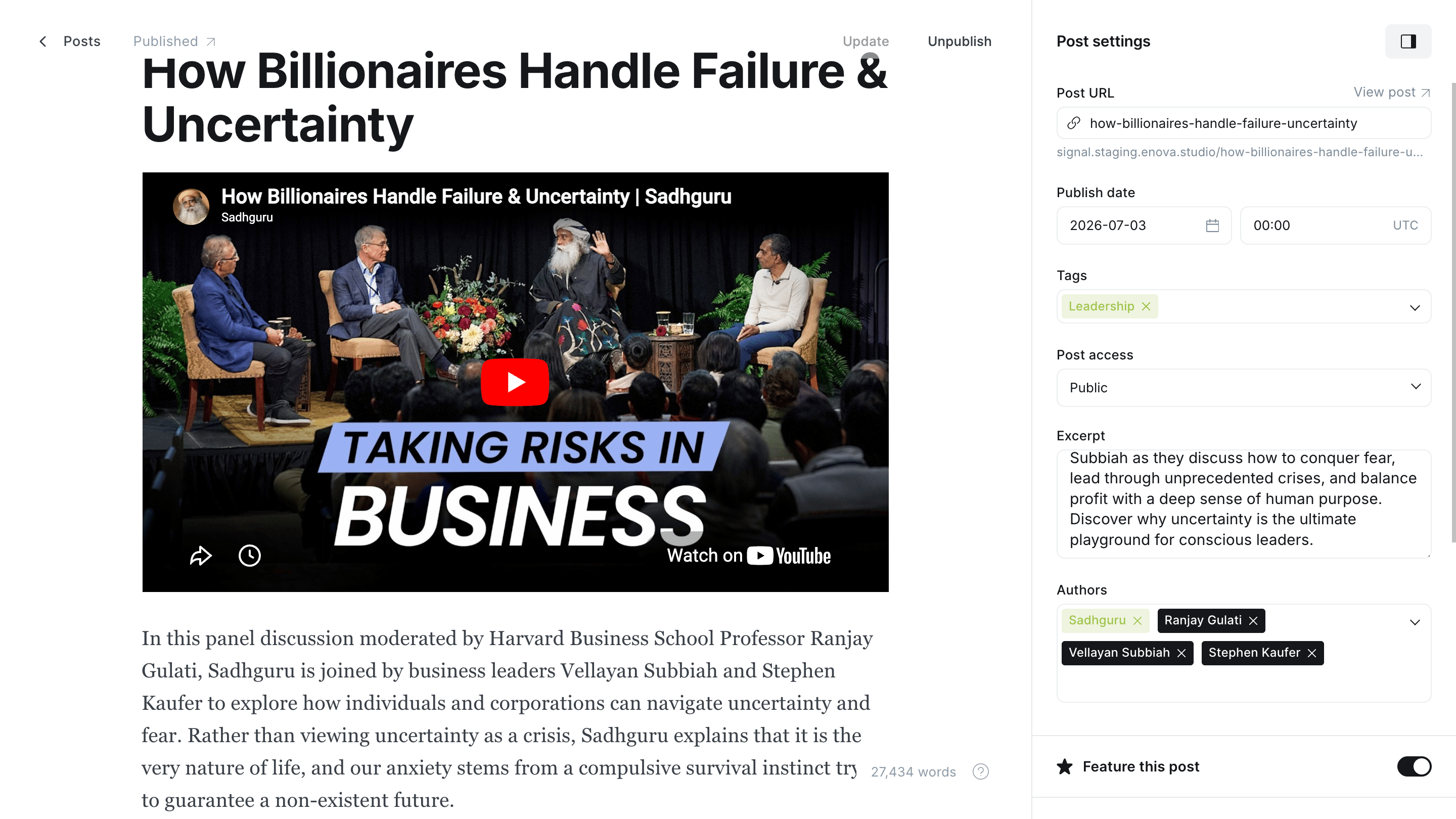
Open any episode in Ghost Admin and open its settings (the gear icon).
Turn on Feature this post.
Publish or update. The episode now appears in Featured episodes on the homepage.
In Ghost Admin
On your homepage
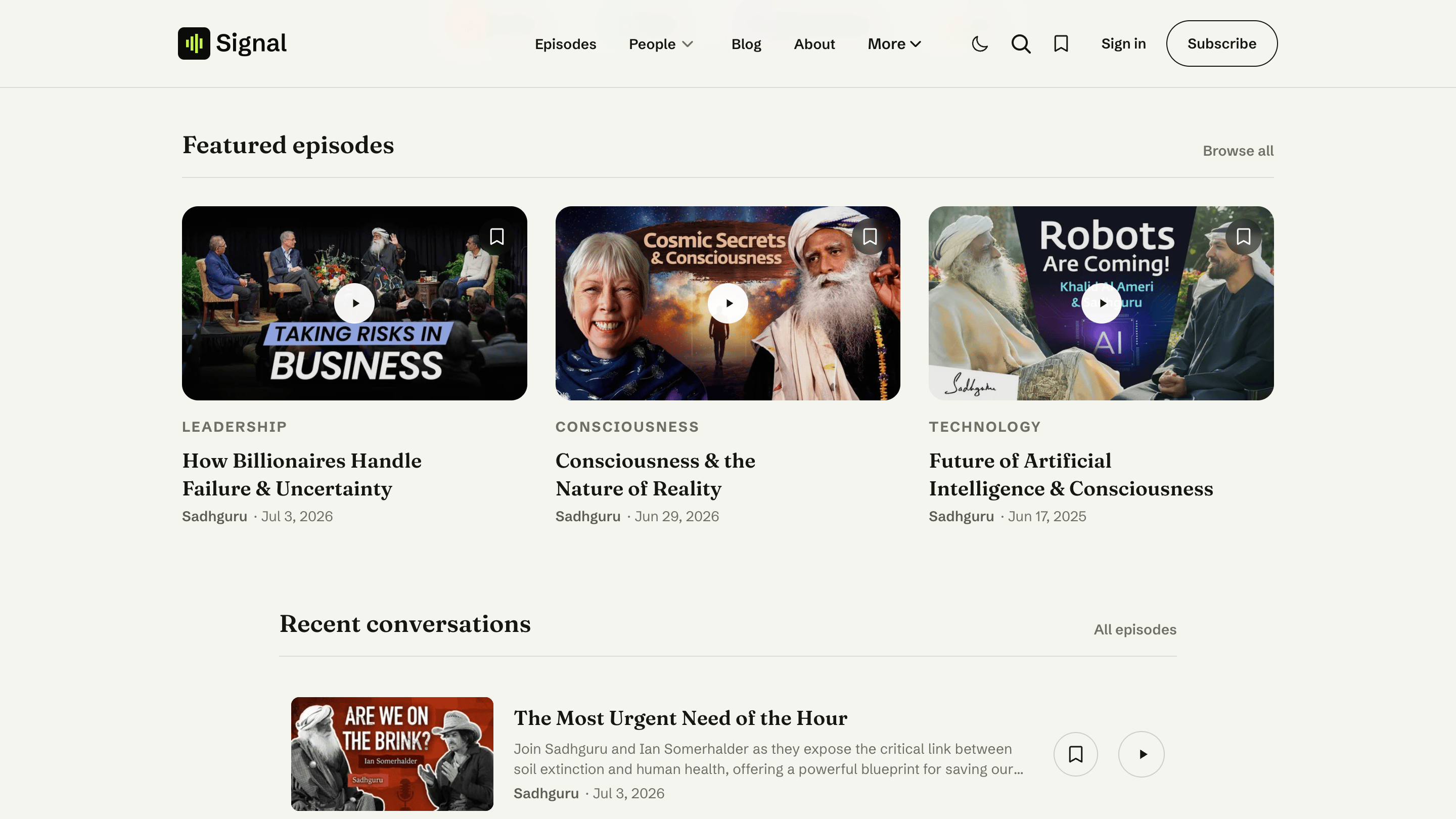
Shows your three newest featured episodes
If you feature more than three episodes, the section shows the three most recent. Feature none and the section simply doesn't appear.
Recent conversations
Your newest episodes, listed automatically — no setup required. It shows your six most recent episodes and links through to the full episode archive.
No episode is shown twice
When your hero is set to Latest episode, that newest episode already headlines the page, so Signal skips it here to avoid repeating it. With any other hero layout, all six recent episodes are listed.
From the blog
Signal separates episodes from written articles. If you also publish articles — show notes deep-dives, essays, announcements — the homepage can feature your three latest ones in a From the blog strip.
The trick is a single internal tag, #blog. It keeps articles out of your episode lists and gathers them into their own blog area instead.
Write your article as a normal Ghost post.
In the post settings, add the tag #blog (type the # — that keeps it an internal tag, hidden from readers).
Publish. Your three newest #blog posts now appear in From the blog, with a link to the full blog.
Pure podcast? Skip it
If you never tag a post #blog, the From the blog section stays hidden and your homepage stays all-episodes. See Content model for how episodes and blog posts differ.
Related
- Content model — episodes vs. blog posts, and featuring.
- Homepage overview — the full section stack.