

Episode page
The anatomy of a Signal episode — the media hero (video, audio, or embed), the show notes / chapters / transcript / hosts & guests / comments tabs, the up-next list, and the share menu.
Every episode is a Ghost post, shown at /episodes/{slug}/. The page has three parts: a media hero at the top, a set of content tabs, and an up-next list. You don't assemble any of this — write a normal post and Signal builds the page.
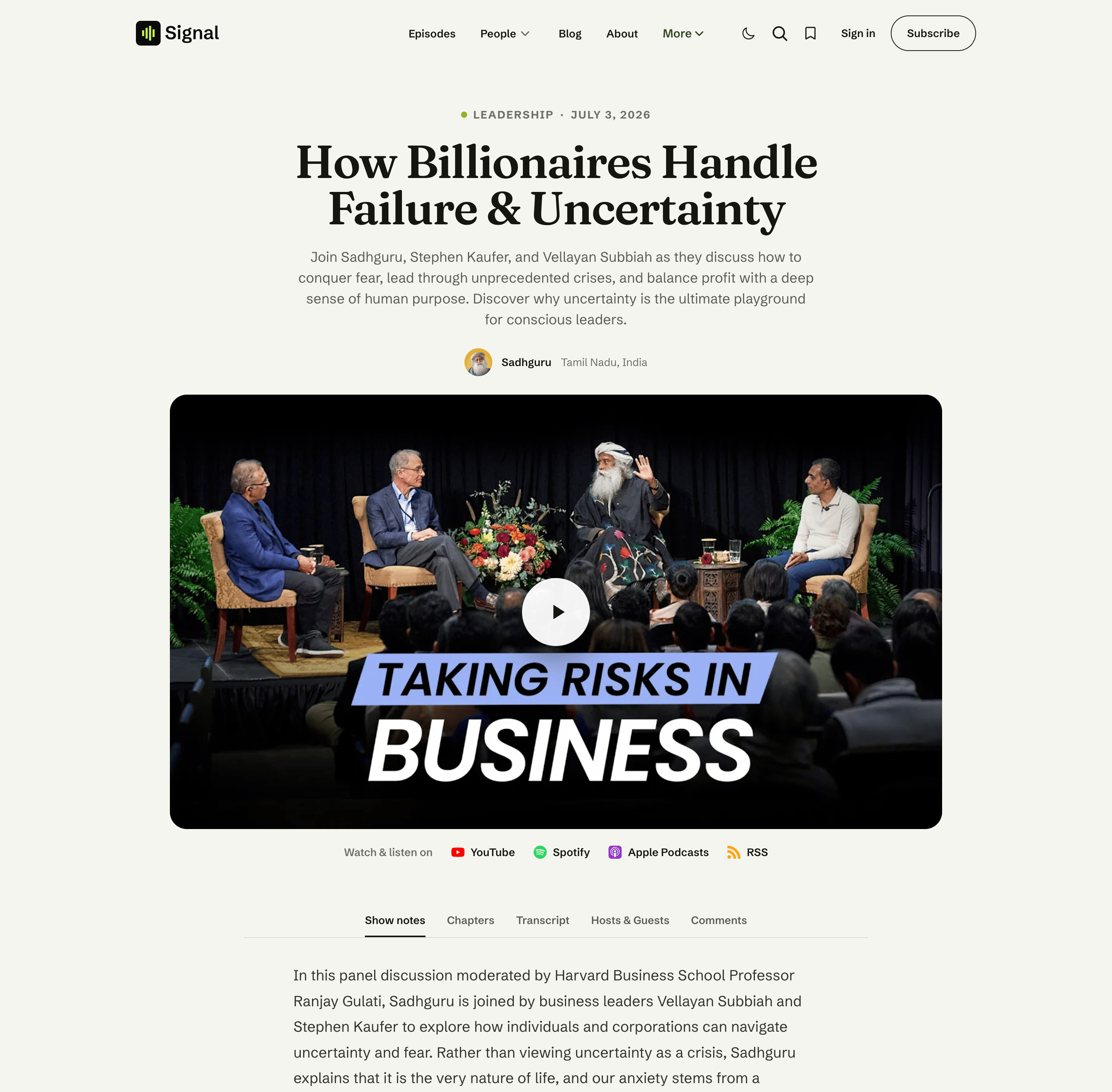
The media hero
The hero plays the episode. Which player you get depends on the episode type (set by an internal tag — see Content model):
- Video (default) — the video embed or uploaded video from your post body, played inline and in the persistent player.
- Audio (
#audio) — a waveform audio player. - Embed (
#embed) — a third-party player (e.g. Spotify) lifted from your post body into the hero.
For members-only episodes, non-members see the cover image with a prompt to subscribe instead of the player. How each source is detected and played — and how gated episodes behave for non-members — is covered in Media player.
The tabs
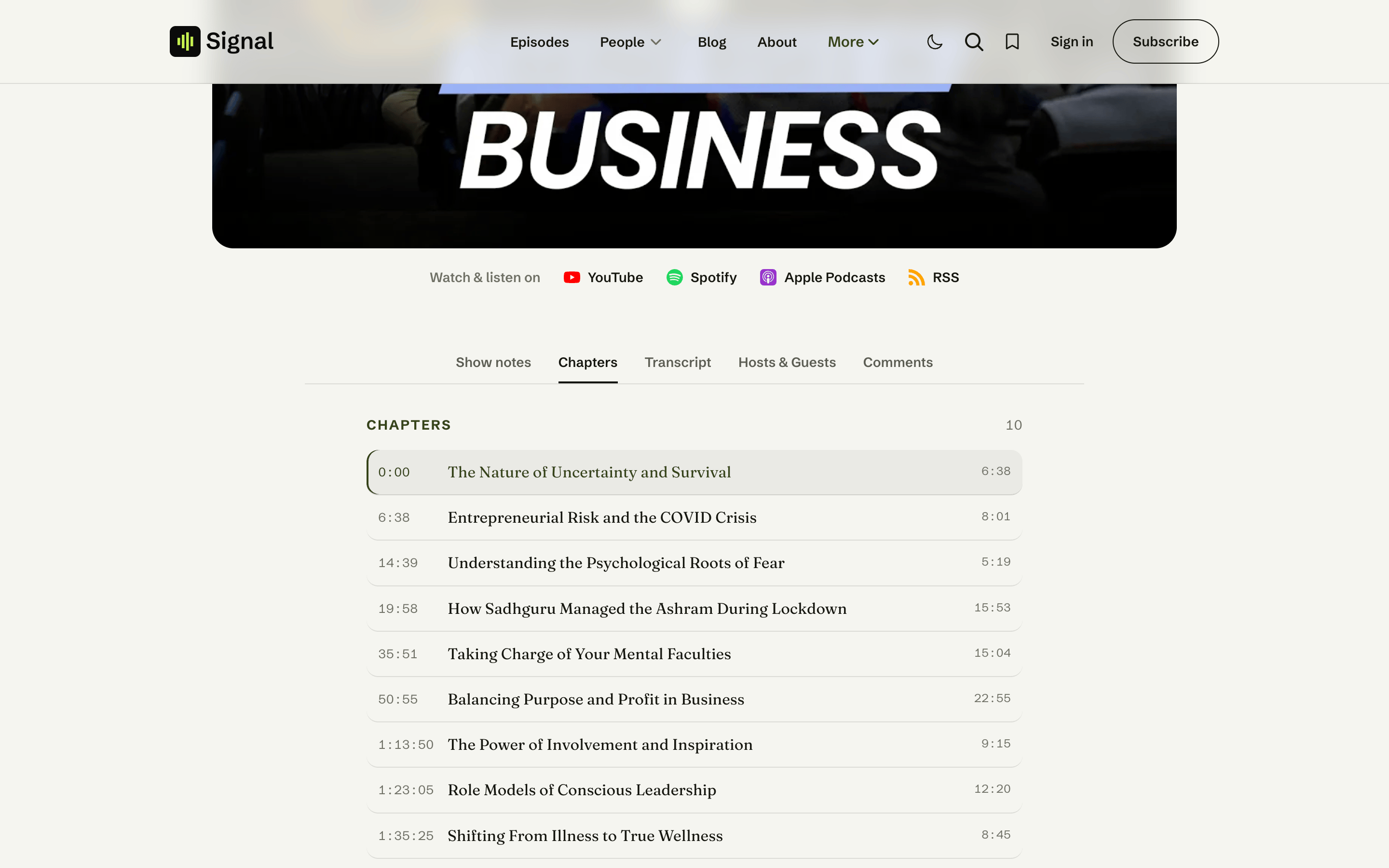
Beneath the hero, the episode's content is organised into tabs:
| Tab | Shows | Always present? |
|---|---|---|
| Show notes | Your post body (the episode description) | Yes |
| Chapters | A tappable chapter list | Yes — shows a short "no chapters" note when empty |
| Transcript | A searchable, click-to-seek transcript | Yes — shows a "no transcript" note when empty |
| Hosts & Guests | The episode's authors (host first, then guests) | Yes |
| Comments | Ghost's native comments | Only when comments are enabled |
Chapters and Transcript fill in automatically when you add the matching content to your post — see Transcripts & chapters. For a members-only episode, the empty Chapters and Transcript tabs invite non-members to subscribe rather than implying the episode has none.
Comments
The Comments tab appears only when comments are turned on (Settings → Membership → Comments, and per-post in the post settings). Comments load when the reader opens the tab, so they never slow the initial page.
Up next
After the tabs, Up next lists up to three more episodes from the same show — the episode's primary tag — excluding the current one, with a link to that topic's archive. It appears only when there are other episodes in that topic.
Sharing
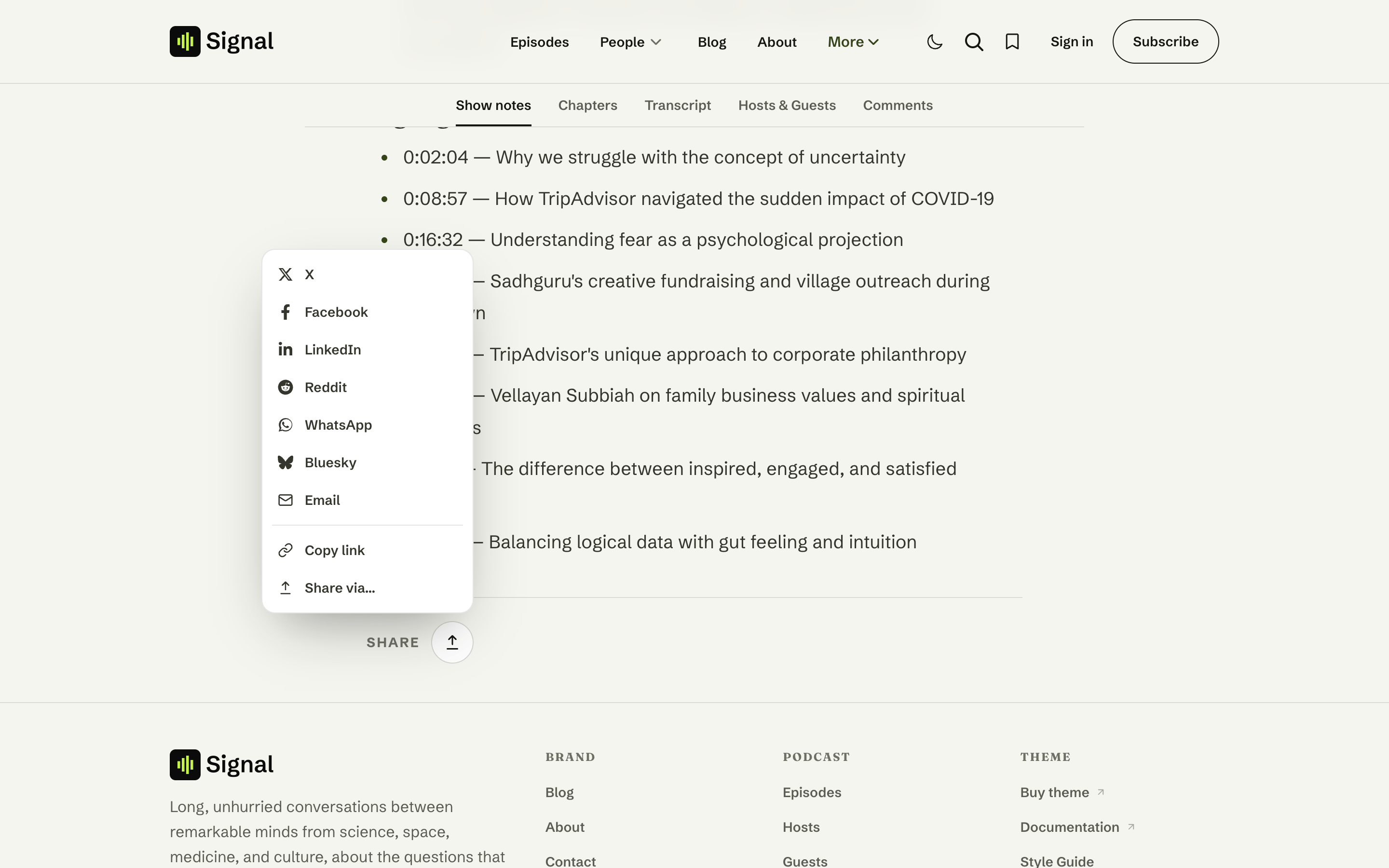
A share button sits on the Show notes tab (and on the audio player). It opens a small menu with ready-made links to X, Facebook, LinkedIn, Reddit, WhatsApp, Bluesky, and Email, plus Copy link. On devices that support it, a Share via… row opens the system share sheet.
The platform links are plain links that work even with JavaScript off; Copy link and Share via… are the only parts that need it.
Accessibility & interaction
- The tabs are a proper ARIA tablist: use ←/→ to move between tabs and Tab to enter the panel.
- The share menu uses the native Popover API, closes on Esc or an outside click, and degrades gracefully where Popover isn't supported.
- Every tab panel opens with a screen-reader heading so the document outline stays intact.
Related
- Media player — how the hero plays and docks.
- Transcripts & chapters — fill the Chapters and Transcript tabs.
- Content model — episode types, hosts, and guests.
- Membership — members-only episodes.
Library
Signal's browser-local Library — visitors save episodes and resume watch progress with no account, from a bookmark button, a header widget, and the /library/ page.
Media player
How Signal plays episodes — inline playback, the floating persistent mini-player and its dock corner, the supported sources, OS media controls, and members-only privacy.