

Support the show
Add Signal's membership call-to-action to the homepage by publishing a page slugged support — it lists your paid tiers and a donation link.
The Support the show section is the membership call-to-action on your homepage — the panel that invites listeners to join a paid tier or chip in a one-time donation. It's the main way Signal turns homepage visitors into supporters.
This section needs a support page
Unlike the other money-related settings, this section only appears when you've published a page slugged support. Turning on paid tiers by itself will not make it show up. Create the page as below, and the section appears.
Set it up
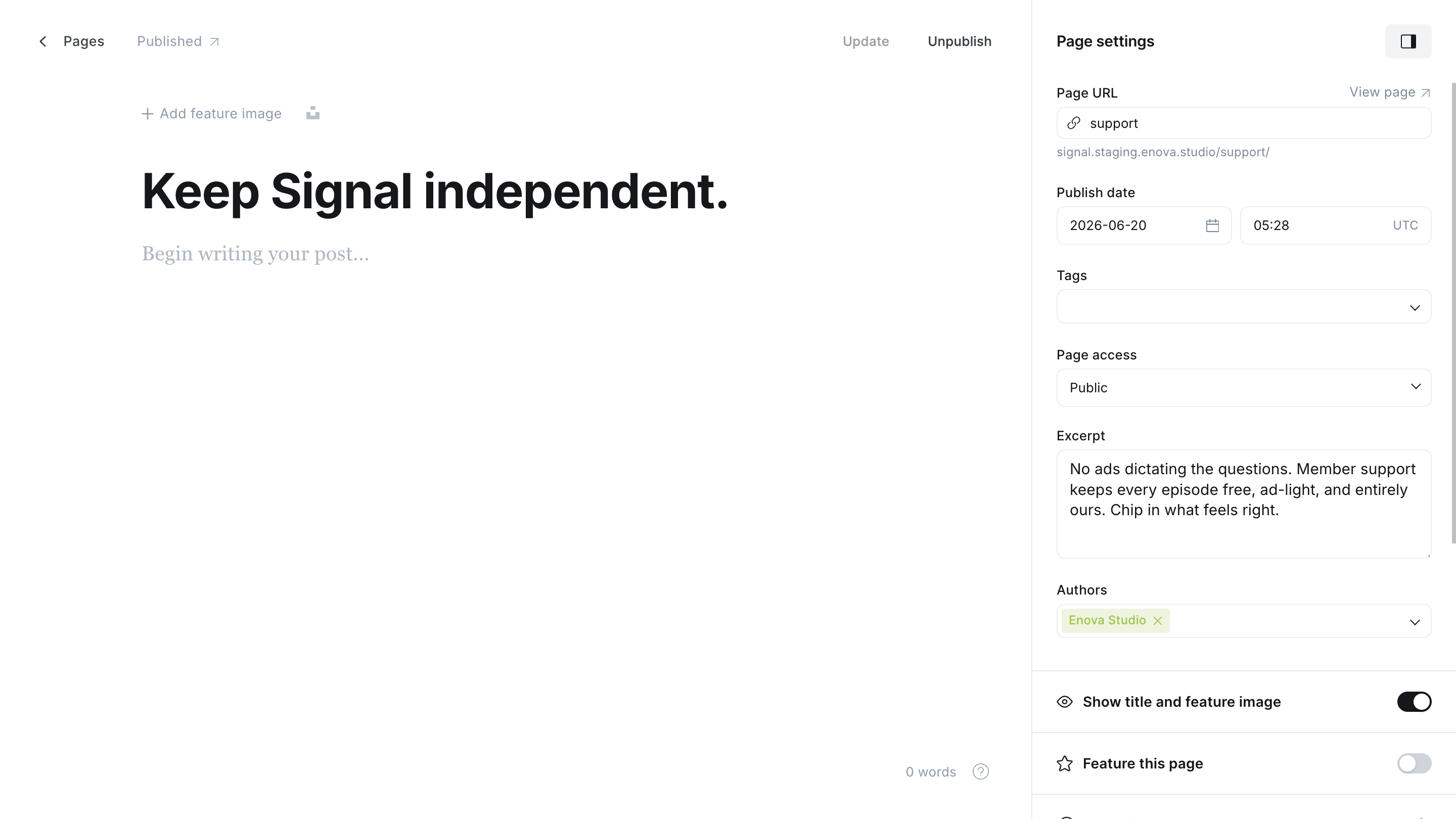
In Ghost Admin, create a new Page and set its URL slug to support (open the page settings and edit Page URL).
Give it a title — the panel's headline (for example, "Support the show").
Add an excerpt — a short line explaining why to join (Open page settings → Excerpt).
Publish the page. The Support the show panel now appears on your homepage.
In Ghost Admin
On your homepage
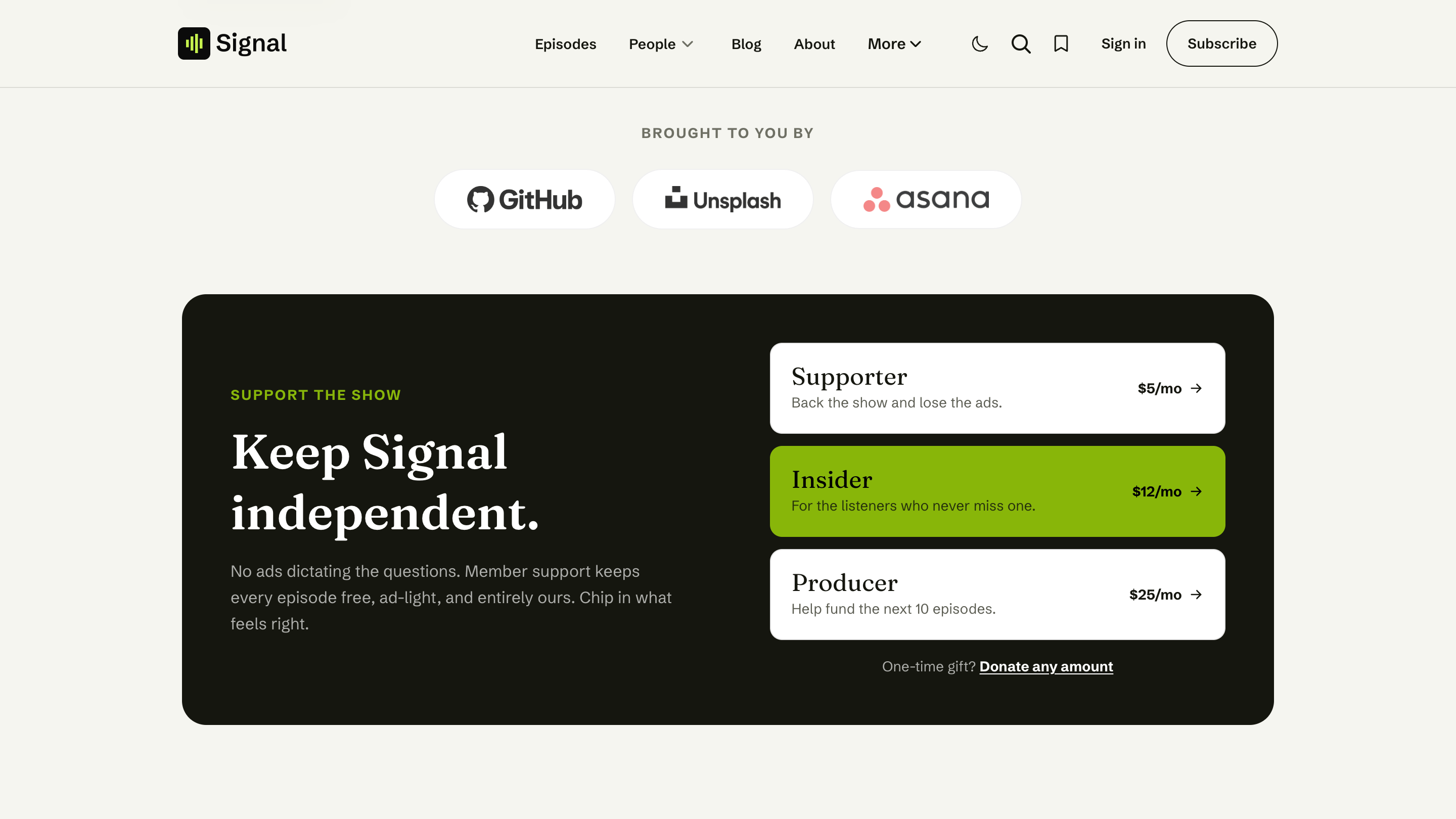
What the panel shows
You write the headline and the intro line; Signal fills in the rest from your Ghost membership settings automatically:
- If you have paid tiers set up, the panel lists each paid tier you offer at signup as a clickable row: its name, its short description, and its price with an arrow. Below the rows sits a Donate any amount link for one-time gifts.
- If you haven't set up paid plans yet, the panel shows a single Become a member row with a Join link, so listeners can still subscribe for free by email. The same row appears when no price is ticked under Available prices in your Signup portal settings.
The tiers and prices follow your Signup portal settings, the same way as on the Subscribe page: each row shows monthly, yearly, or your Default price at signup when you offer both. See Which price each tier shows.
The page body isn't shown here
Only the page's title and excerpt appear in the homepage panel. You don't need to write anything in the page body for this section.
Setting up the tiers themselves
Prices, benefits, trials, and one-time donations are configured in Ghost's own membership settings (and need Stripe connected for paid plans). See Membership.
Related
- Membership — tiers, checkout, donations, and the Subscribe page.
- Newsletter — the free email signup section.