

Guests
Signal's Guests directory at /guests/, a searchable A–Z of everyone who has been on the show. Hand-pick the list, or tag the page
The Guests page at /guests/ is your show's guest directory: a searchable grid of everyone who has pulled up a chair, a Frequent guests strip for the people who keep coming back, and a "pitch a guest" call to action. Each guest links to their own archive of episodes.
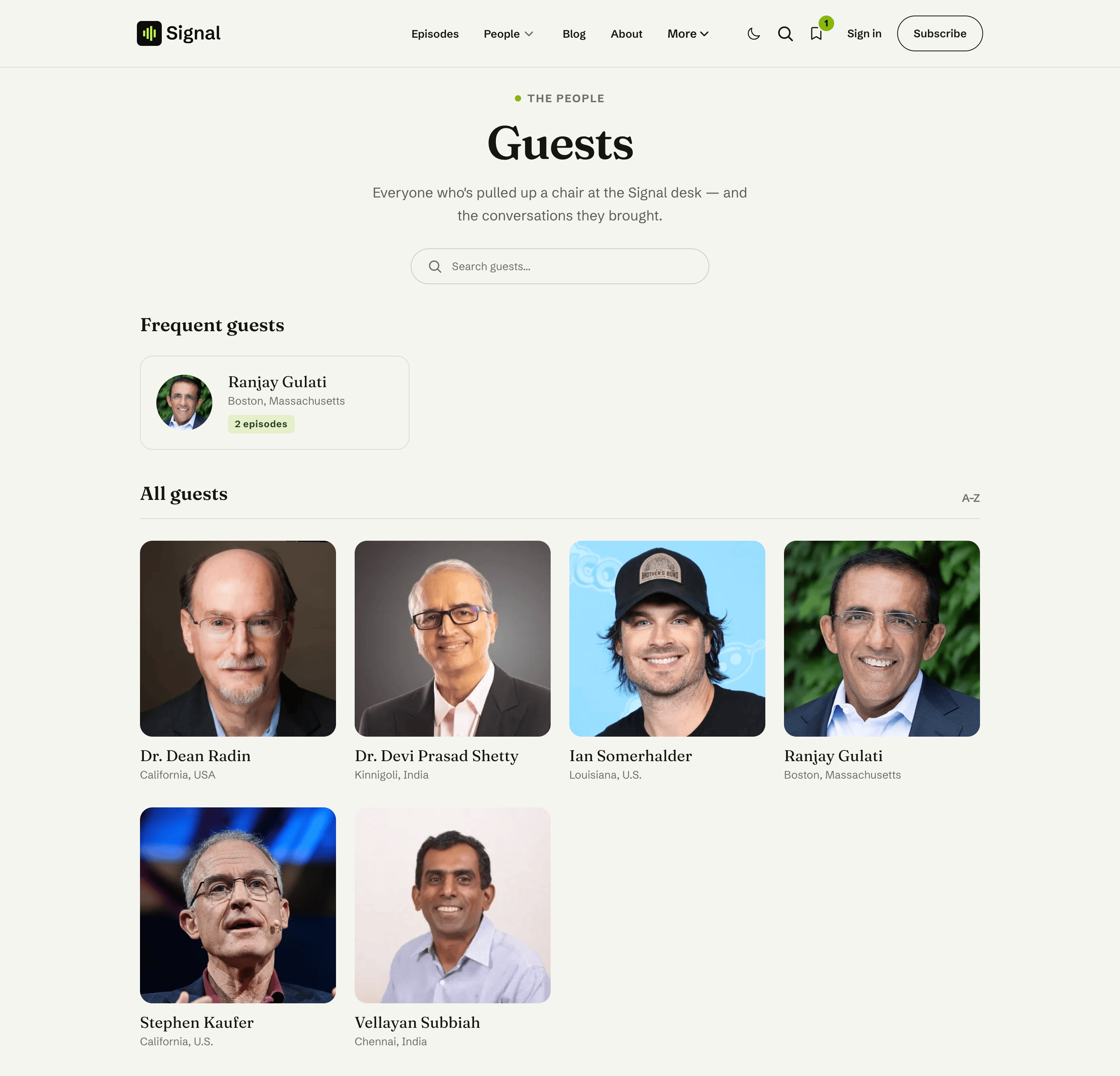
Create a Page in Ghost, slug it guests (see Pages).
Give it a title and an excerpt. They become the heading and intro above the search box.
Choose how the guest list is built: hand-picked or automatic (both below).
Two ways to build the list
Hand-picked (the default)
The guests shown are the authors you assign to this page (in Page settings → Authors), in the order you assign them. Add a guest to the page and they appear; remove them and they're gone. The homepage Recent guests section follows the same picks in the same order, so you curate once: drag your newest guest to the top of the author list and the homepage row leads with them.
Use this when you want full control: a short highlight roster, a launch lineup, or a directory that hides one-off appearances.
The page's first author counts too
Ghost requires every page to have an author, and on this page authors are the guest list. If you see yourself listed as a guest, that's why: replace the page's authors with the guests you want shown.
Automatic (#auto-guests)
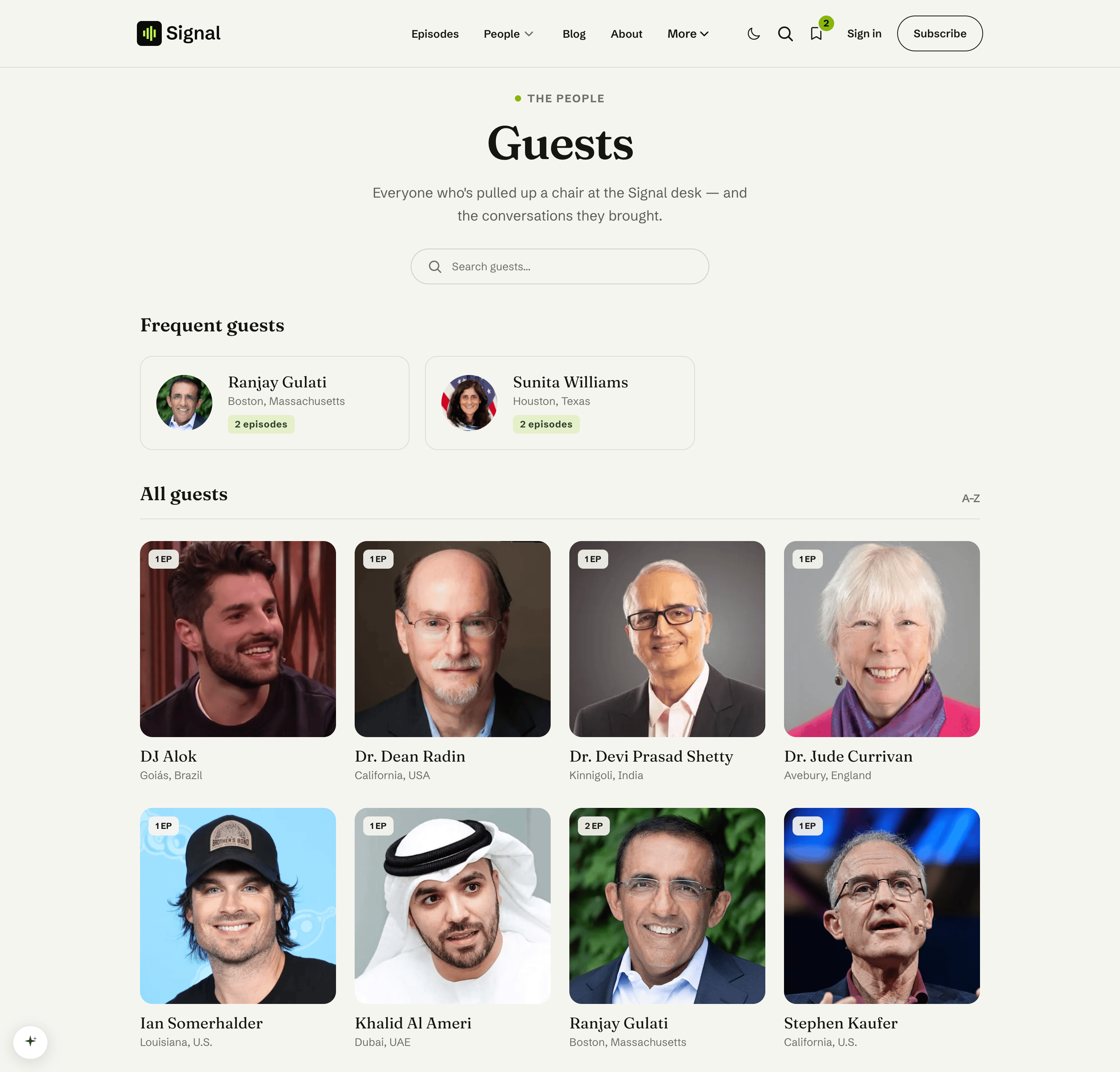
Prefer a directory that grows on its own? Add the internal tag #auto-guests to the page and Signal switches to the automatic list: everyone who has appeared on a published post and isn't on your Hosts page, A–Z, each with an episode-count badge. New guests appear the moment their first episode goes live, with nothing to curate.
Open the Guests page in Ghost and go to Page settings → Tags.
Add the tag #auto-guests (the leading # makes it an internal tag, invisible to readers).
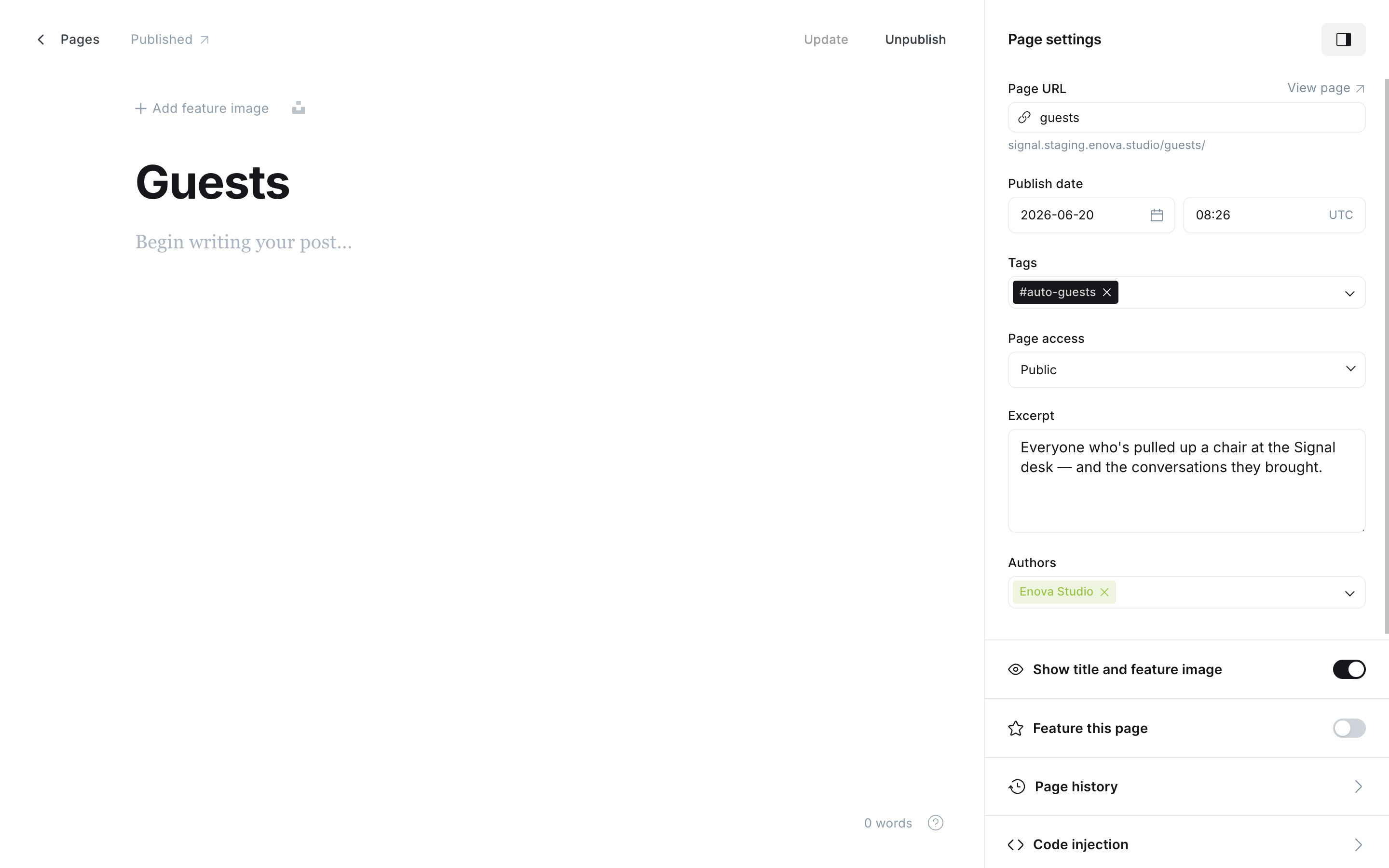
Update the page. The /guests/ directory now lists every guest automatically.
You can automate the directory and still hand-order the homepage
The tag always makes the /guests/ directory automatic, but the homepage Recent guests row keeps following this page's author list for as long as you have two or more authors assigned to it. So a tagged page gives you a complete A–Z directory plus a homepage row you arrange by hand: drag your latest guest to the top of Page settings → Authors.
Leave a single author on the page and the homepage row goes automatic too. That's the safe default, since every Ghost page needs an author and the one it starts with is usually you, not a guest. With two or more assigned authors Signal can't tell an incidental author from a real pick, so remove yourself from the list if you don't want to appear in the row.
"Guest" here means anyone who isn't on the Hosts page, the same rule used everywhere in Signal (see Content model). Guests added with Signal Tools fit that rule automatically.
Keep non-host staff off the automatic list
The automatic list can't see staff roles (Ghost stopped exposing them to themes in September 2026), so any staff member with a published post who isn't on the Hosts page counts as a guest here, including an editor who writes for your blog. Keep them off the guest list by adding them to the Hosts page, or switch to the hand-picked mode. Better yet, use hand-picked mode with Signal Tools' Sync rosters: the extension can still see roles through your Admin credentials and keeps the page's list role-exact for you.
A guest appears once their first episode is published
In automatic mode, Ghost only lists authors with at least one published post, so a guest created for an upcoming episode stays hidden until that episode goes live. To feature someone before their debut, use the hand-picked mode instead. Remove the tag any time to switch back.
Which mode should I use?
| Hand-picked | Automatic | |
|---|---|---|
| Who appears | Exactly the authors you assign | Everyone with a published post who isn't on the Hosts page |
| Order on this page | Your assignment order | Alphabetical |
| Order of the homepage row | Your assignment order | Your assignment order with 2+ authors assigned, otherwise alphabetical |
| Episode-count badges | Not shown | Shown |
| Upkeep | You add each new guest | None |
| Good for | Curated highlights, pre-launch lineups | A complete, self-maintaining directory |
Frequent guests
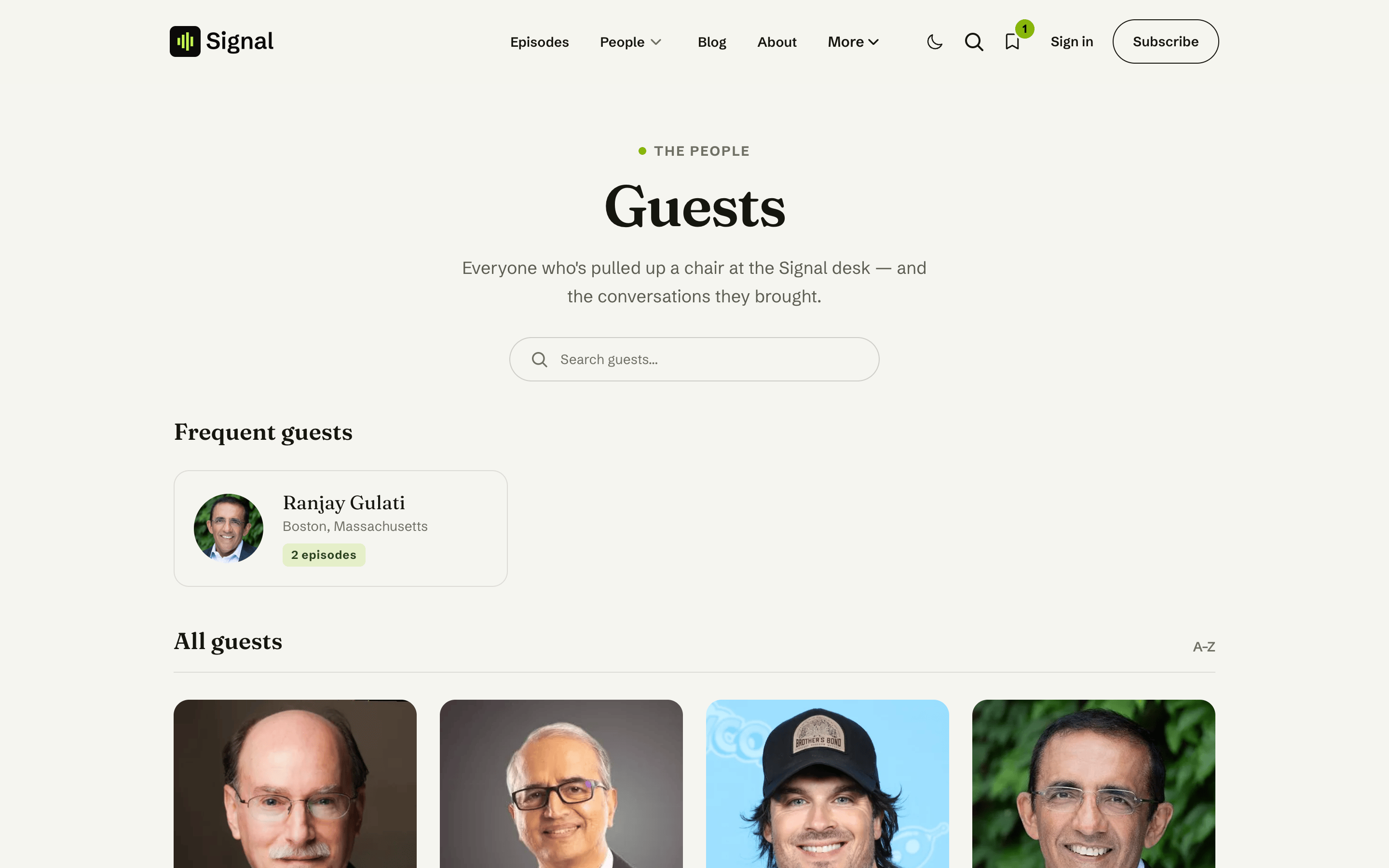
Guests with two or more episodes get a spot in the Frequent guests strip above the grid, ordered by episode count. The strip hides itself when nobody qualifies yet, and steps aside while a visitor is searching.
Search
The search box filters the grid by name as the visitor types, with a friendly empty state when nothing matches. No setup needed.
Common questions
Related
- Content model: hosts, guests, and roles across Signal.
- Homepage: Hosts & guests: the Recent guests section this page drives.
- Signal Tools: create guests (with social links) in one step.
Subscribe
Signal's Subscribe page, built from your Ghost data. Membership tiers with a Popular badge, a one-time donation link, your listen links, and the newsletter signup.
Hosts
Signal's Hosts page at /hosts/, a roster of the voices behind the show, curated by the authors you assign, and shared with the homepage's Meet the hosts section.