

Hosts
Signal's Hosts page at /hosts/, a roster of the voices behind the show, curated by the authors you assign, and shared with the homepage's Meet the hosts section.
The Hosts page at /hosts/ introduces the voices behind the show: a card per host with their photo, bio, location, and social links, each linking to their own archive of episodes.
Create a Page in Ghost, slug it hosts (see Pages).
Give it a title and an excerpt for the heading and intro.
In Page settings → Authors, assign the staff members who host the show. They become the roster, shown A–Z.
Editor
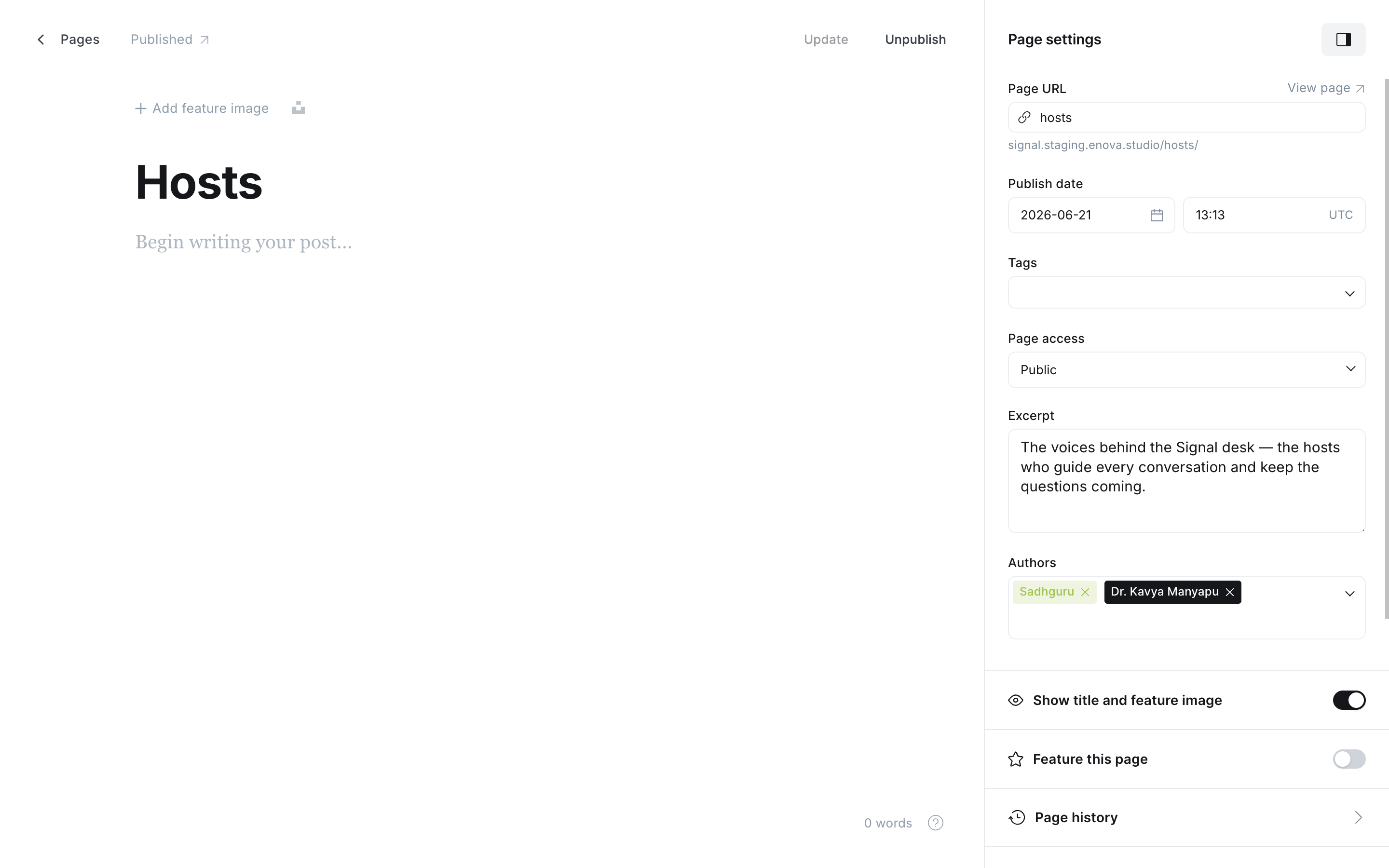
The Hosts page
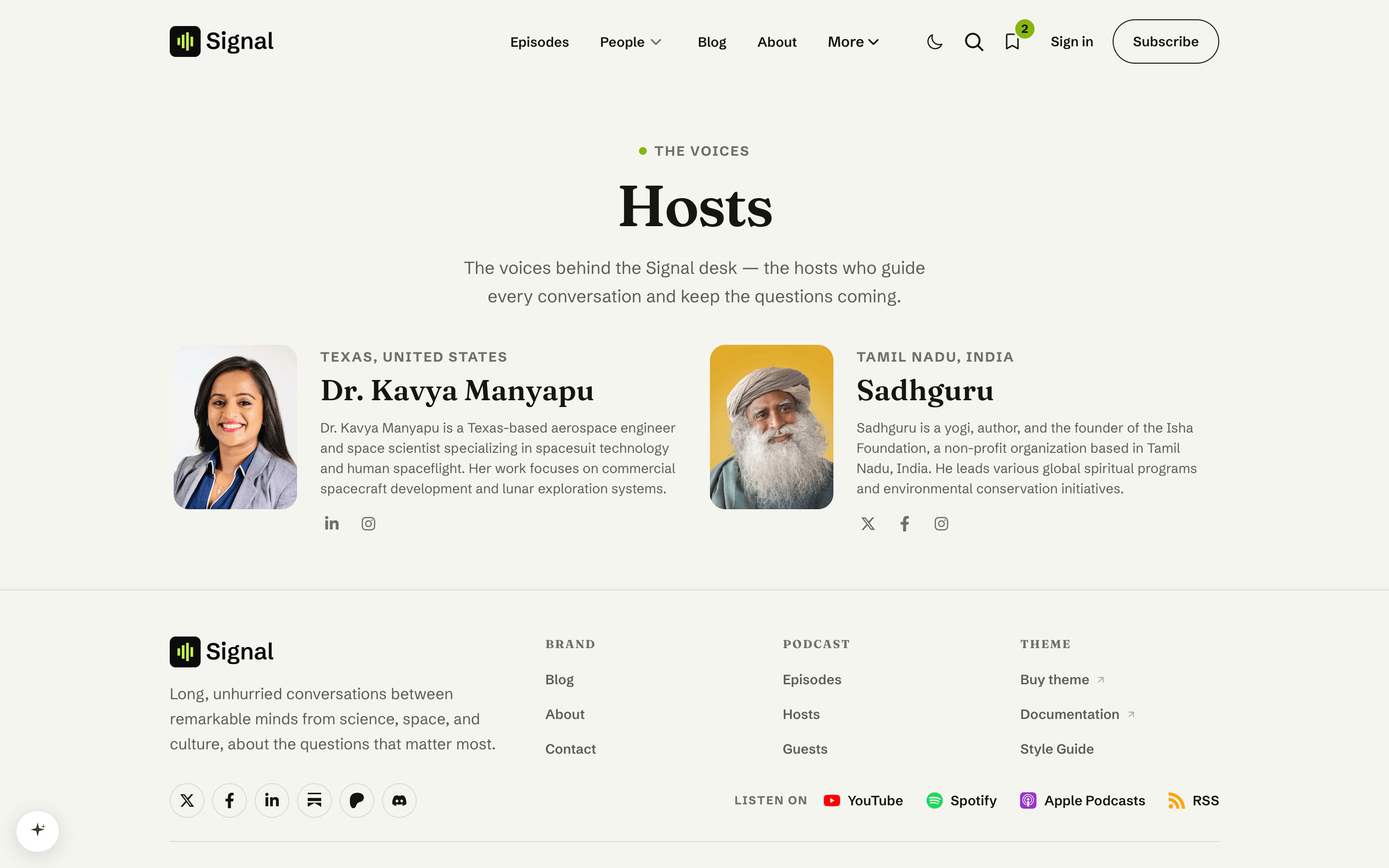
One roster, everywhere
The authors you assign here are Signal's host roster: they drive the homepage Meet the hosts section, the Host and Guest labels on every episode's Hosts & Guests tab and on profile pages, and who gets filtered out of the guest lists. You manage who counts as a host in a single place. That matters when some of your staff aren't on-air: an editor or developer with a Ghost account stays off the host lists simply by not being assigned to this page.
Without a published Hosts page, Signal stays neutral rather than guessing: the homepage hosts section hides, episode pages list people without Host or Guest labels, and guest lists show everyone who has appeared. Creating this page (a one-minute job) is what switches all of those on. See Content model.
Since Signal 1.3.0 this page is the source of truth
Ghost's September 2026 update (6.63) stopped exposing staff roles to themes, so Signal no longer detects hosts by their staff role. The Hosts page's author list took over that job. If you updated from an older Signal and your hosts show up as guests, or people appear twice on an episode, make sure this page exists, is published, and has your hosts assigned as its authors.
Host details come from the author profile
Each card's photo, bio, location, and social icons come from that person's staff profile in Ghost (Settings → Staff). The location doubles as the affiliation line, since Ghost never exposes a person's role publicly.
Related
- Homepage: Hosts & guests: the Meet the hosts section this page drives.
- Guests: the matching directory for the other side of the mic.
- Social links: the icons on each host card.
Guests
Signal's Guests directory at /guests/, a searchable A–Z of everyone who has been on the show. Hand-pick the list, or tag the page
Contact
Add a working contact form to Signal's Contact page with a Formspree (or any JSON) endpoint, reason chips, and a graceful mailto fallback when JavaScript is off.