

Add guests
Create a guest in your Ghost staff as a credited Contributor — with bio, photo, and social links — straight from Signal Tools, then edit them in Ghost like any author.
The Guest Importer adds a guest to your Ghost staff as a Contributor — Ghost's staff role for credited authors without a login — so you can assign them to episodes without the manual staff-invite dance.
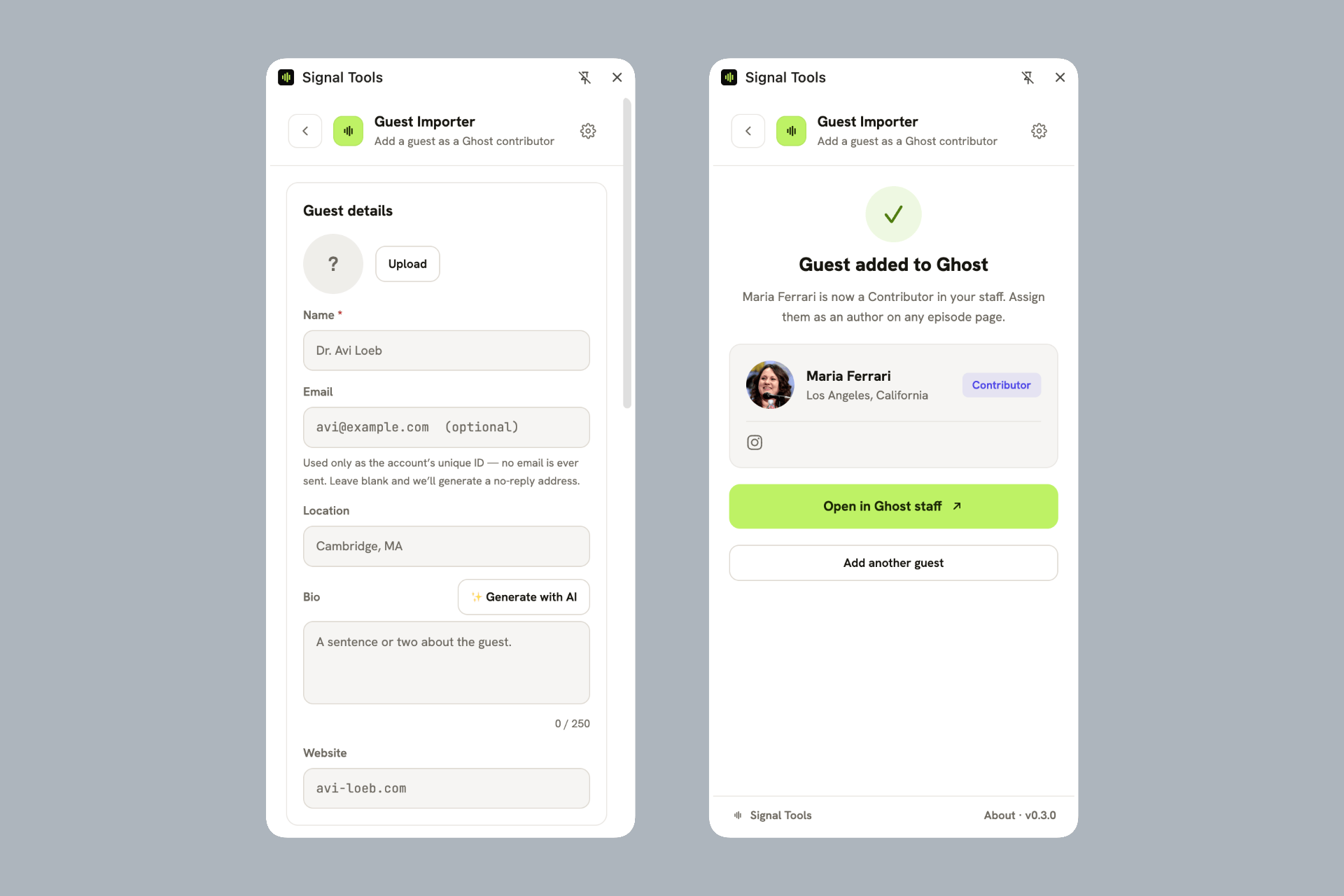
Open the Guest Importer and fill in the guest's name (the only required field).
Optionally add a photo, location, bio, website, and social links — X, Facebook, Instagram, LinkedIn, Threads, Bluesky, Mastodon, TikTok, and YouTube. Each social field is checked against Ghost's own rules as you type, so they'll display correctly on your site.
Click Add to Ghost.
Write a bio with one click
Don't have a bio handy? Enter the guest's name, then use ✨ Generate with AI to draft a short bio you can edit. (It uses your AI key, same as episode imports.)
What gets created
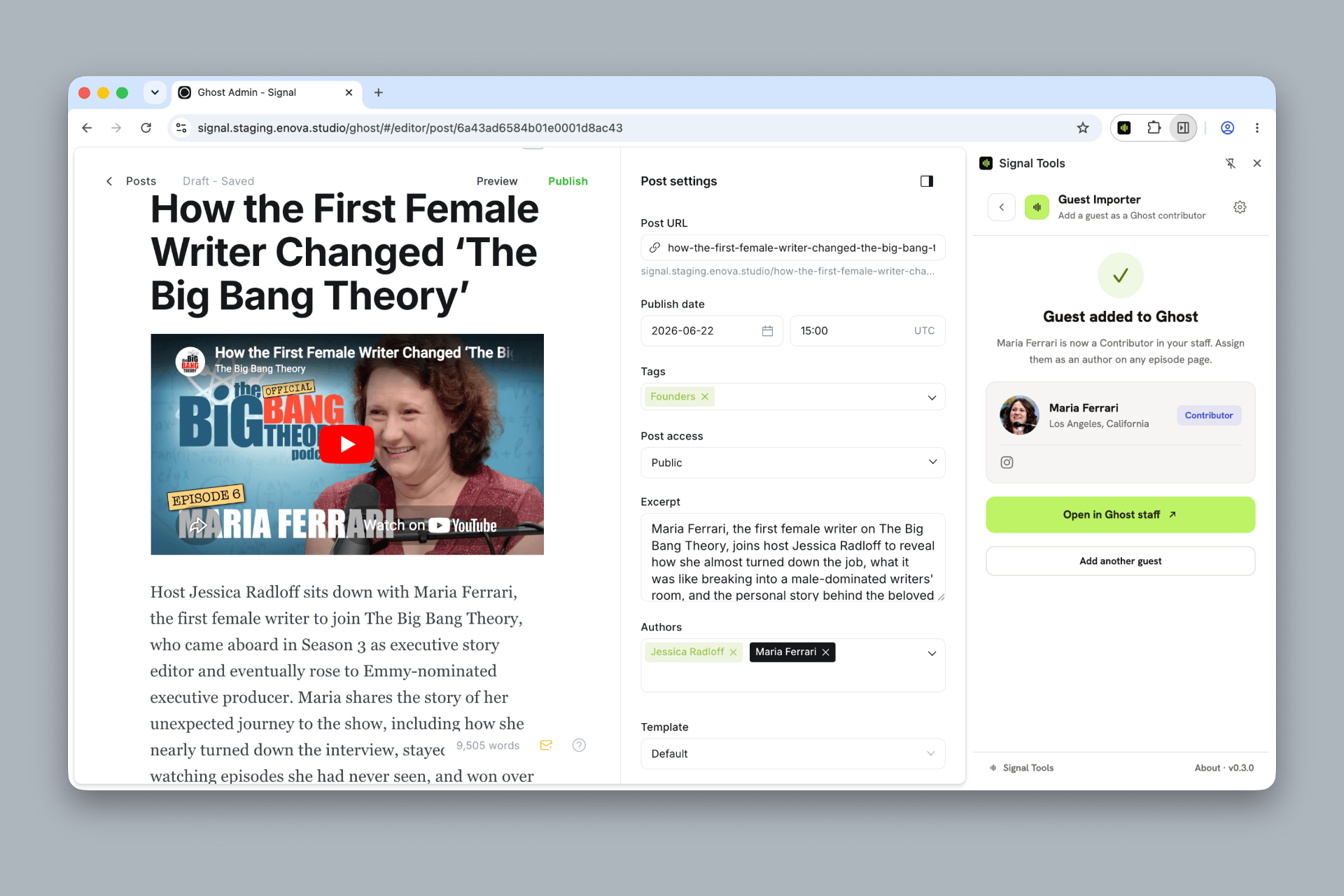
The guest is created as a locked Contributor — a credited author with no login and no email sent. You can assign them as an author on any episode right away; since they're not on your Hosts page, Signal labels them a Guest everywhere automatically. If a guest with the same name already exists, Signal Tools flags a possible duplicate so you can either open the existing person in Ghost or add this one as a separate Contributor.
The new guest is also added to your Guests page (the page slugged guests): they're appended to the end of its author list, so your hand-ordering stays put and the theme's guest directory and homepage row pick them up right away. Drag them to the top of the page's author list to feature them first on the homepage. A toggle in Settings → Ghost ("Add new guests to the Guests page") turns this off; if the page doesn't exist, the guest is still created and you get a note instead of an error.
On success you'll see a confirmation card with the guest's details and an Open in Ghost staff button.
Guests don't use up your Ghost(Pro) staff seats
Ghost doesn't count Contributors toward the staff-user limit on Ghost(Pro) plans, so you can keep adding guests as your show grows without moving to a higher plan — only hosts (editorial roles) count. Self-hosted Ghost has no staff-user limit at all. See Ghost's members & staff-users guide.
Adding guests needs a Staff Access Token
This tool requires a Staff Access Token from an Owner or Administrator (set in Setup). With only an integration Admin API key, the guest tool is unavailable — that key can create episode drafts but not staff.
Sync rosters
Below the guest form sits Sync rosters: a one-click check that your Guests page matches your actual staff. Signal Tools reads your staff list (your Ghost credentials can still see staff roles, which the theme itself no longer can) and shows you a preview:
- Every staff member with the Contributor role gets listed on the Guests page, appended A–Z after your existing picks — your hand-ordering is kept.
- Anyone on the Guests page who isn't a Contributor (a host, an editor, an administrator) is flagged for removal.
- Staff who aren't Contributors but are missing from your Hosts page are reported, so hosts never slip into guest lists. Signal Tools never edits the Hosts page itself; add them there in Ghost.
Nothing is saved until you press Apply to the Guests page. Run it whenever roles change, or after updating from an older Signal, to bring the rosters back to exactly what your staff roles say.
Why this exists
Ghost's September 2026 update stopped sharing staff roles with themes, so Signal ≥1.3.0 reads hosts from the Hosts page and treats everyone else as a guest. Sync rosters keeps those pages matching your real roles — see Content model.
Editing guests afterward
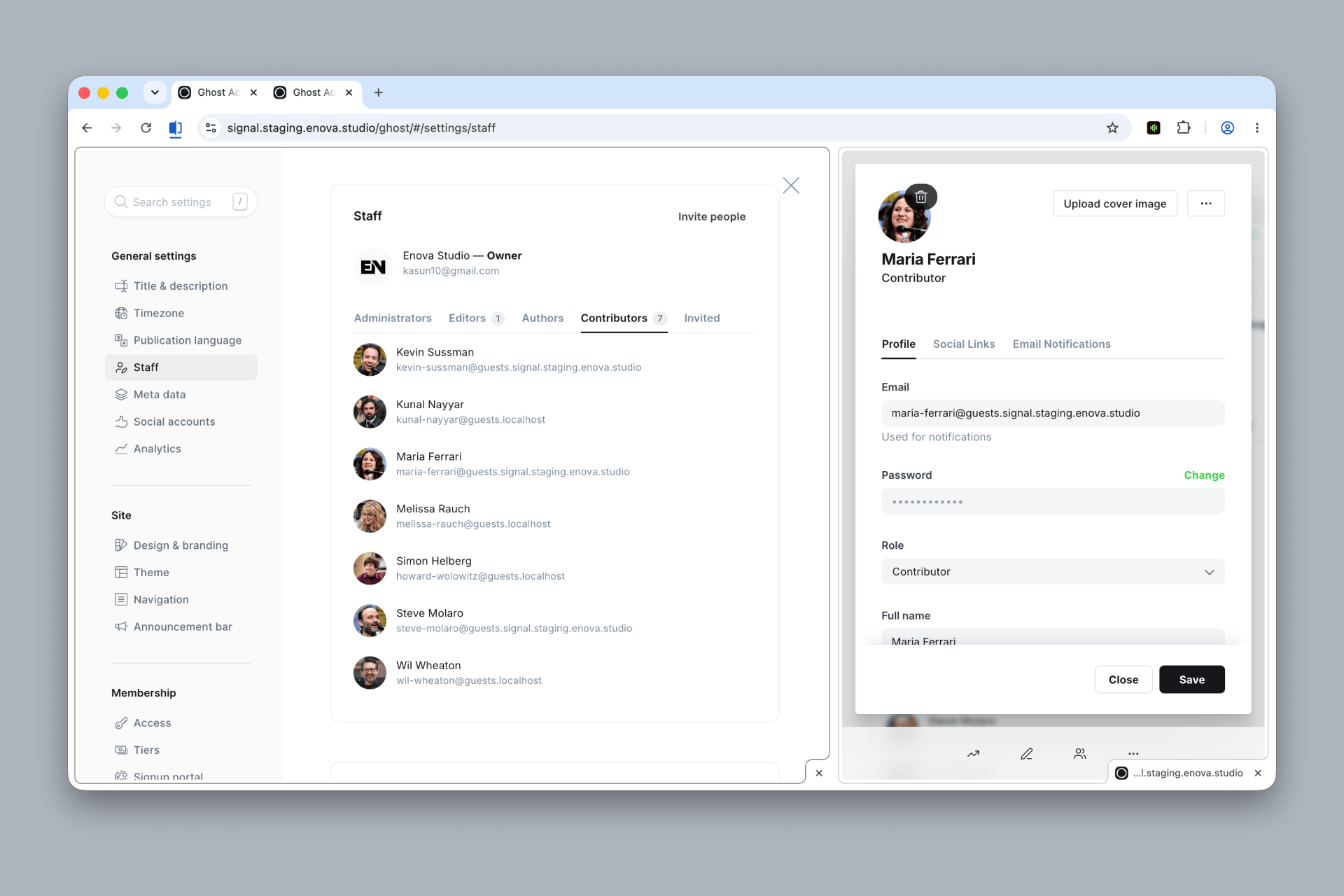
Once a guest is in Ghost, they're an ordinary author. Edit everything about them — including their social links — in Settings → Staff, and it flows into the theme automatically: their profile at /people/{slug}/, the homepage Recent guests grid, and their social icons. See Social links and Content model.
The extension fills the fields; Ghost owns them
Signal Tools is just a faster way to enter a guest. After import you can edit, re-tag, or remove them in Ghost Admin at any time — with or without the extension.
Related
- Content model — hosts vs. guests, and curating who appears.
- Social links — where the guest's social links show up.
Import episodes
Turn a YouTube video, an audio file, or a podcast link into a ready-to-publish Signal episode — transcript, chapters, show notes, and cover — then send it to Ghost as a draft.
Podcasts
Save a podcast feed in Signal Tools and batch-import new episodes as they're released, with an option to re-host audio on Ghost.