

Setup & connect
Activate Signal Tools with your Signal license key, add your Gemini (and AssemblyAI) API keys, optionally add a Claude backup, and connect your Ghost site.
The first time you open Signal Tools, a short three-step setup appears: activate your license, connect Gemini, and (optionally) connect Ghost. You can change any of it later under the Settings gear. AssemblyAI and the optional Claude backup are added in Settings too — this page covers all of it.
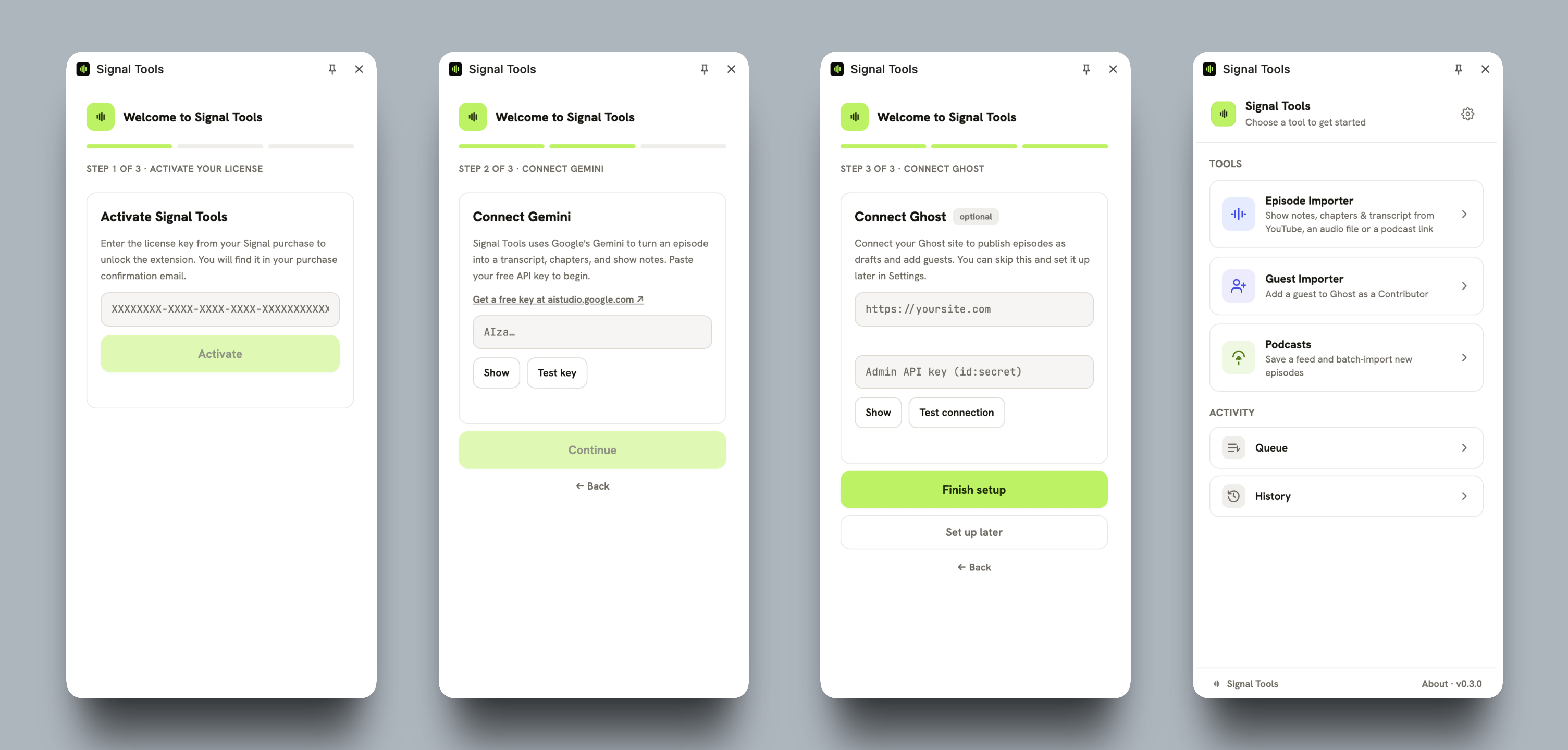
Activate your license
Signal Tools is included with your Signal license — it's unlocked with the license key from your Signal theme purchase, the same key for the theme and the extension.
Find your key in the purchase confirmation email you received from Lemon Squeezy when you bought Signal.
Paste it into the License key field and click Activate.
Up to 4 browsers or devices
Your Signal license activates Signal Tools on up to 4 browsers or devices at once. Each activation uses one seat and is tied to that browser (shown as something like "Chrome on macOS"). To free a seat for a new machine, deactivate one you no longer use — either from Settings → License → Deactivate this device in the extension, or from your Lemon Squeezy account (where you bought Signal). Signal Tools re-checks your license about once a day and keeps working offline for up to a week.
Connect Gemini (required)
Signal Tools uses Google's Gemini to clean up transcripts and write chapters and show notes. You bring your own key, so usage (usually pennies per episode) is billed to you directly.
Create a free key at aistudio.google.com/apikey.
Paste it into the Gemini field and click Verify key. Gemini keys start with AIza.
Free to start, paid for heavy use
A free key is plenty for trying Signal Tools and the occasional episode. If you import in bulk and start hitting “provider busy” errors, adding billing to the same key raises your limits sharply — see Troubleshooting. You can also add a Claude backup so busy spells fail over automatically.
Add AssemblyAI for audio & podcasts
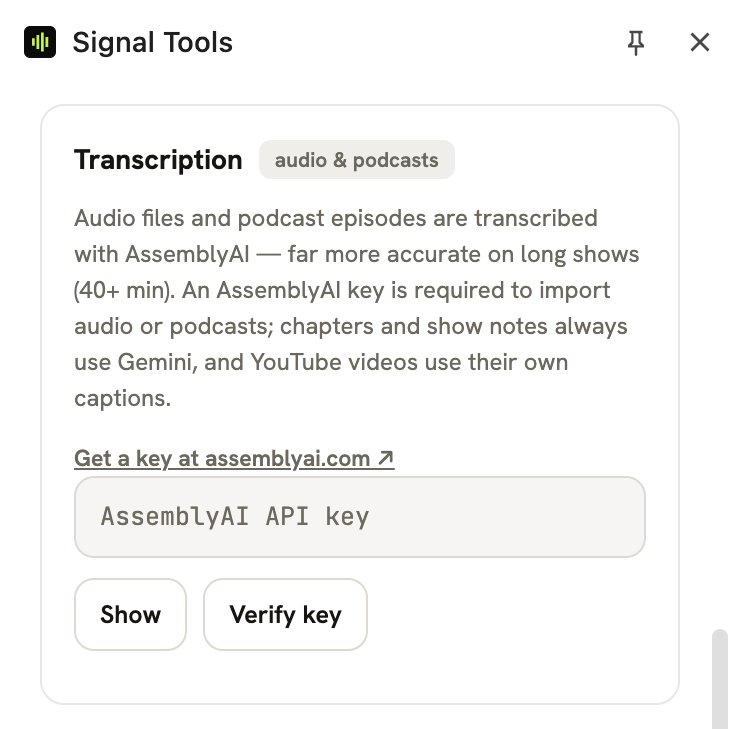
If you'll import audio files or podcast feeds, add an AssemblyAI key in Settings → Transcription — it's far more accurate than Gemini on long shows. You can skip this if you only import from YouTube.
Create a key at assemblyai.com (free tier available).
Paste it into the Transcription section in Settings and click Verify key.
Settings - Transcription
Which key does each source need?
YouTube → Gemini only. Audio file and podcast link → Gemini and AssemblyAI (AssemblyAI does the transcription; Gemini writes the chapters and notes).
Add a backup AI provider (optional)
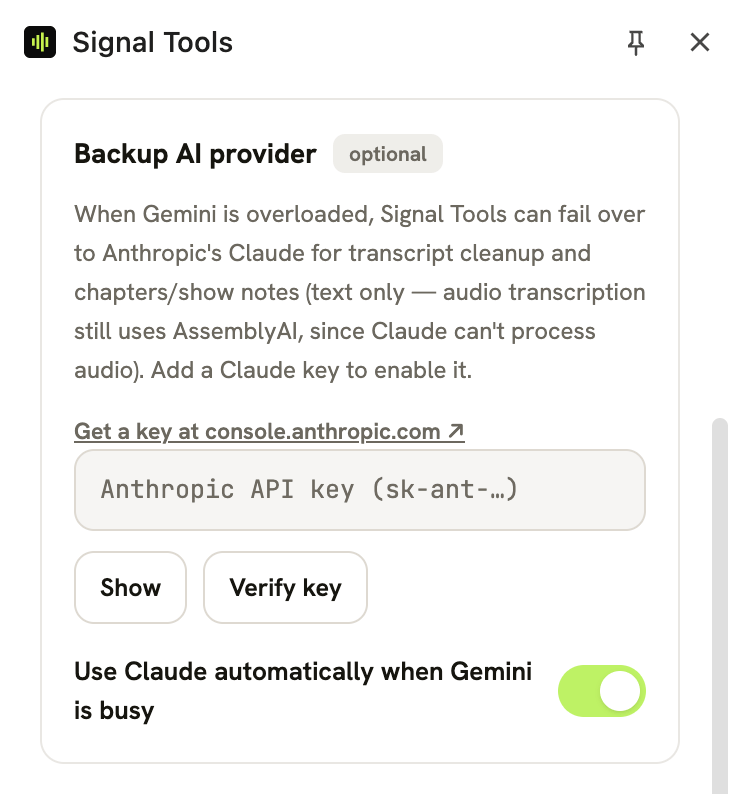
When Gemini is overloaded, Signal Tools can automatically fail over to Anthropic's Claude for the text steps (transcript cleanup, chapters, and show notes — audio transcription always stays on AssemblyAI). It's optional and off until you add a key.
Create a key at console.anthropic.com. Claude keys start with sk-ant-.
Paste it into Settings → Backup AI provider, click Verify key, and allow the access prompt. Turn on Use Claude automatically when Gemini is busy.
Settings - Backup AI Provider
Connect your Ghost site (optional)
Connect Ghost to send episodes as drafts and add guests. You can skip this during setup and add it later in Settings → Ghost.
Enter your Ghost site URL (use https:// for any public site).
Add a credential and click Test connection.
Use a Staff Access Token to add guests
A Staff Access Token (Ghost Admin → your profile → Staff Access Token) authenticates as you and is required to add guests. A custom integration's Admin API key also works, but it can only create episode drafts — not guests, which need a token from an Owner or Administrator. After a successful test, Signal Tools tells you which kind you connected and whether guest import is available.
Where your keys live
Your license and API keys are stored only in this browser's extension storage — never synced to other devices, and only ever sent to Google (Gemini), Anthropic (Claude), AssemblyAI, or your own Ghost site. They're never sent to Enova Studio. Because they live in your browser profile, don't set up Signal Tools on a shared or untrusted computer. See Privacy & permissions.
Related
Overview & install
Signal Tools is the companion browser extension included with the Signal theme — turn a YouTube video, audio file, or podcast feed into a ready-to-publish episode, and add guests to your Ghost staff.
Import episodes
Turn a YouTube video, an audio file, or a podcast link into a ready-to-publish Signal episode — transcript, chapters, show notes, and cover — then send it to Ghost as a draft.