

Newsletter Archive
A premium archive at /newsletters/ with five layouts, a year jump-rail, progressive load-more, sticky month chips, and native RSS.
The Newsletter Archive is a dedicated page on your site that lists every past newsletter issue in one elegant, browsable place. It ships with five layouts, an editorial cover hero, a year jump-rail, sticky month chips, and a native RSS feed.
Your archive lives at yoursite.com/newsletters/ and comes with its own feed at /newsletters/rss/.
Quick start
Four short steps and your archive is live.
Upload the routes file. The archive lives at /newsletters/, which Ghost wires up from the routes.yaml file bundled with the theme. This is a one-time upload after installing Enova.
Setup steps and a copy-and-paste routes.yaml live in the Installation guide → step 4. If you already uploaded the file when installing the theme, skip this step — re-upload only if the file changes between releases.
Tag every newsletter issue with the tag newsletter (slug newsletter; the display name can be anything). New issues inherit this convention going forward.
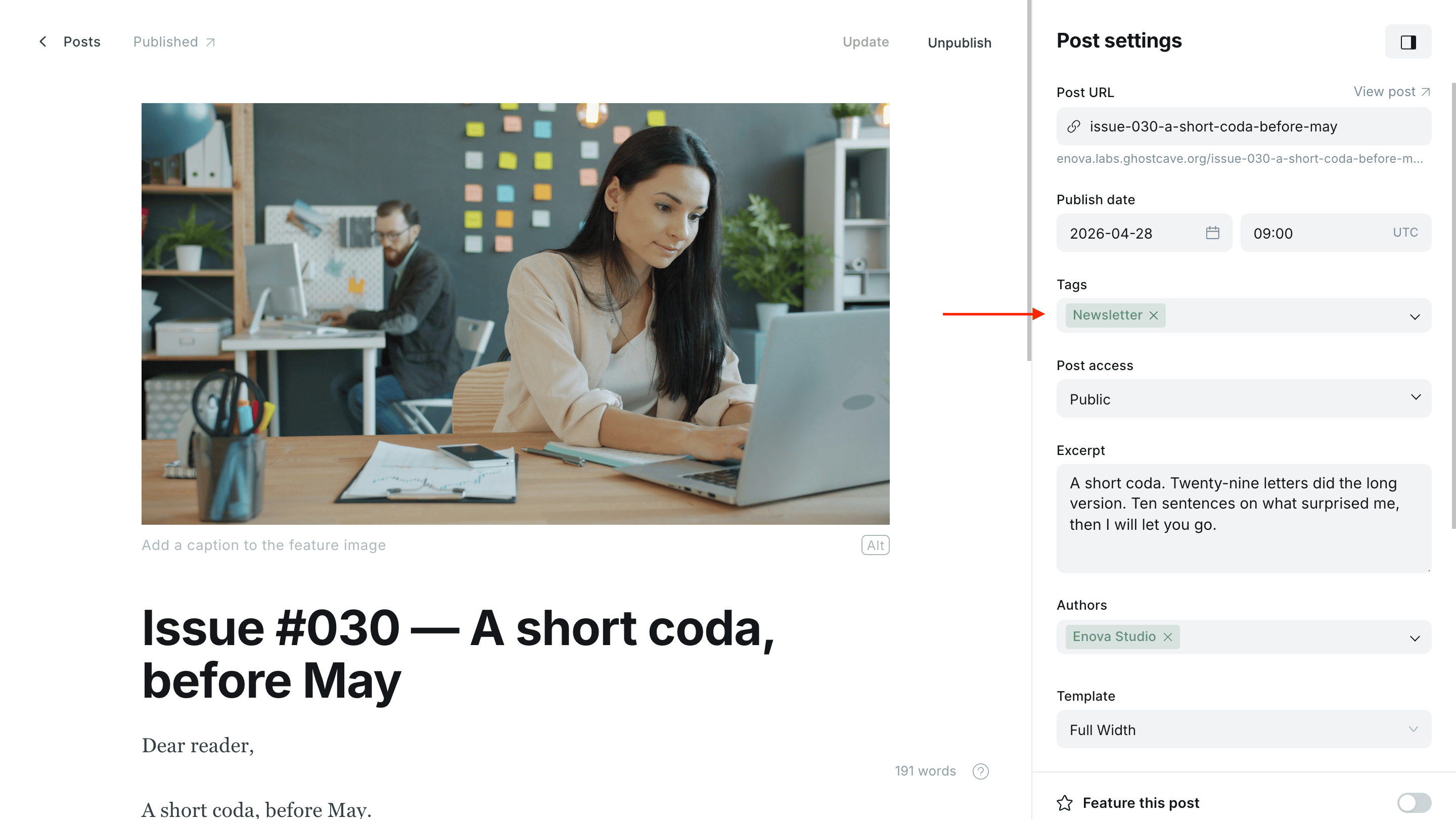
The tag slug must be exactly newsletter. Renaming the slug breaks the archive routing.
Posts tagged newsletter are intentionally hidden from the main homepage feed so the archive stays the one place people read issues. They still appear under their authors and any other tags you've added.
In Ghost Admin, create a Page with the slug newsletters. Add a title, an excerpt, and an optional feature image — these supply the hero copy and cover image on the archive.
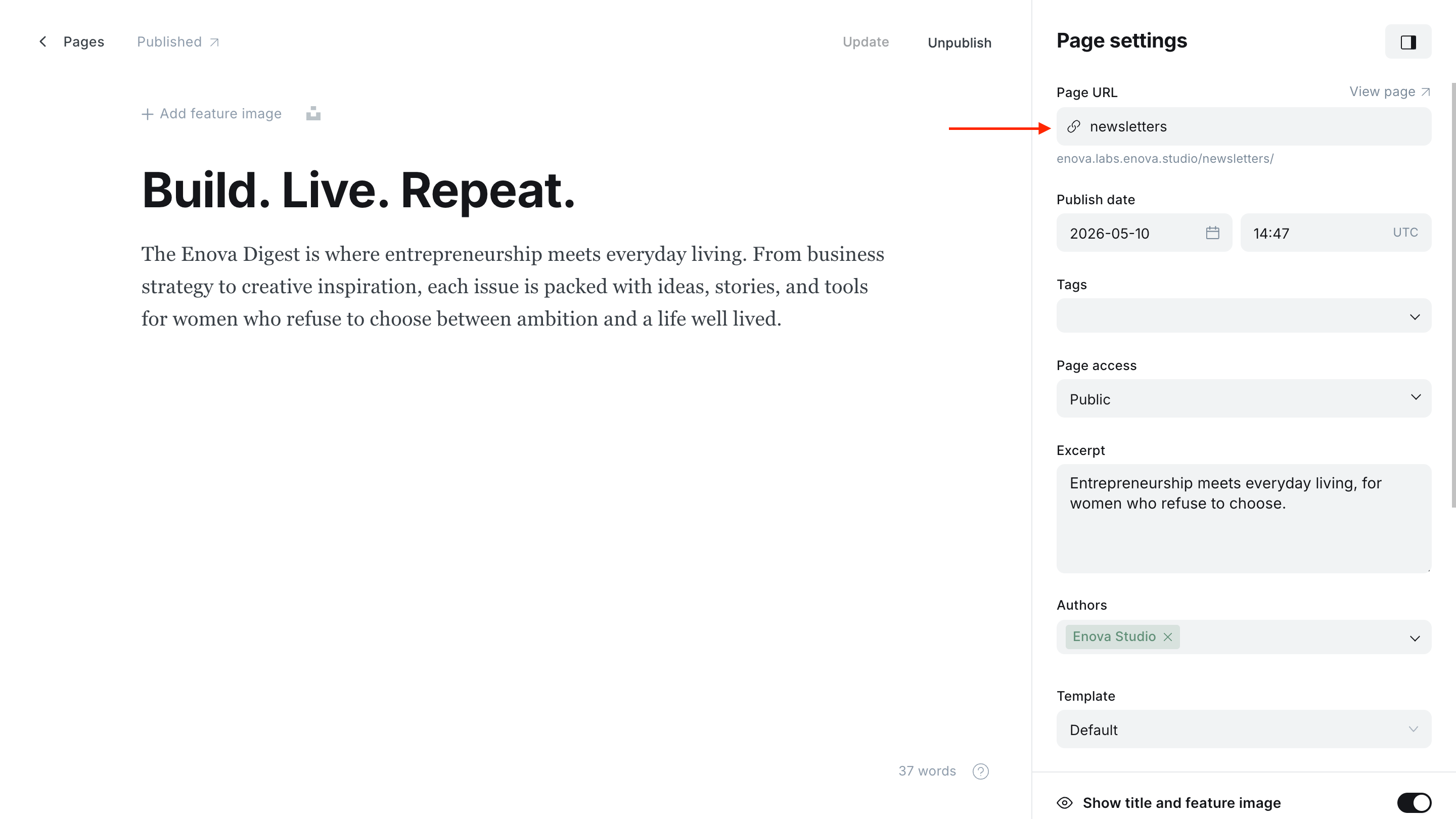
Visit your archive. Open yoursite.com/newsletters/. Add the page to your Ghost navigation (Settings → Navigation) so visitors can find it from anywhere on the site.
Choosing a layout
The archive layout is set under Ghost Admin → Design → Customize → Site wide → Newsletter Archive Layout. See Site wide → Newsletter Archive Layout for the full list of options and their descriptions.
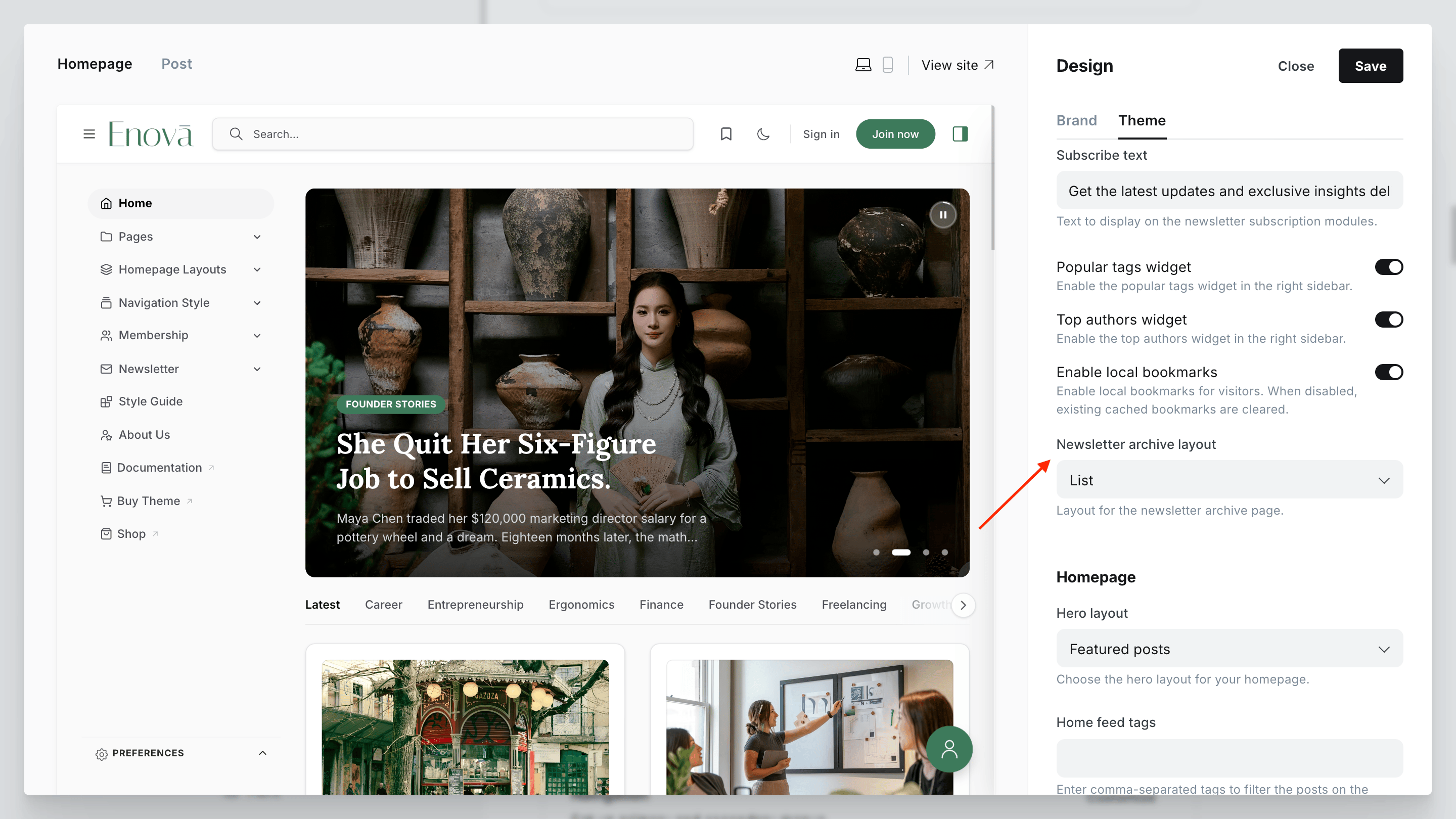
Five layouts ship with the theme. Switch between them in Ghost Admin → Design → Customize without losing any content.
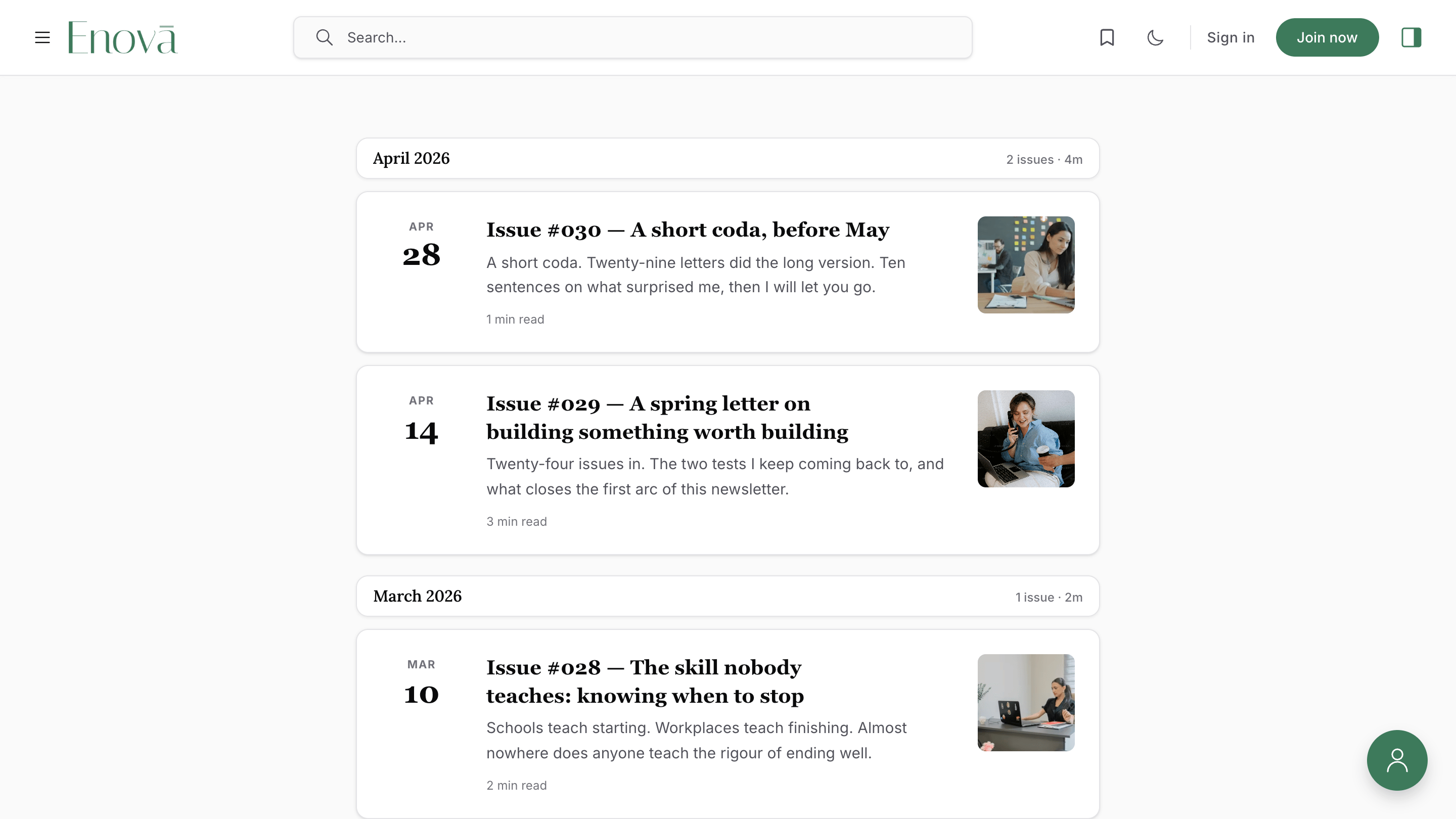
Best for: analyst, indie, and most editorial newsletters where the headline does the selling.
Each row shows a stacked date, a title with a two-line excerpt, and a small optional thumbnail. Reads cleanly with or without feature images.
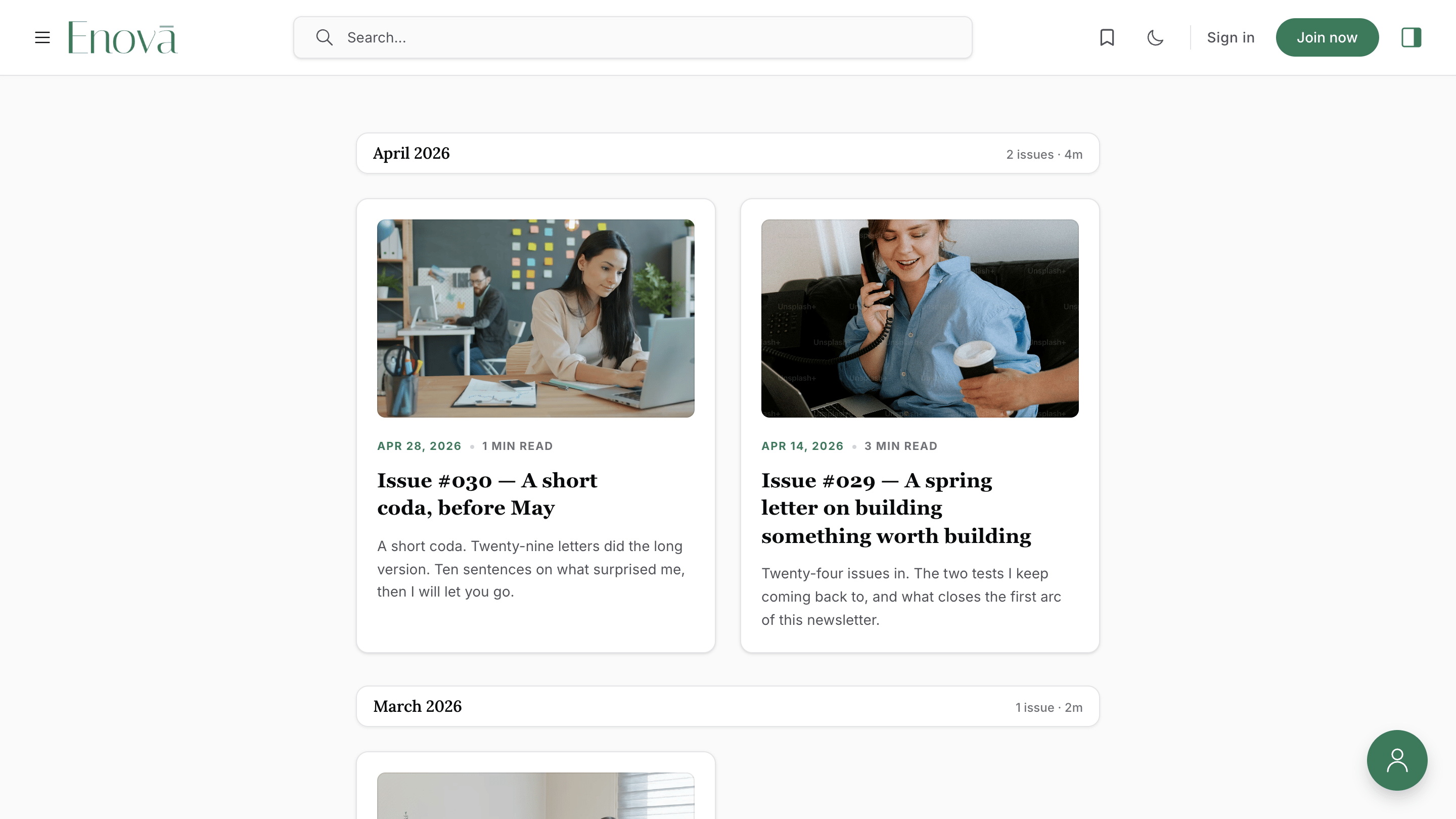
Best for: lifestyle, design, food, and photo-led newsletters where every issue has a strong cover image.
A responsive grid of feature-image cards grouped under month headers. One column on phones, two on tablets and wider.
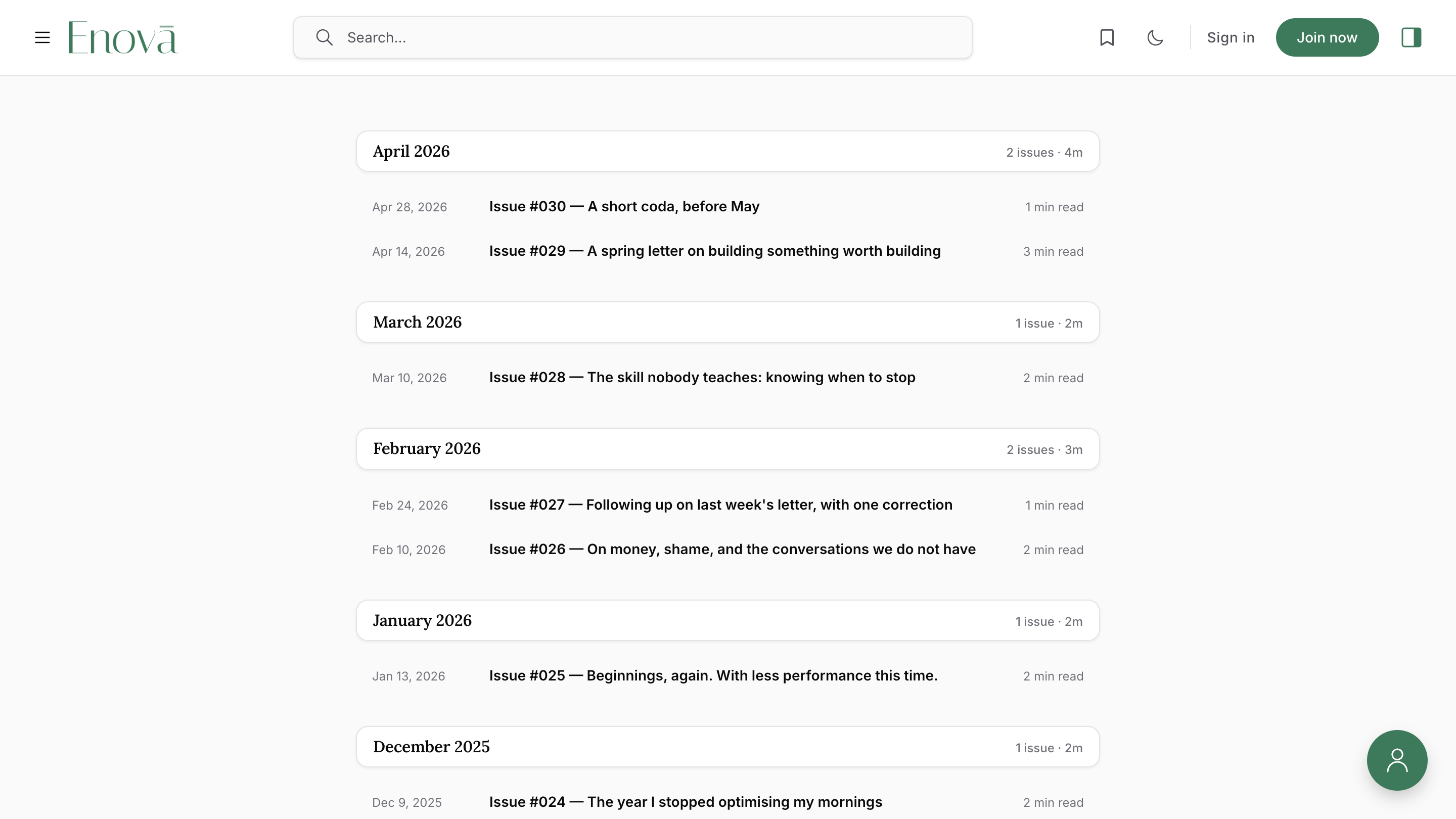
Best for: high-volume archives where the goal is to skim long lists at a glance.
Dense, table-like rows with date · title · reading time. No thumbnails, no excerpts. Hundreds of issues stay browsable.
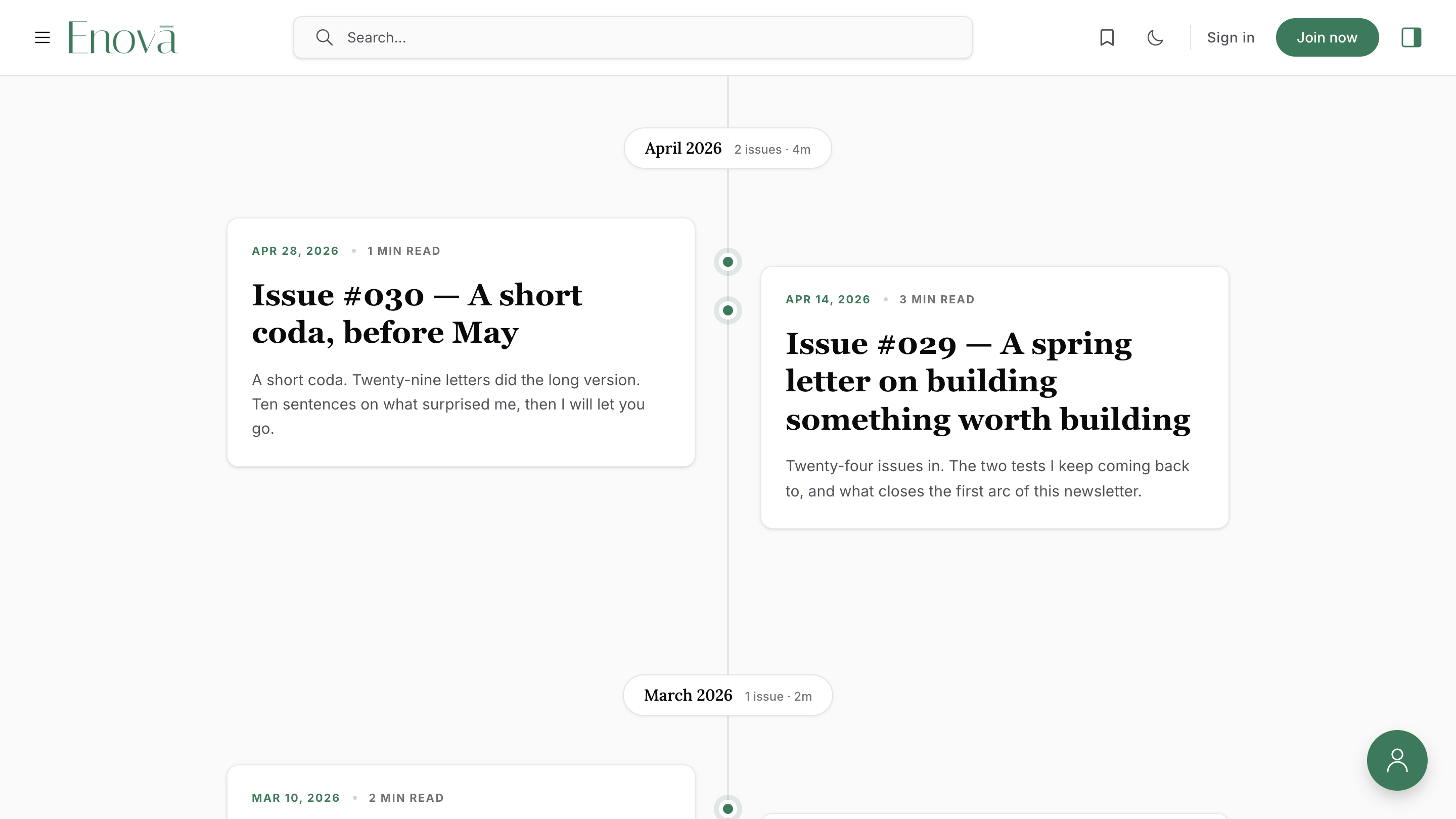
Best for: chronological journals, high-frequency newsletters, and editorial publications.
A vertical spine with brand-tinted dots marking each issue. On wide screens with sidebars closed, cards stagger left and right of a centered spine for a magazine-style layout.
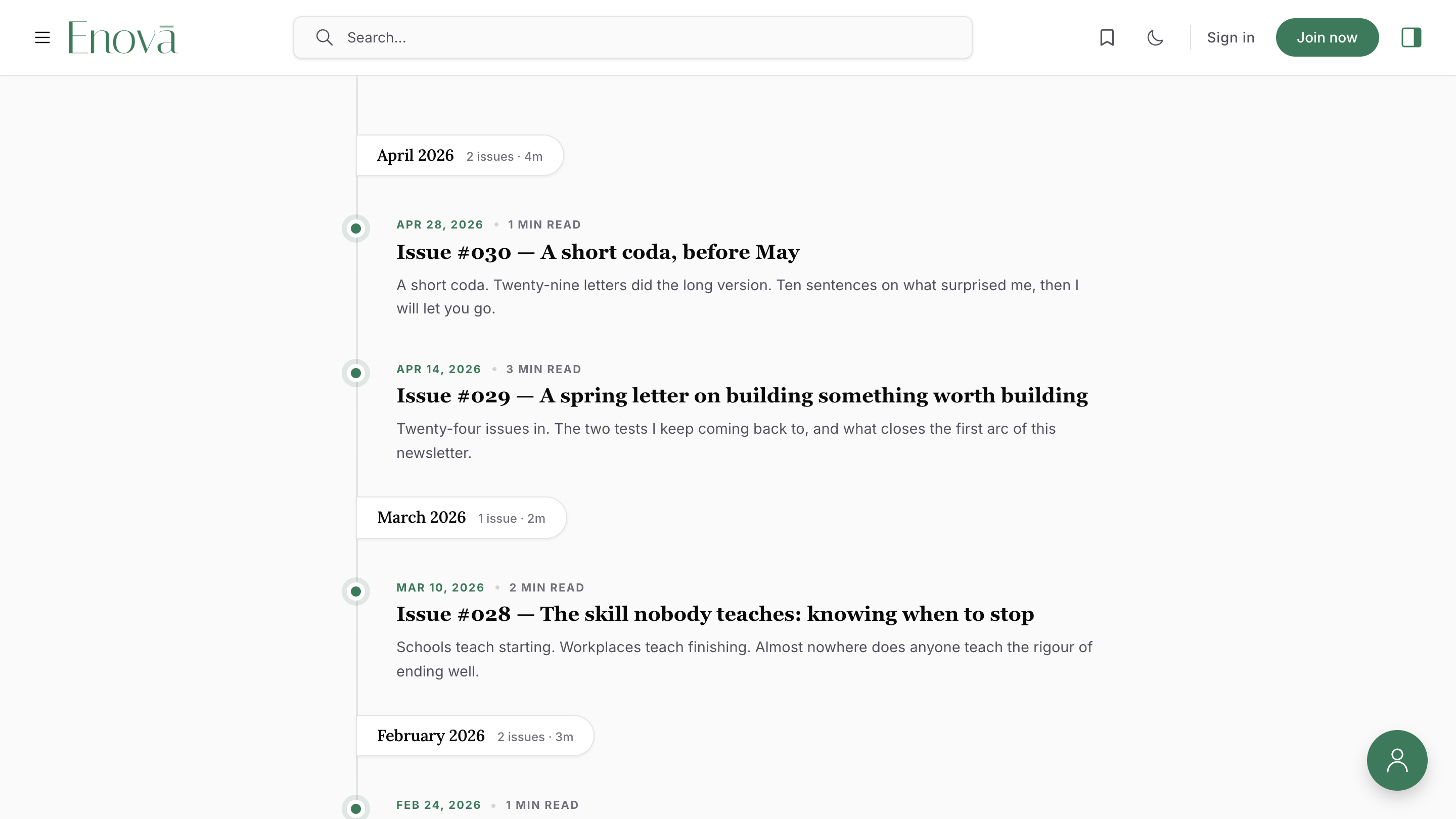
Best for: publications that want the timeline aesthetic but a tighter cadence.
A left-aligned spine with closer card spacing. Same brand-tinted node dots, same chronological flow, just denser.
Hero customization
The hero is a two-column editorial layout (when sidebars are closed; otherwise stacked and centered):
- Editorial column — eyebrow label, page title, excerpt, and the optional page body.
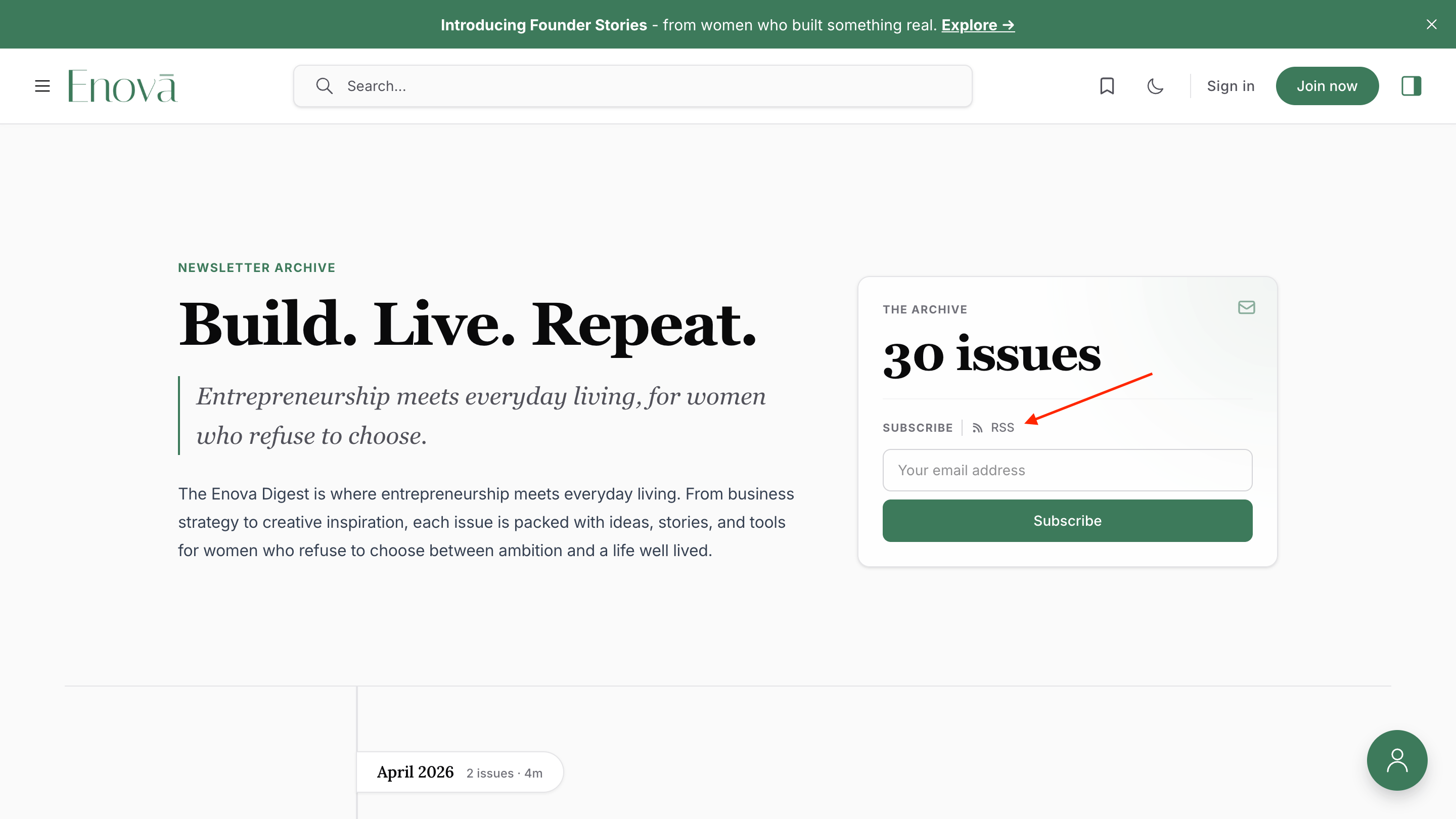
- Ledger card — total issue count, a link to the latest issue with its date, an RSS link, and an inline subscribe form.
Ghost Editor - Newsletters Page
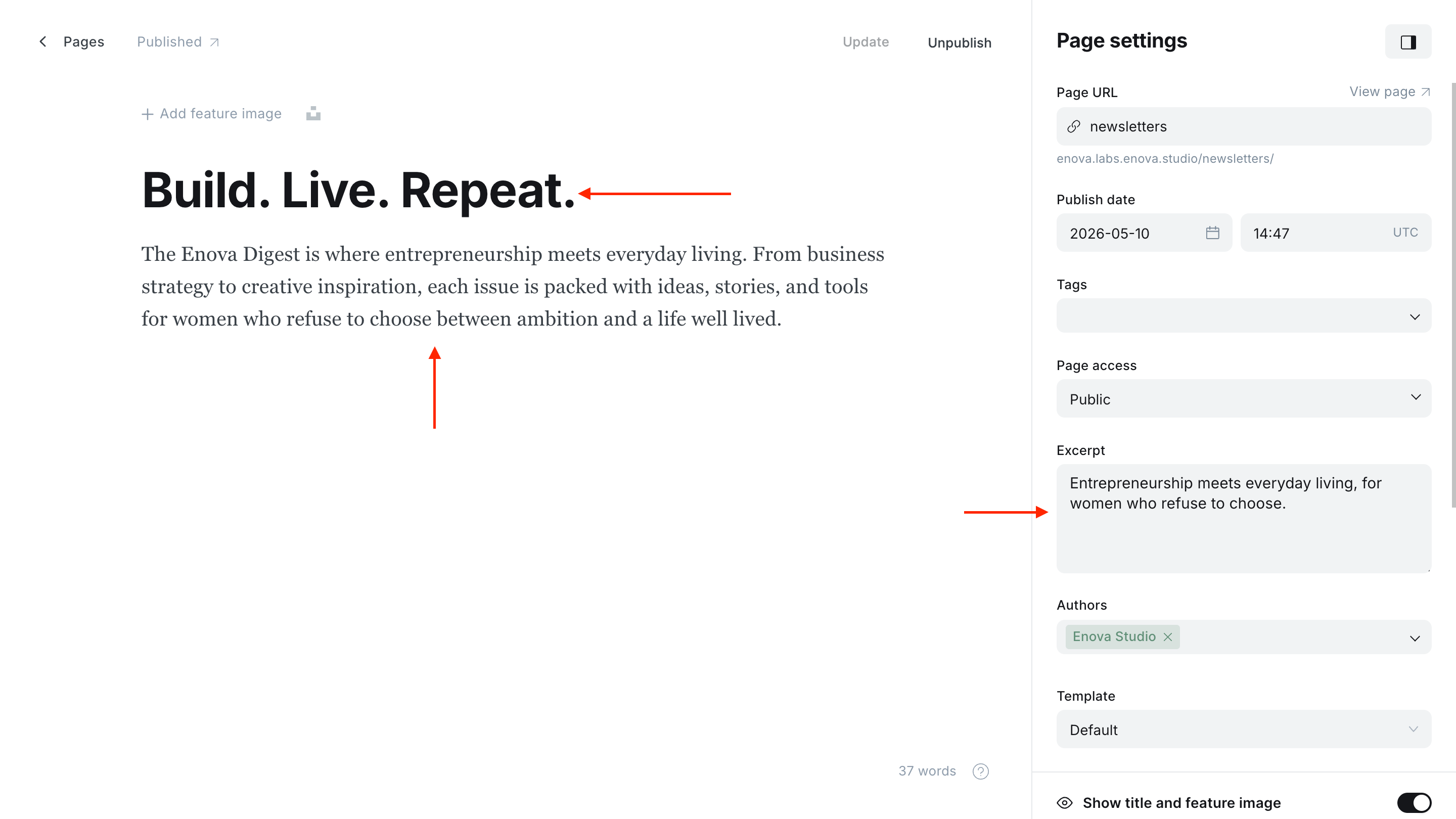
Newsletter Archive - Hero
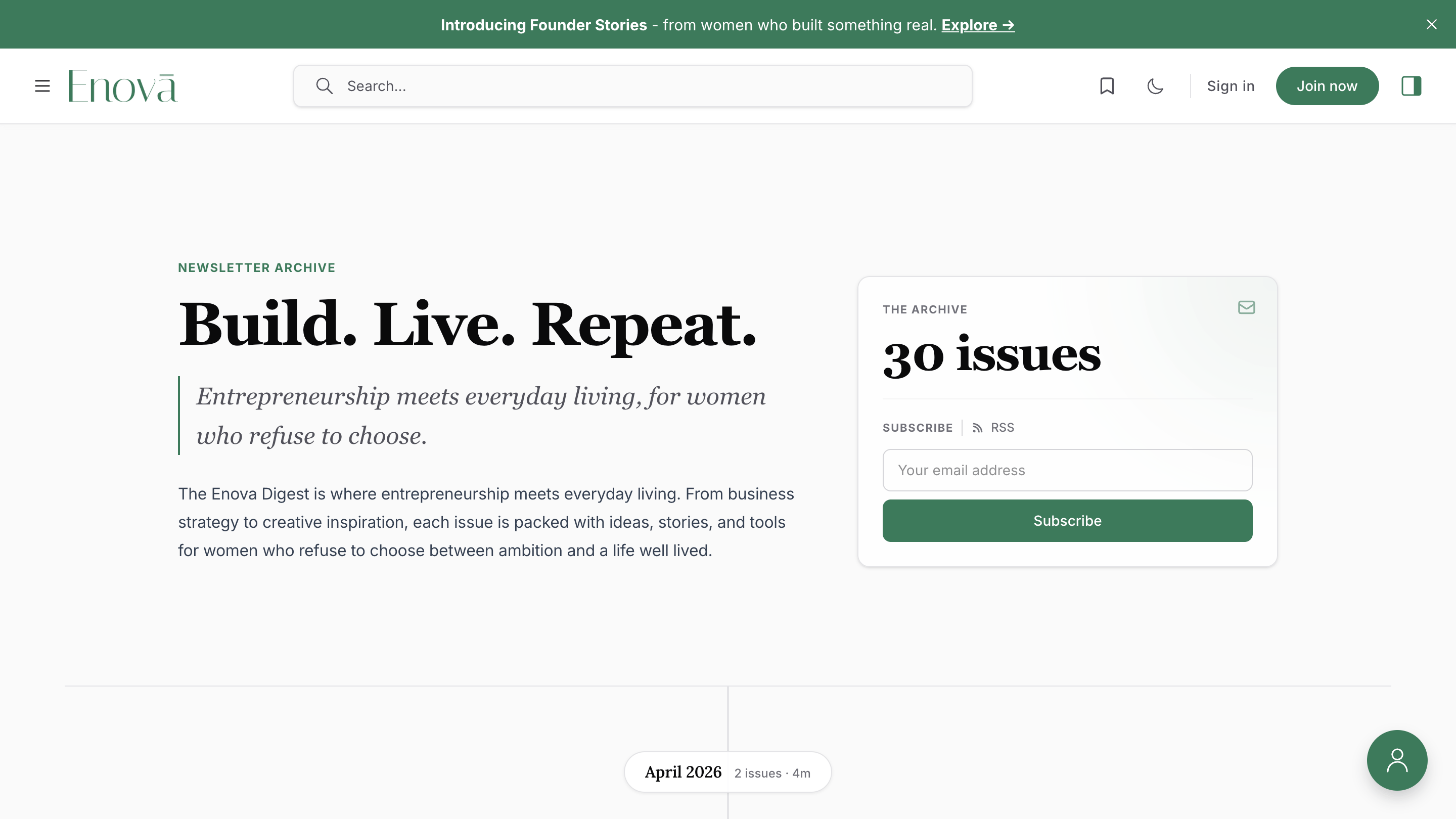
Optionally, you can upload a cover image that comes from the feature_image on your newsletters Page. The theme washes it behind the editorial text with a gradient overlay so the type stays readable. Leave the feature image empty for a minimal, text-forward hero.
When no issues have been published yet, the hero shows a Coming soon counter and the archive body switches to the empty state below.
Year jump-rail
When your archive contains issues from two or more distinct years, a fixed year navigation appears on the right edge of the viewport (wide desktops with sidebars closed). It lists every year present in your archive, newest first.
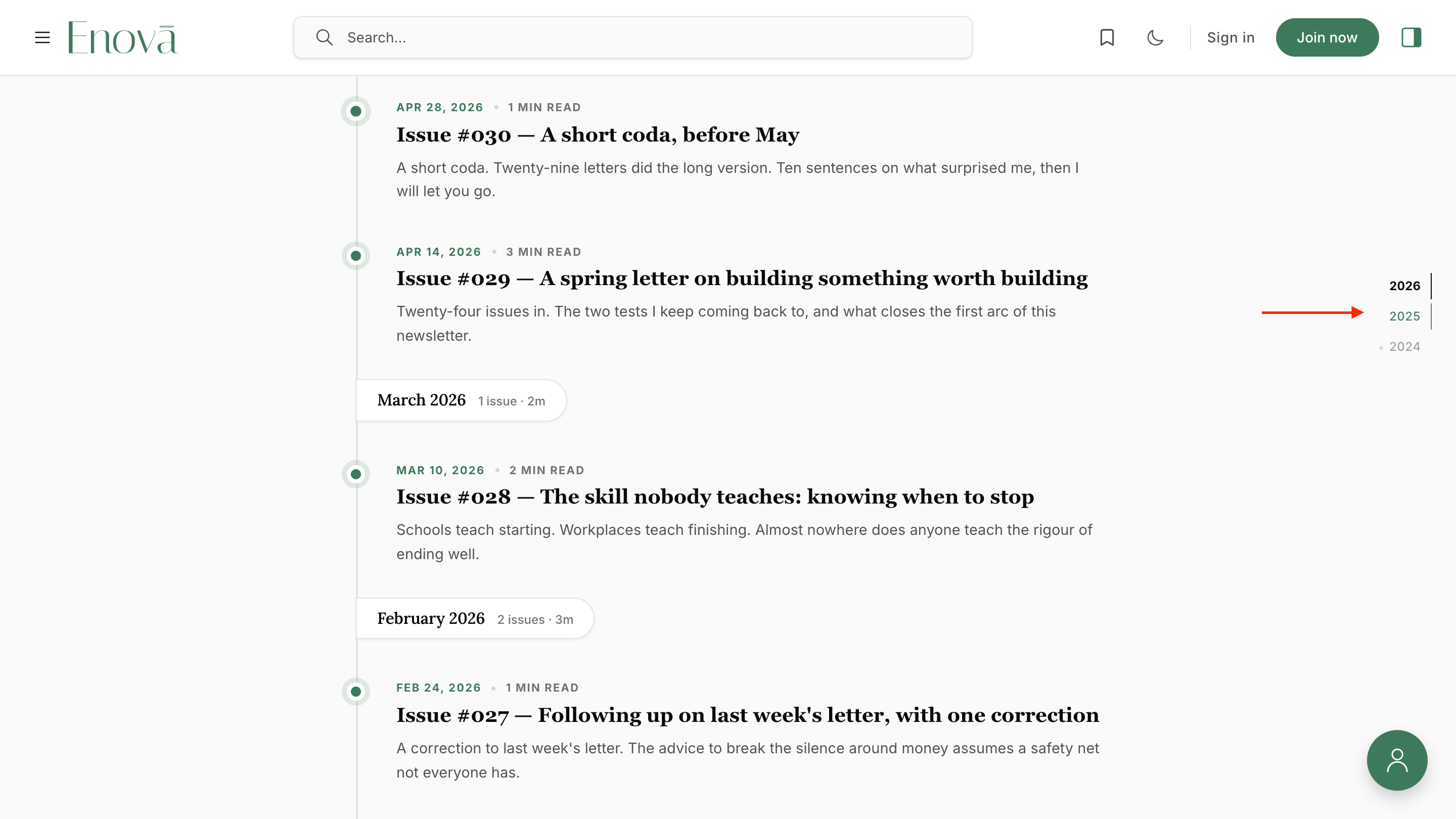
- The current visible year is highlighted as you scroll.
- Clicking a year loads any pages needed to reach it, then scrolls to the first issue of that year. The page stays interactive during the load.
- The rail hides while the hero is in view so the editorial moment stays uncluttered.
If your archive only has one year, the rail does not render.
Load-more
The first page of issues renders on first paint. If more pages exist, a Load older issues button appears below the feed.
- The first click loads the next page and inlines it under the feed.
- After that, the next pages auto-load as the visitor scrolls.
- Loaded pages are cached, so scrolling back up and forward never refetches.
- Sticky month chips, the year rail, and per-month tallies update as new pages append.
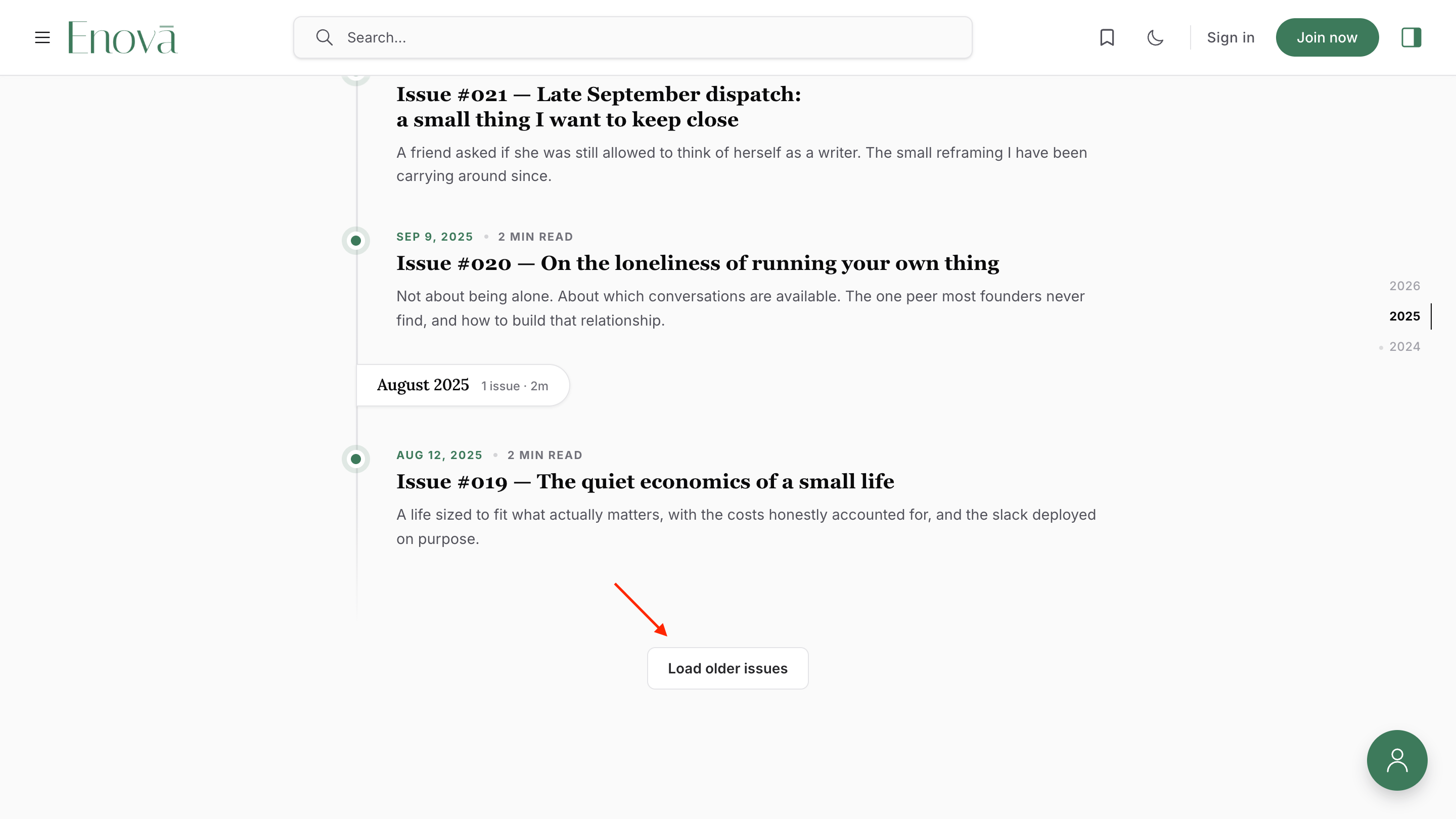
If a fetch fails repeatedly, the button stays visible with a retry message.
Bookmarks
Every newsletter card across all five layouts shows a bookmark toggle next to the meta row. Readers tap it to save an issue and revisit later from the bookmarks menu in the site header.
- Saved issues live in the reader's browser (local storage). No account, no sign-in.
- The same dropdown lists bookmarks from regular posts and newsletter issues together.
- The toggle is gated by the site-wide Local Bookmarks setting in Ghost Admin → Design → Customize. Turning it off hides the toggle on every newsletter card and the bookmarks menu — but it doesn't erase anything, and readers' saved lists return if you re-enable the setting.
See the Local Bookmarks setting for details and the privacy trade-offs.
Hide card images
Want a text-forward archive without thumbnails on List and Magazine? Apply the internal tag #disable-newsletter-card-images to your newsletters Page in Ghost Admin.
Internal tags start with # and are invisible to readers, but the theme reads them. Cards then render title, date, excerpt, and meta without the image column. See Editorial conventions for this tag alongside the rest of Enova's tag vocabulary.
RSS feed
| URL | What it contains |
|---|---|
/newsletters/rss/ | Every newsletter issue, newest first. |
The feed is generated natively by Ghost. No theme configuration needed.
Under the hood
The archive is built to perform well and stay accessible without any tuning from you:
- Accessibility — semantic headings, an
aria-currentmarker on the active year, a polite live-region on load-more, focus rings on every card, and full respect for theprefers-reduced-motionsystem setting. - Performance —
<picture>sources serve AVIF first, then WebP, then the original. Images lazy-load after the first card. Scroll handlers are throttled, and each page of issues is fetched at most once. - No JavaScript — the archive falls back to Ghost's standard previous/next pagination. Every issue stays reachable by URL.
- Translations — every UI string is localized through Ghost's locale files. English is the source; other locales fall back to English until translated.
Troubleshooting
Video posts
Tag any post `#video` to turn it into a video post with a click-to-play hero and a persistent mini-player that follows the reader down the page.
Tags & Authors Archives
Two directory pages that list every topic you write about and everyone who writes for you, with a letter jump bar, instant search, sorting, and post counts.