

Library
Signal's browser-local Library — visitors save episodes and resume watch progress with no account, from a bookmark button, a header widget, and the /library/ page.
Signal gives every visitor a personal Library — saved episodes and watch progress — stored entirely in their own browser. There's no account, no sign-in, and nothing sent to a server.
Nothing to set up for visitors
Saving, Continue watching, and the header widget work automatically for every visitor. Because the Library is browser-local, it never collects personal data. (The dedicated /library/ page is the one thing you create — see below.)
Saving episodes
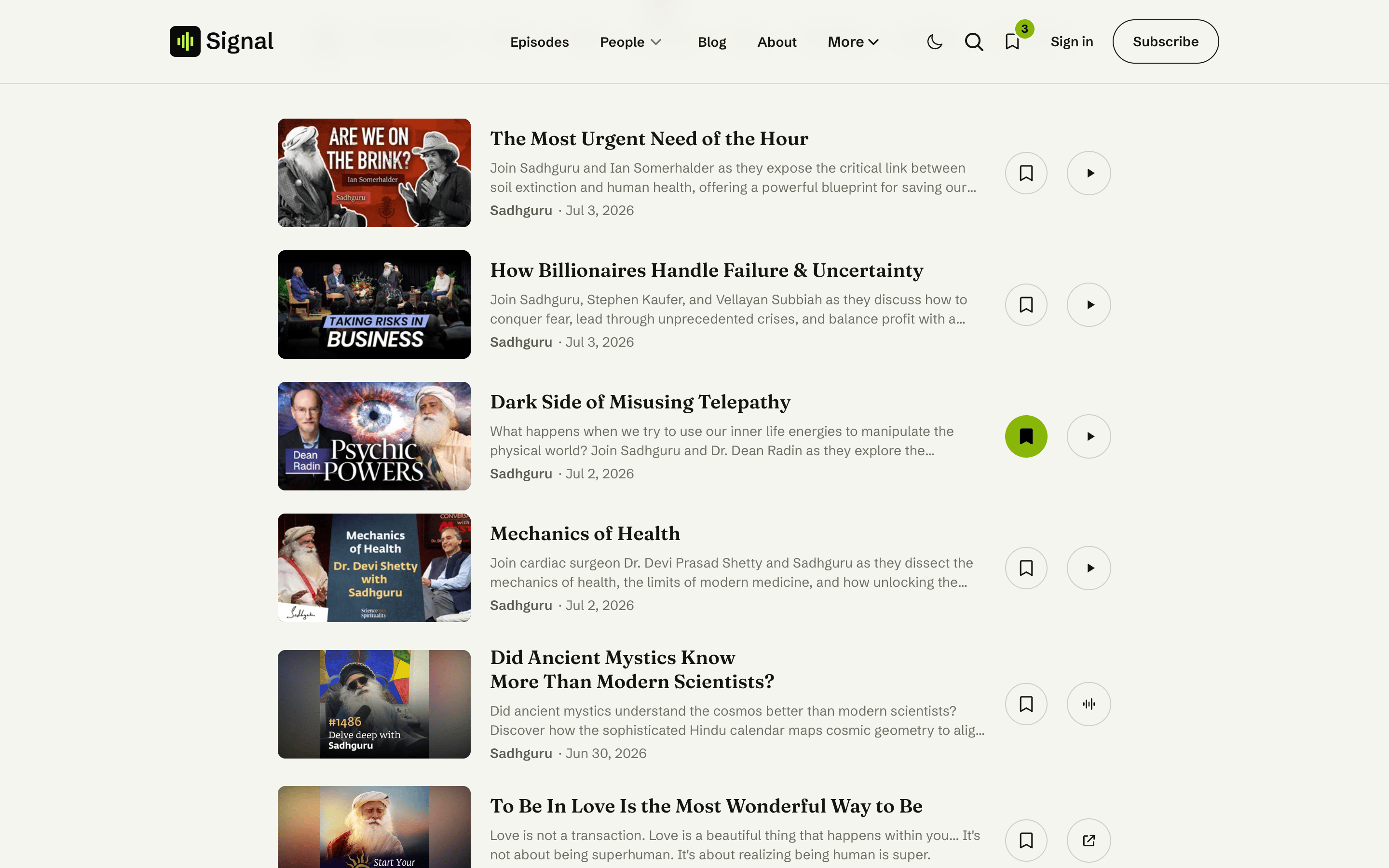
Every episode row and card has a bookmark button. Tap it to save the episode; tap again to remove it. Saved episodes appear in the visitor's Library.
Continue watching
As an episode plays, Signal quietly remembers how far the visitor got. Episodes in progress show up under Continue, and picking one back up resumes from where they left off.
The header widget
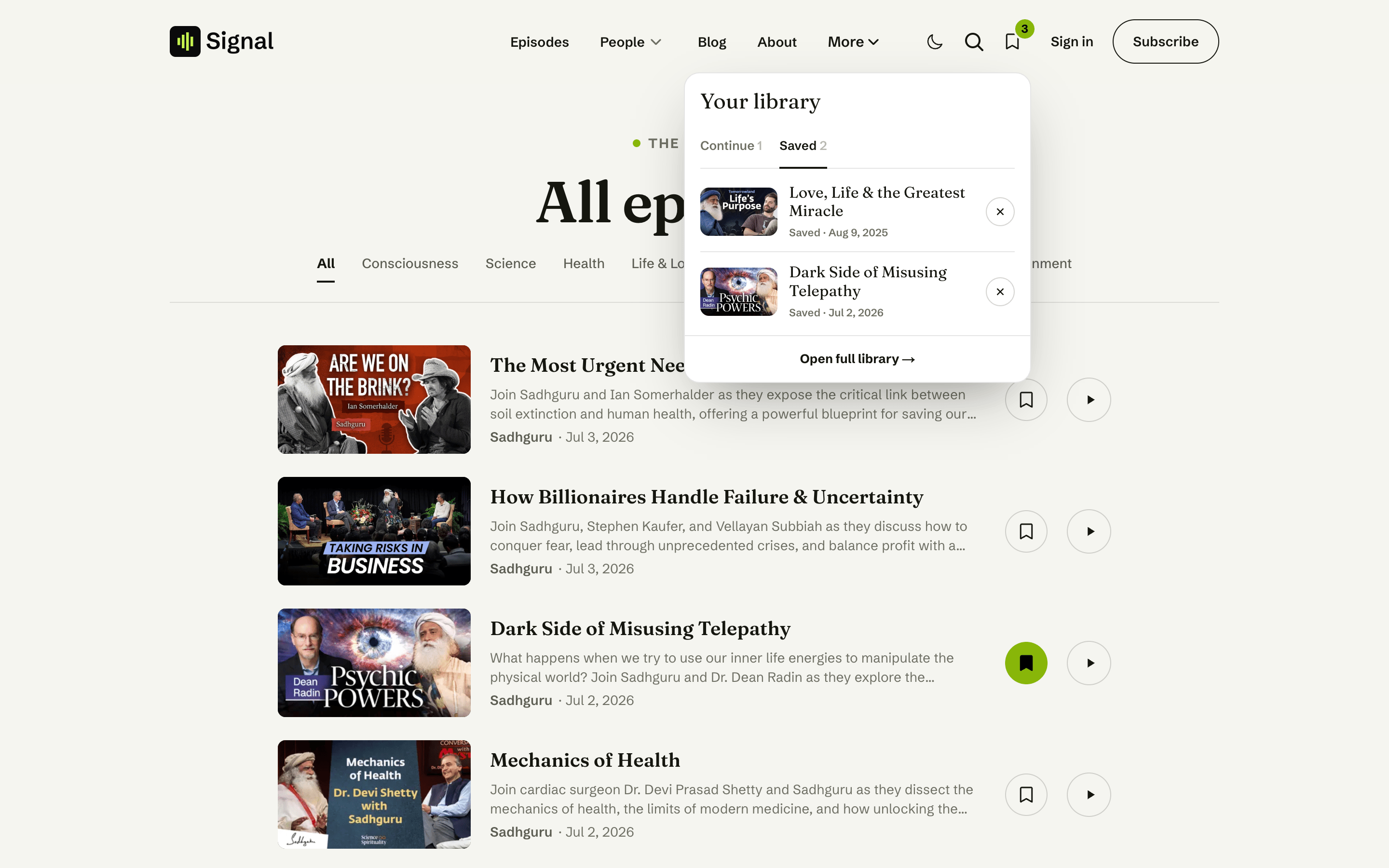
A small Library control in the header shows a count and opens a popover with two tabs — Continue and Saved — so visitors can jump back in from anywhere on the site. It updates live as they save episodes or make progress, and stays in sync across open tabs.
The /library/ page
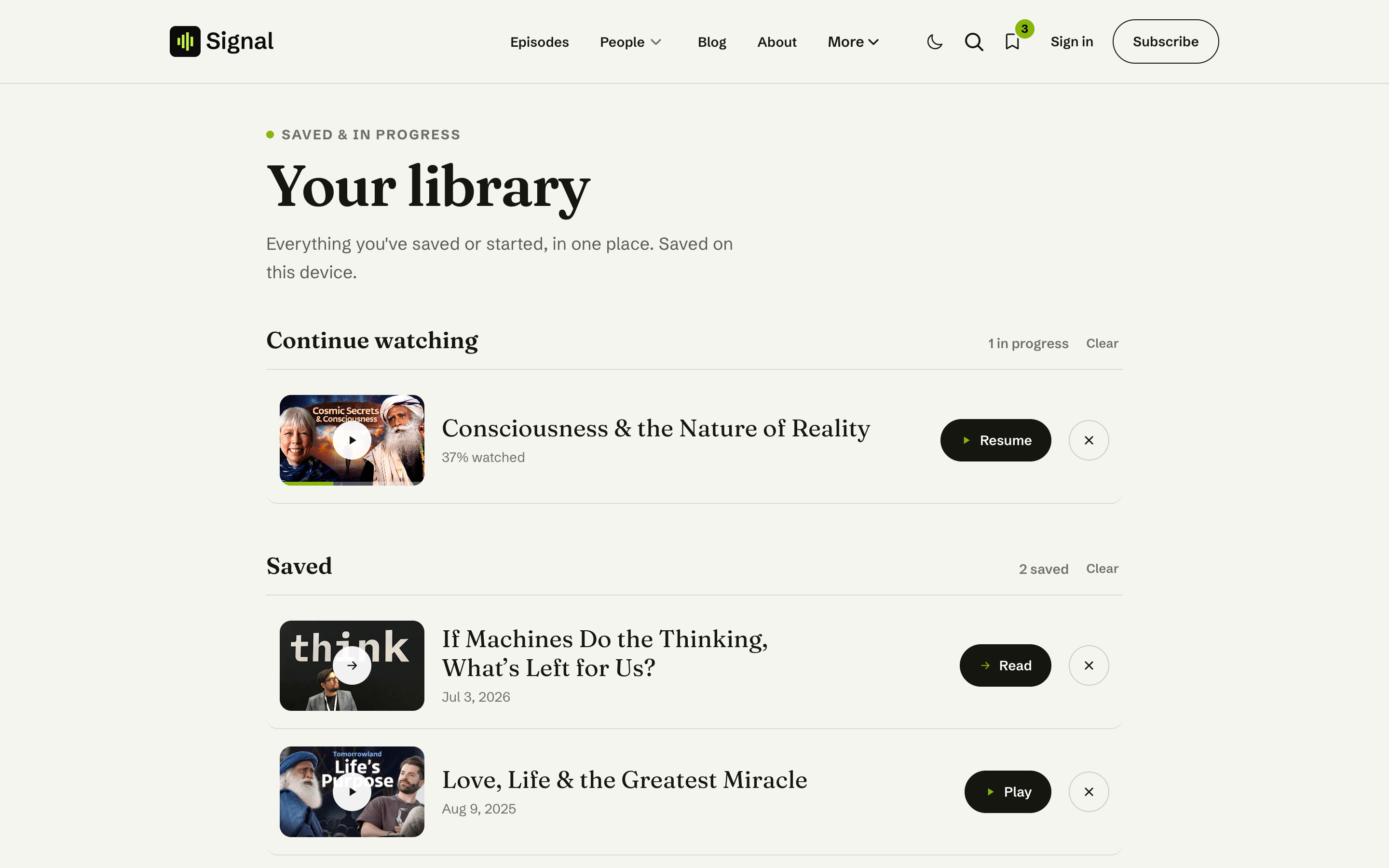
The full Library lives at /library/ — a Continue section (in-progress episodes, with resume) and a Saved section (bookmarks), each with a count and a clear control, plus friendly empty states when there's nothing yet.
Create a Ghost Page slugged library and Signal applies this layout automatically — no template to choose. The page's title and excerpt become the heading and intro; leave the body empty. See Pages.
Related
- Media player — playback is what feeds Continue watching.
- Episode page — where the bookmark button sits.
Contact
Add a working contact form to Signal's Contact page with a Formspree (or any JSON) endpoint, reason chips, and a graceful mailto fallback when JavaScript is off.
Episode page
The anatomy of a Signal episode — the media hero (video, audio, or embed), the show notes / chapters / transcript / hosts & guests / comments tabs, the up-next list, and the share menu.