

Latest writing
The recent-posts band. It renders on every homepage with no setup at all, and a page tagged #home-latest is how you change its heading, its position, what it lists, and whether it lists as a numbered list or a row of cards.
A numbered, two-column list of your recent posts, or a row of image cards. This is the one band that is there from the moment you activate the theme, because a homepage with none of your writing on it is a broken first impression.
So the page below is not how you switch the band on. It is how you take control of it.
What you get without doing anything
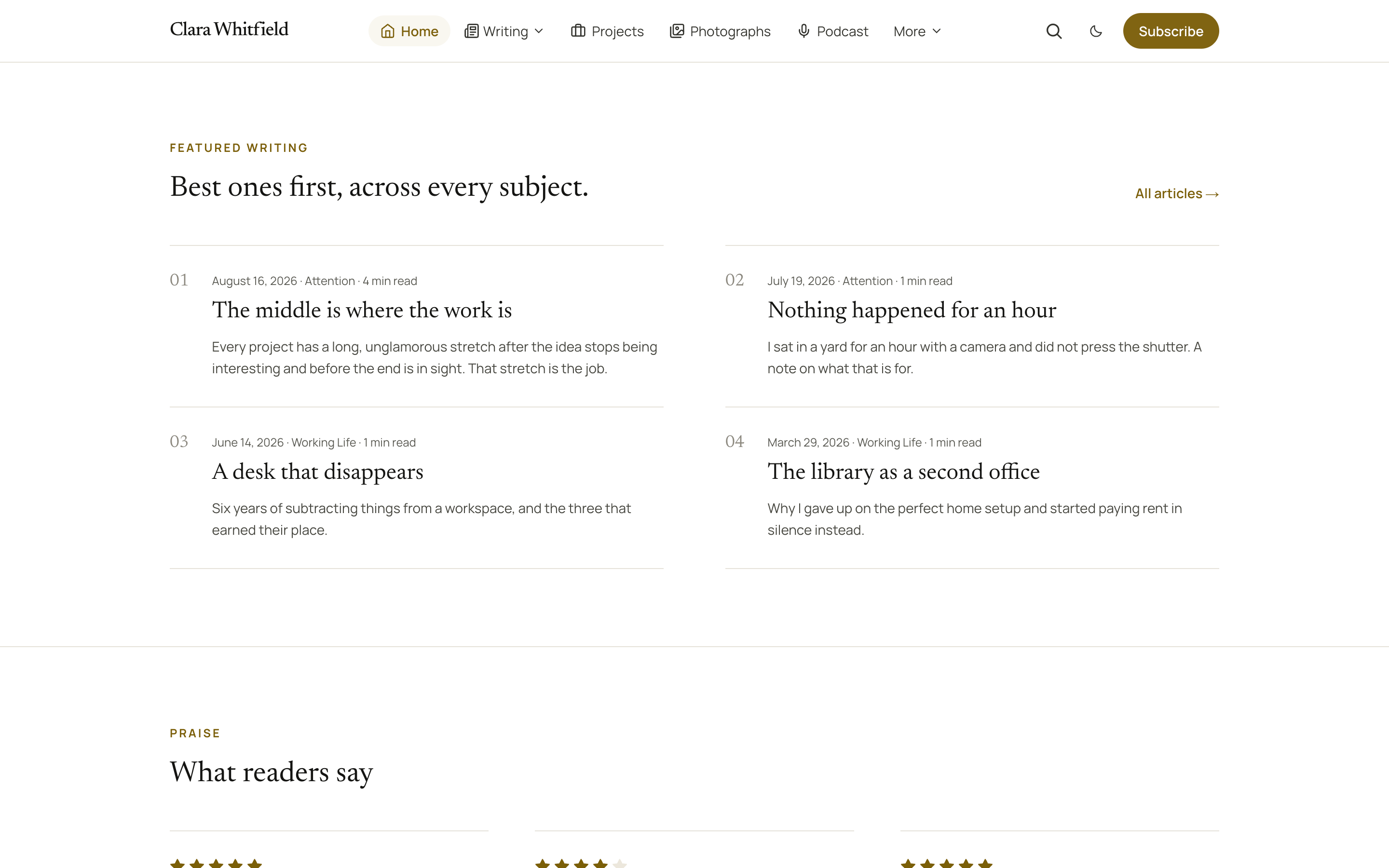
Your most recent posts, newest first, under a plain heading, at the bottom of whatever else your homepage holds. Each row opens with a small number, then the date and subject, then the title. How many appear is set by Home latest count in Homepage settings: four, six or eight.
Create the page to customise it
#home-latestGo to Pages → New page.
Title it whatever the band should say, for example Latest writing or Recent essays.
Add an excerpt and a line of body copy if you want them.
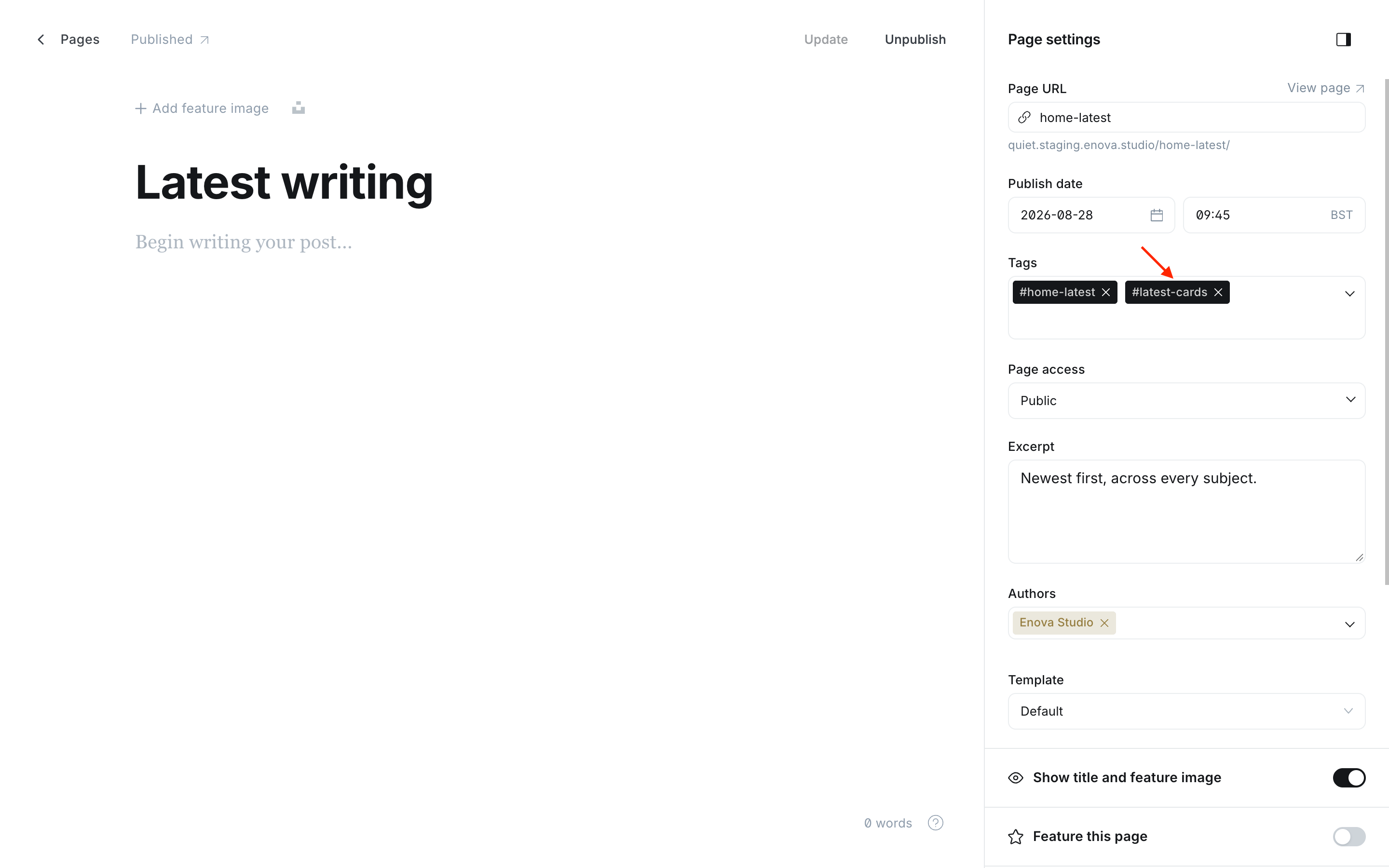
Under Tags, add #home-latest.
Publish, and set the publish date to put the band where you want it in the stack.
Editor: the Latest writing band - Editor

The Latest writing band
Four things change once the page exists:
- The heading and the copy come from the page instead of the theme.
- The position follows the page's publish date, like every other band, instead of always sitting last.
- The selection can be narrowed to one subject.
- The layout and the feed can be switched with one more tag, below.
What each field becomes
| Field | On the page |
|---|---|
| Title | The heading |
| Excerpt | One larger line under it |
| Body | An optional short paragraph under that |
| The page's primary tag | Narrows the list to that tag |
Choosing a layout
The default is the numbered list. One alternative turns the same posts into a row of image cards. Add one tag to the same page, alongside #home-latest.
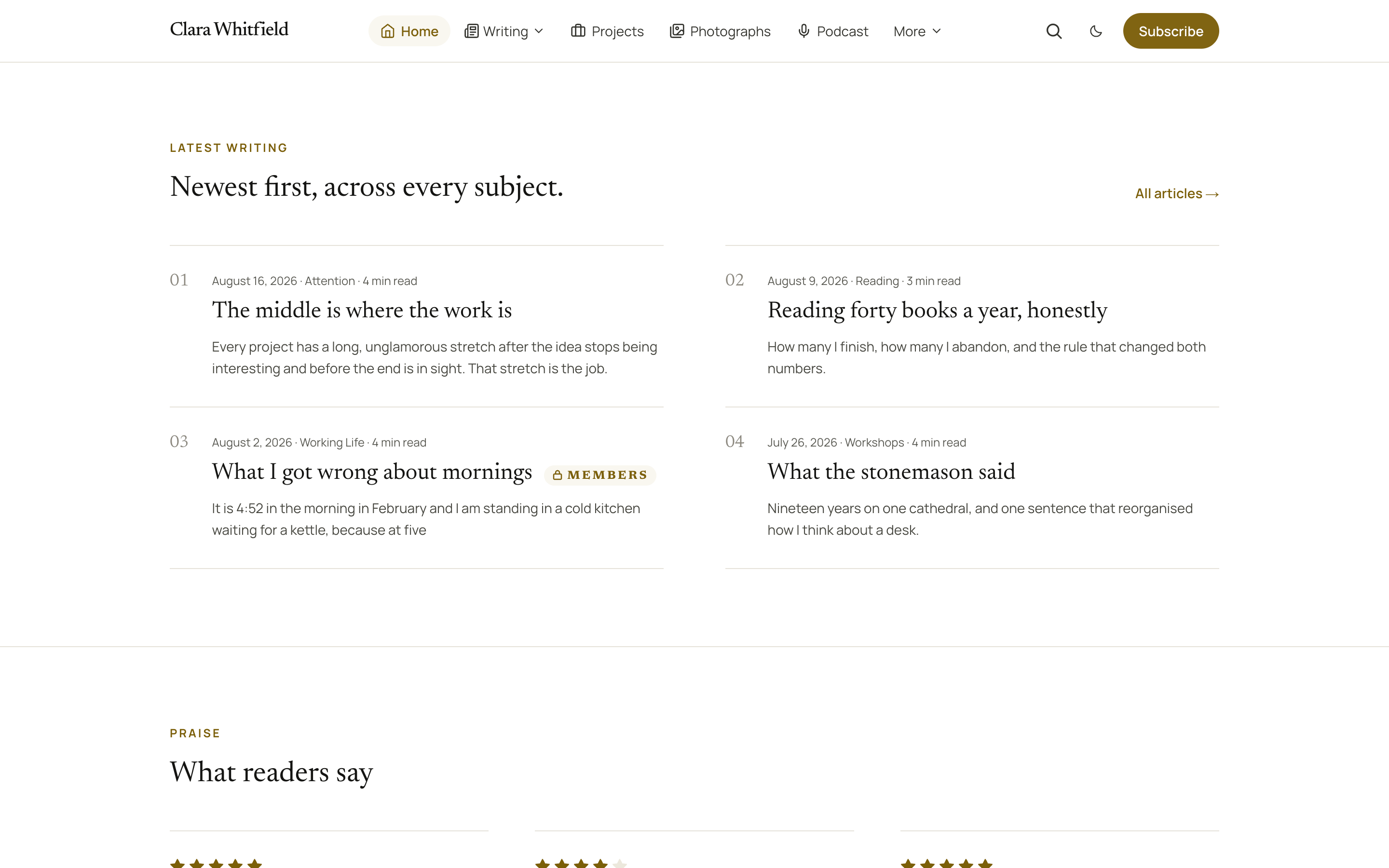
No tag. Remove the layout tag to get back here.
Best for: essays, and any site where the title is the invitation. It reads well with or without feature images.
Two columns of rows. Each opens with a faint number, then the date, the subject and the reading time on one line, then the title with its excerpt under it. A hairline opens every row and closes the last one. The numbers count the rows on the page, so a second list further down starts again at 01.
#latest-cards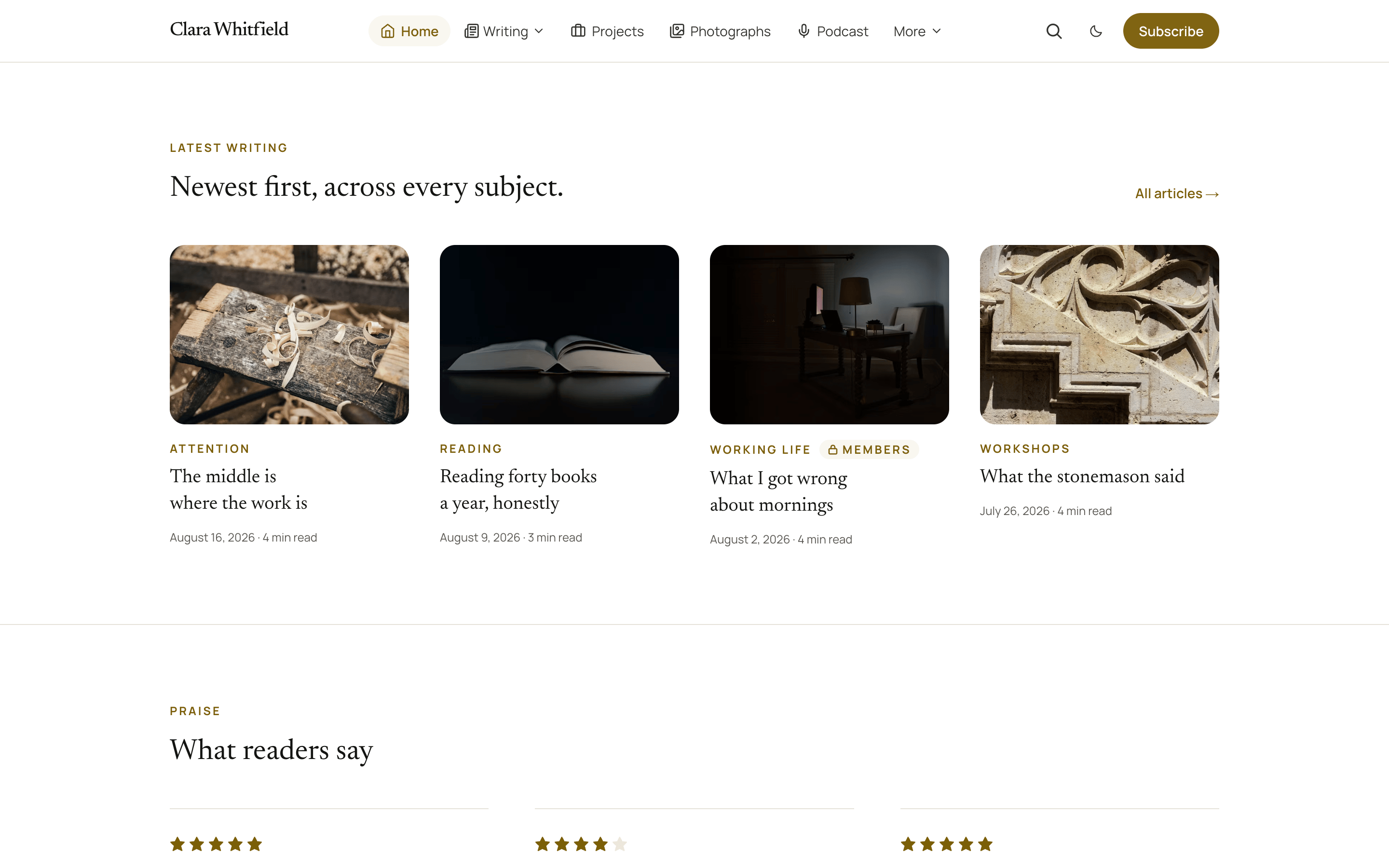
Best for: posts that carry strong feature images, and a homepage that wants to look like a magazine cover rather than a table of contents.
A row of image cards: four across on a desktop, two on a tablet, one on a phone. Each card shows the picture, the subject, the title, and the date and reading time. There is no excerpt, so the row stays level. A post with no feature image keeps its place with a plain block where the picture would be.
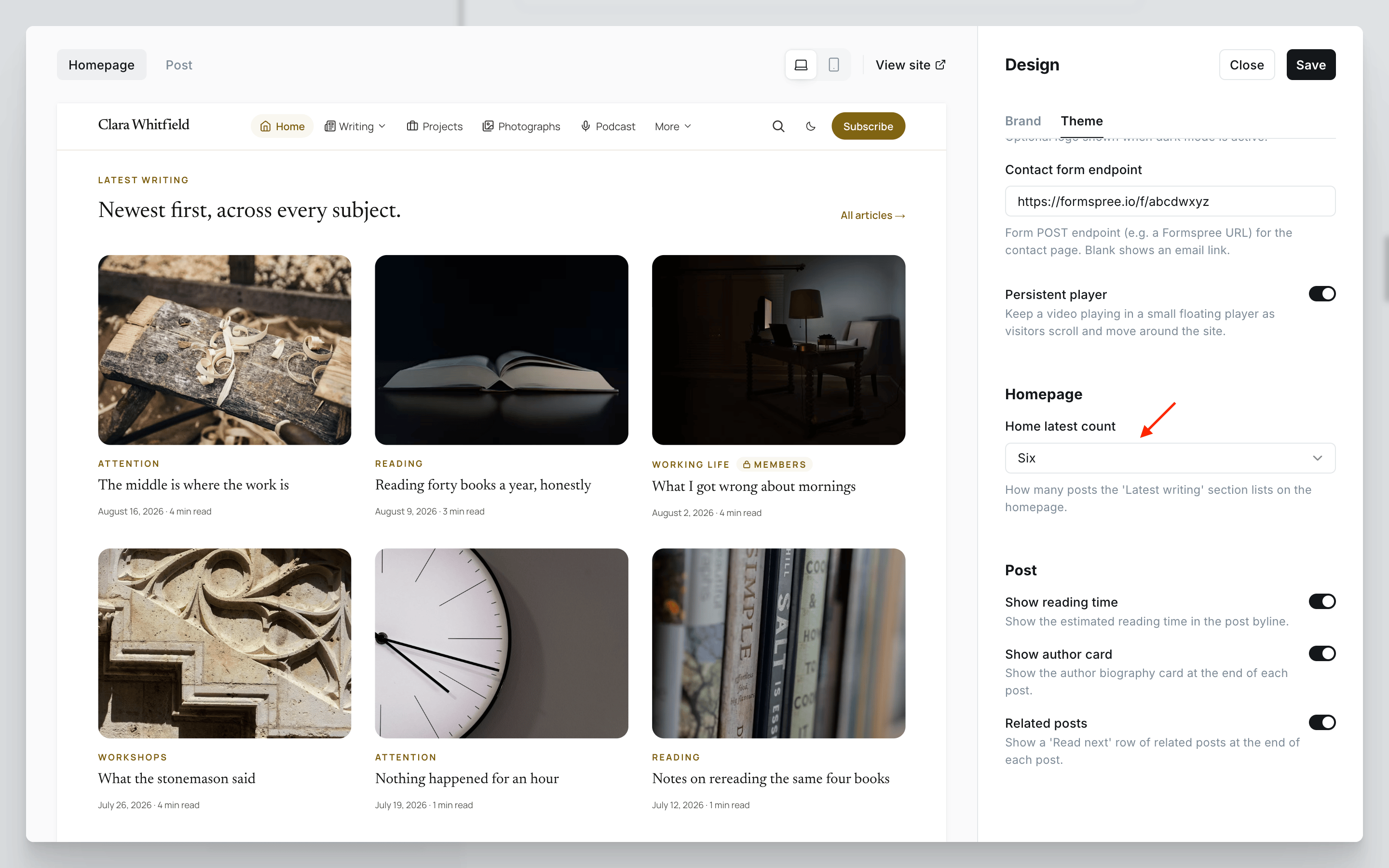
When Home latest count is six, the row uses three columns instead of four so it always closes flush.
Layout and count are independent
The layout tag changes how the posts are drawn; Home latest count in Homepage settings still decides how many. Four, six or eight work in both layouts.
Featured posts instead of the latest
#latest-featuredAdd this tag and the band lists the posts you have marked Featured in the editor, newest first, instead of whatever you published most recently. Nothing else about the band changes: the heading, the layout tag and the count all still apply.
Editor: the Tags field with #home-latest and #latest-featured
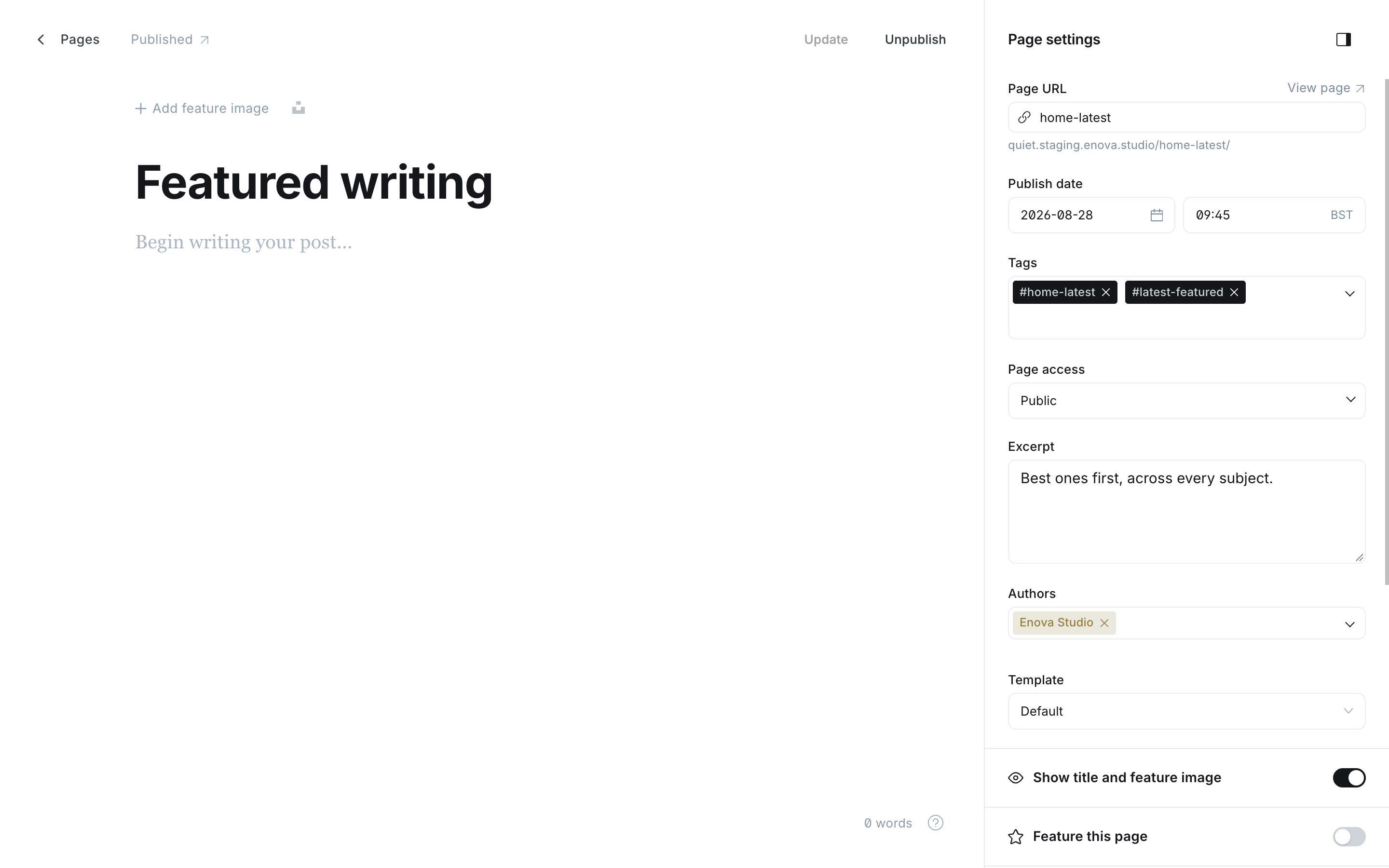
A band of featured posts
It combines with the other two levers on this page:
- With a public tag on the page, the band lists the featured posts within that one subject.
- With
#latest-cards, your featured posts become the card row, which is the pairing most sites will want.
Two pages can share a homepage: one tagged #latest-featured and titled Featured, another left alone and titled Latest, each in its own position.
Feature at least one post
With no post marked Featured, the band renders nothing rather than a heading over an empty list. It appears as soon as you feature your first post.
Listing one subject only
Add a public tag to the page and the band lists only posts carrying that tag. That makes a second, focused list possible: publish two pages, tag one #home-latest with Essays and give the other its own subject, and each band shows its own stream.
Episodes and films are never in this list
Posts tagged #podcast or #video are deliberately excluded. They are posts, but they are not writing, and they arrive in a card built for essays. Both have their own bands: Podcast band and Video band.
Where the "All articles" link goes
The band ends with an All articles link. With the routes file installed it points at /articles/. Without it, it points at your homepage, because that is where page one of your post list lives. Nothing to configure either way.
It hides itself on an empty site
With no published posts, the band does not render. It appears with your first post.
Related
- Hook reference, for the
data-layoutanddata-sourcehandles the band carries, if you want to restyle one layout from Code injection.
Topic tiles
The start-anywhere band. Quiet builds picture tiles from the public tags on one page, using each tag's own name, description, image and post count.
Signup band
An email signup band on the homepage, with the heading, copy and fine print written on one page. It hides itself from members and from sites with memberships switched off.