

Team page
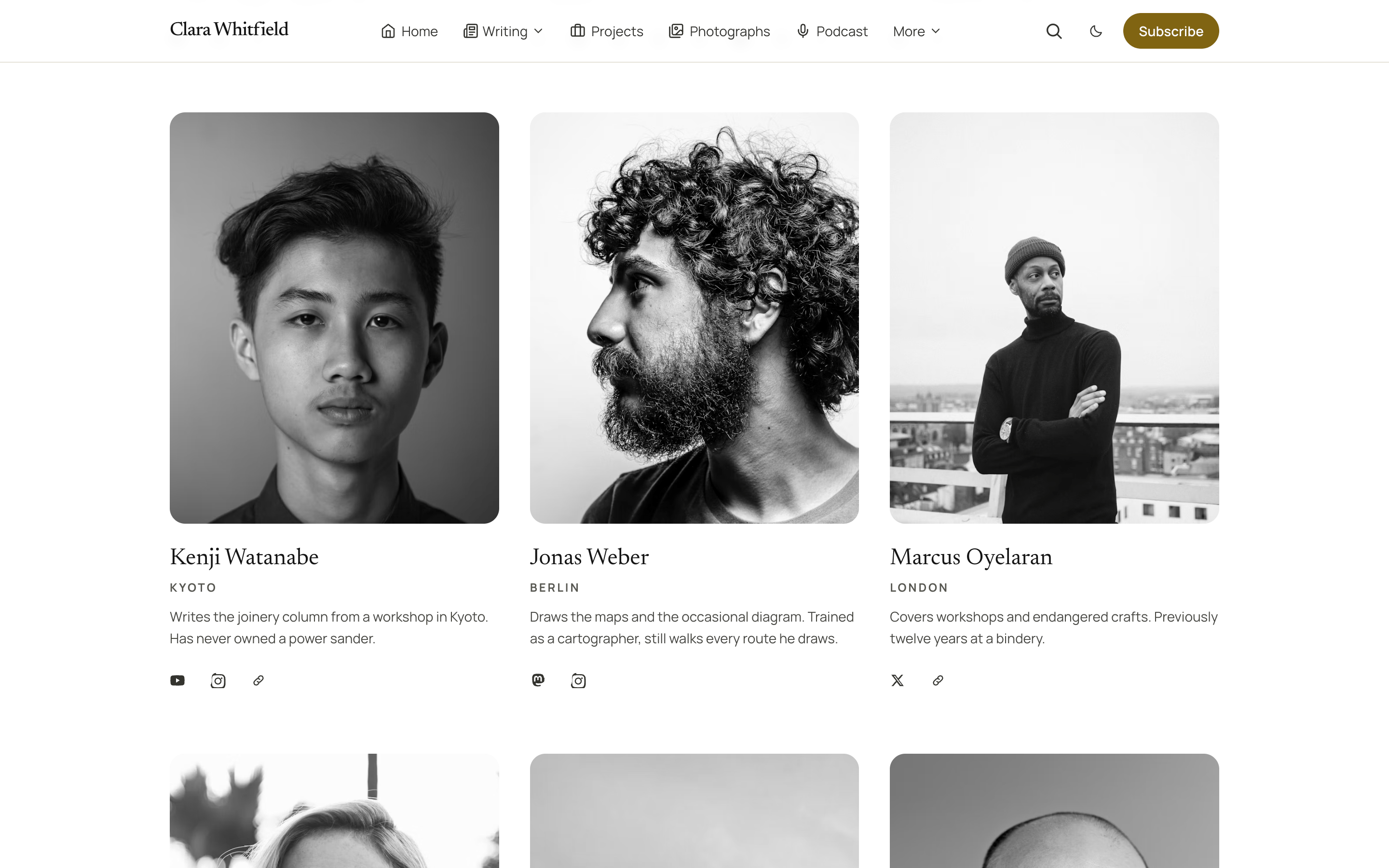
Introduce the people who write for you. Pick the Team template and every writer appears with their picture, bio, location, post count and links, as portrait cards or a compact directory.
A team page in Quiet is one page using the Team template. There is nothing to fill in twice: every card is built from that person's staff profile under Settings → Staff, and the page updates itself as people publish.
Create the page
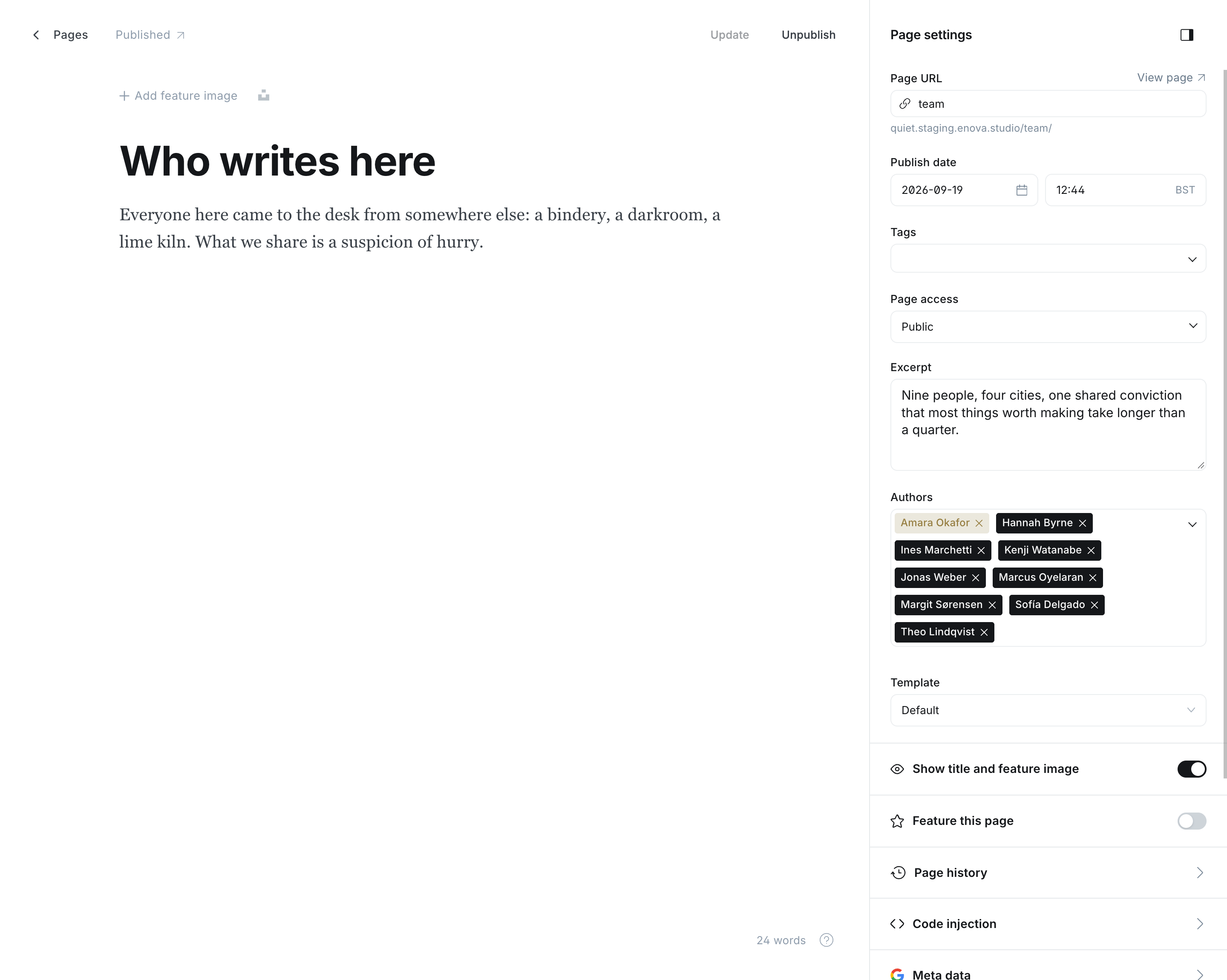
Go to Pages → New page and title it, for example Who writes here.
In the editor's settings panel, set Template to Team.
Optionally add an Excerpt for the line under the heading, and write an introduction in the page body. Both sit above the list.
Publish, and add it to your menu.
Team page - Editor
Team page
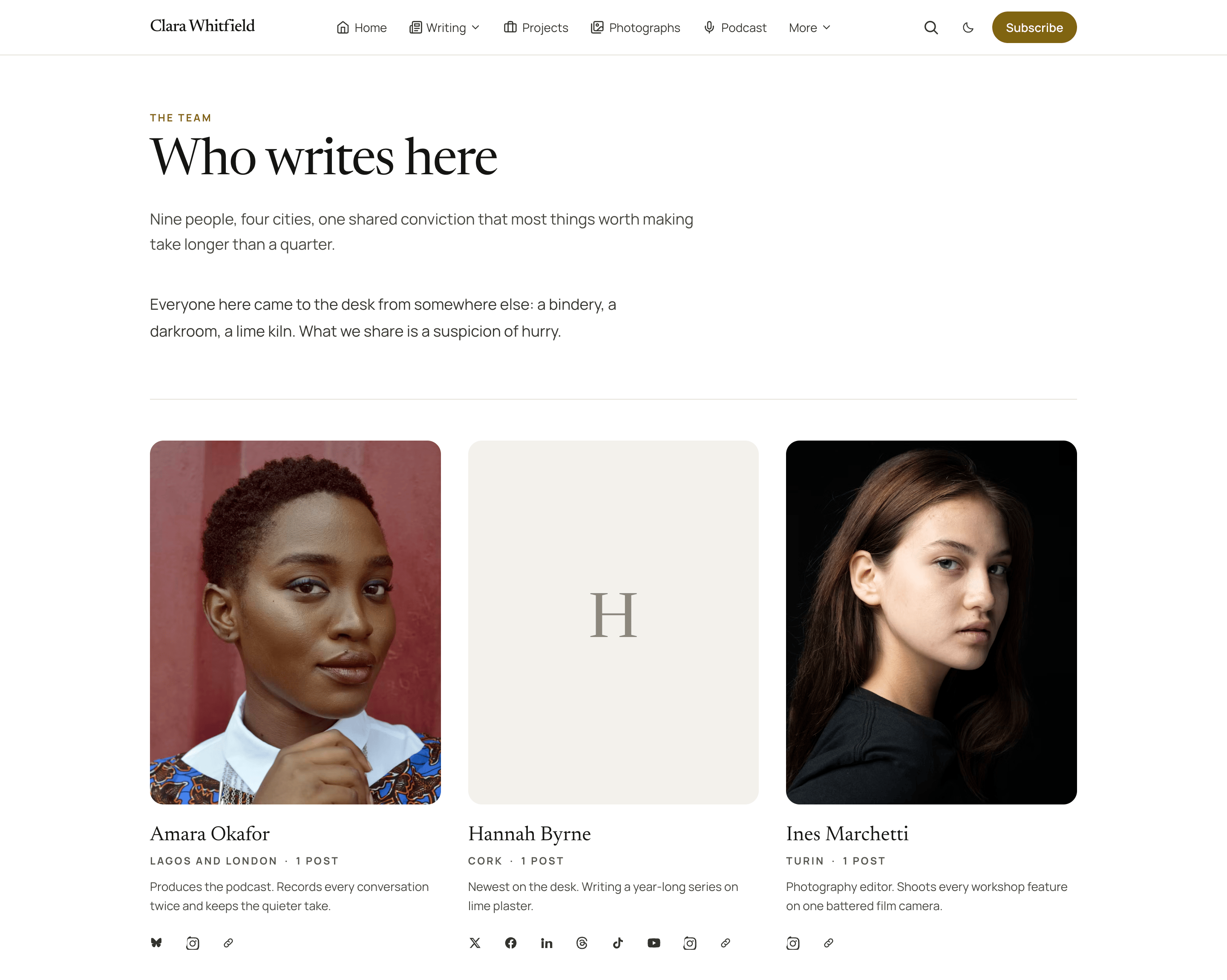
| Field on the page | On the page |
|---|---|
| Primary tag | The small label above the heading. Falls back to the words The team |
| Title | The heading |
| Excerpt | The line under it |
| Body | An optional introduction above the list |
Team missing from the dropdown?
Ghost reads a theme's templates when the theme is activated. If you uploaded Quiet 1.2.0 over an older version and Team is not offered, activate another theme and switch back once.
Who is listed
The page's own Authors field decides.
- Leave yourself as the only author and the page lists everyone Ghost knows has published, the most prolific first. A new writer joins the page automatically with their first post.
- Add more authors to the page and it lists exactly those people, in the order you put them. Drag the names in the Authors picker to reorder. This is how you keep several team pages for different groups, and how you introduce someone before their first post is out.
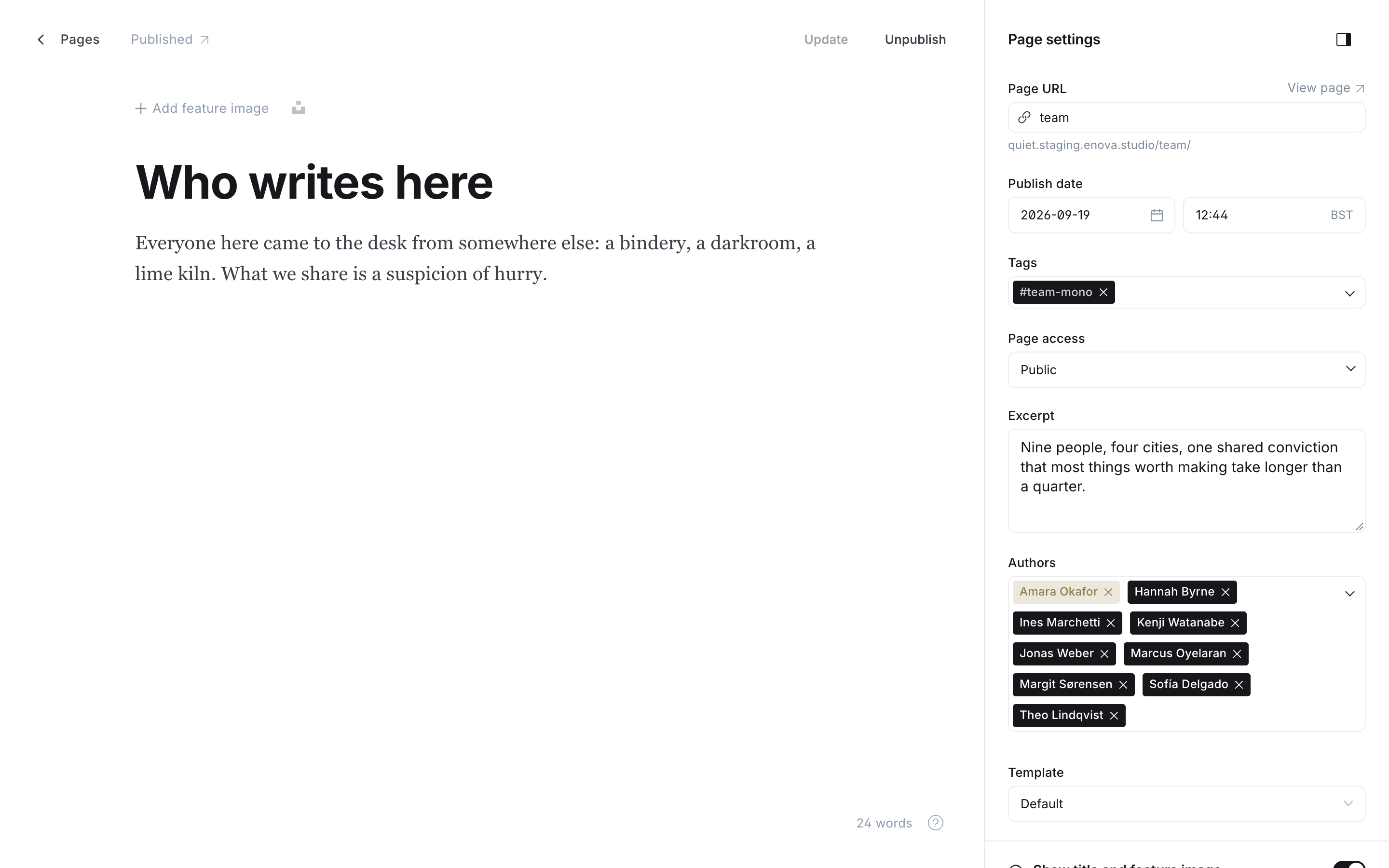
Who Ghost counts as a writer
Ghost lists a staff member once they are an author of a published post or page. Someone with no posts yet shows no post count. The Authors picker is available to Editors and Administrators; Contributors and Authors can only assign themselves.
Each person's card
Everything comes from Settings → Staff → their profile:
| Profile field | On the card |
|---|---|
| Profile picture | The portrait. Upload at least 600 × 750 pixels; it is cropped to a tall rectangle. Without a picture the card carries the person's first letter |
| Full name | The name, linking to their author page |
| Location | The small line under the name, beside the post count |
| Bio | The paragraph under it |
| X, Facebook, LinkedIn, Bluesky, Threads, Mastodon, TikTok, YouTube, Instagram, Website | One icon each, in that order, only for the accounts they have filled in |
Post counts are the person's published posts. Add the internal tag #hide-team-counts to the page to leave them off.
Choosing a layout
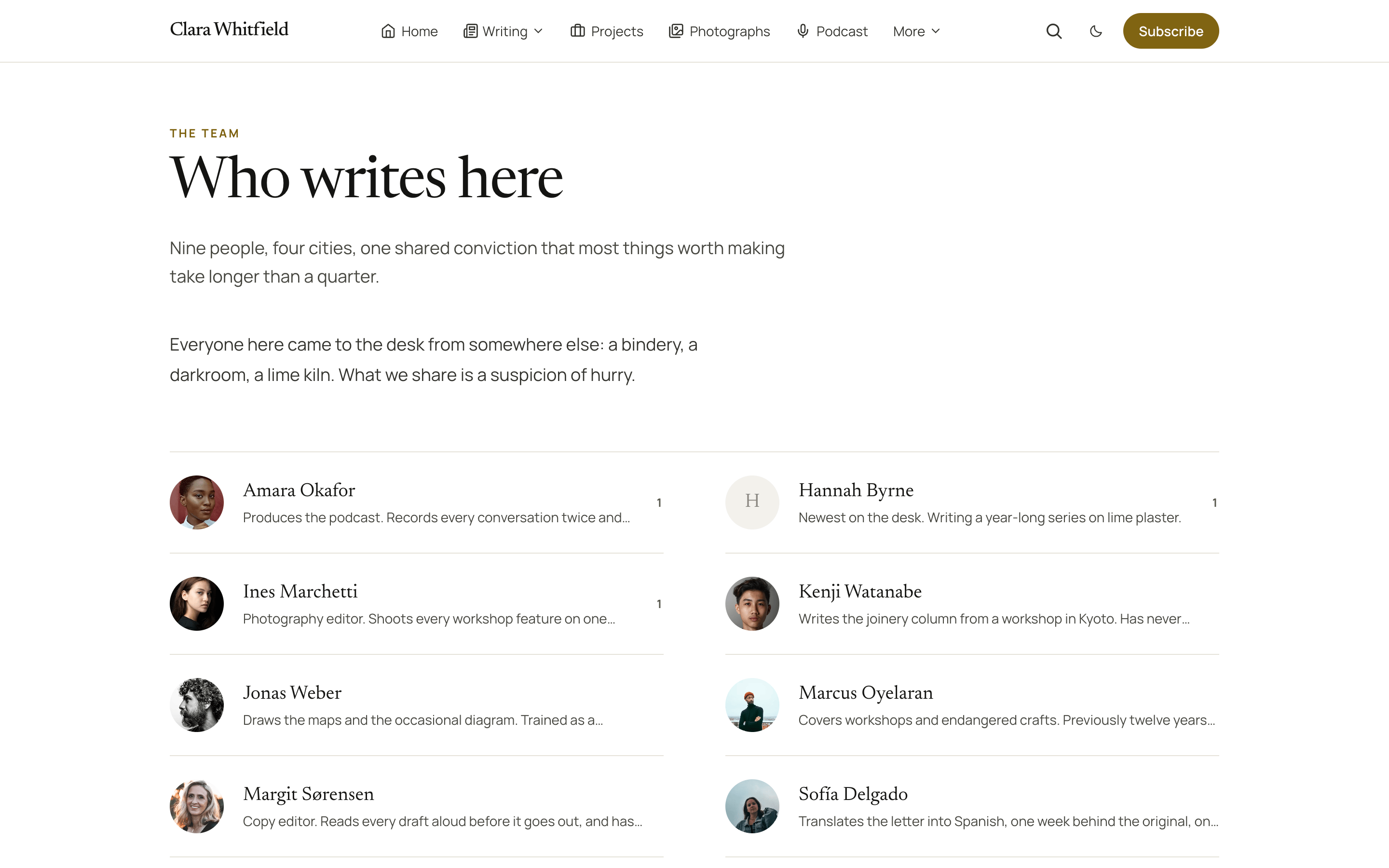
The default is a grid of portrait cards, three across on a desktop screen. For a denser list, add this internal tag to the page:
#team-compactThe compact directory shows a small round picture, the name, the first line of the bio and the post count, two columns across. Locations and account links are left out on purpose: it is the same people, read quickly.
Black and white portraits
#team-monoPortraits and avatars turn grayscale, and colour returns when a reader hovers a card or moves keyboard focus onto it. Without the tag, pictures show as uploaded.
Before anyone has published
A team page on a brand-new site shows a calm "Nothing here yet" panel rather than an empty grid, so it is safe to publish the page first and add writers later.
Related
- The archives, where each name on the team page leads.
- Hook reference, for styling the page from Code injection.