

Site wide
Signal's site-wide theme settings — color scheme, dark-mode logo, navigation style, and the persistent mini-player and its dock corner.
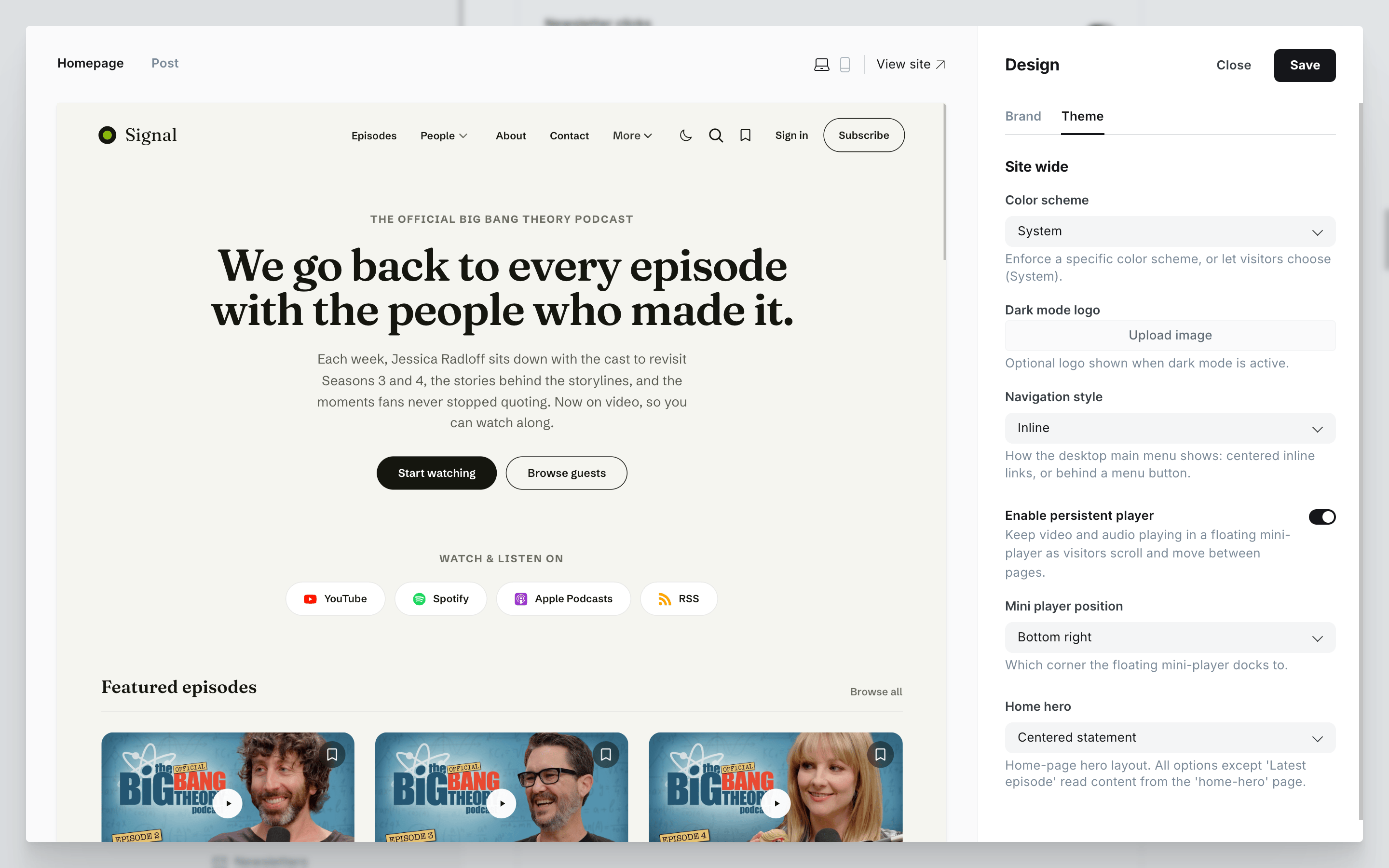
Signal's theme settings live in Ghost Admin under Settings → Design & branding → Customize → Theme. They control the color scheme, the desktop menu layout, and the persistent media player. The homepage hero has its own page — see Homepage. Each setting below maps to one control in that panel.
Navigate to the Design & branding settings in Ghost Admin and click Customize.
Open the Theme tab on the left-hand column to find the settings on this page.
Appearance
Color scheme
Choose whether your site follows the visitor's device preference or is locked to one mode.
Heads up
Selecting Light or Dark enforces that mode for everyone and removes the header toggle, so visitors can't switch.
Dark mode logo
If your main logo has dark text or graphics, it can be hard to read against a dark background. Upload an alternative logo shown only when dark mode is active. Your main logo still comes from Brand → Publication logo; this setting only swaps it in dark mode.
Navigation
Navigation style
Controls how the desktop main menu is presented.
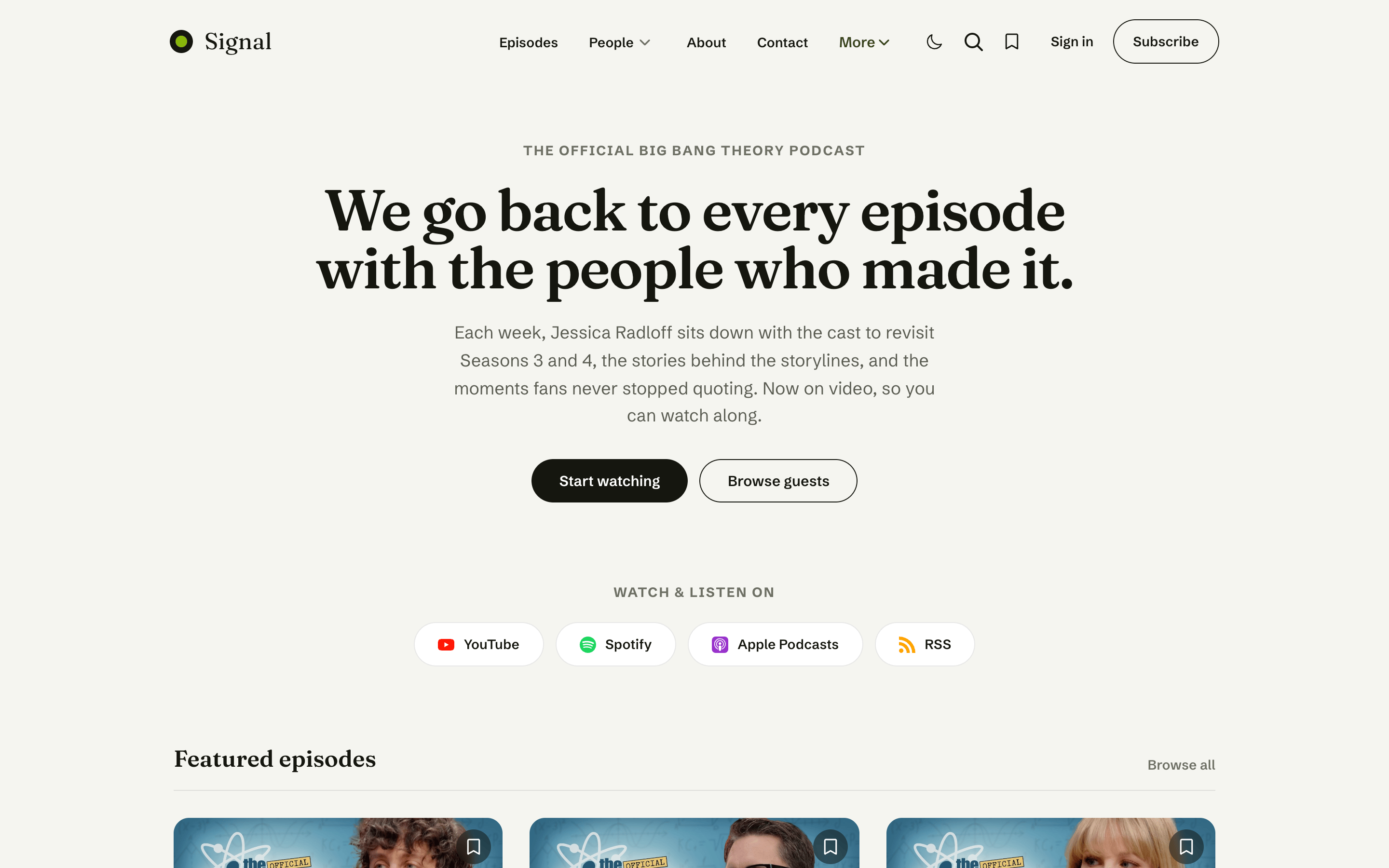
- Inline (default) — menu links sit centered in the header. Any links that don't fit fold into a tidy "More" dropdown instead of crowding the header.
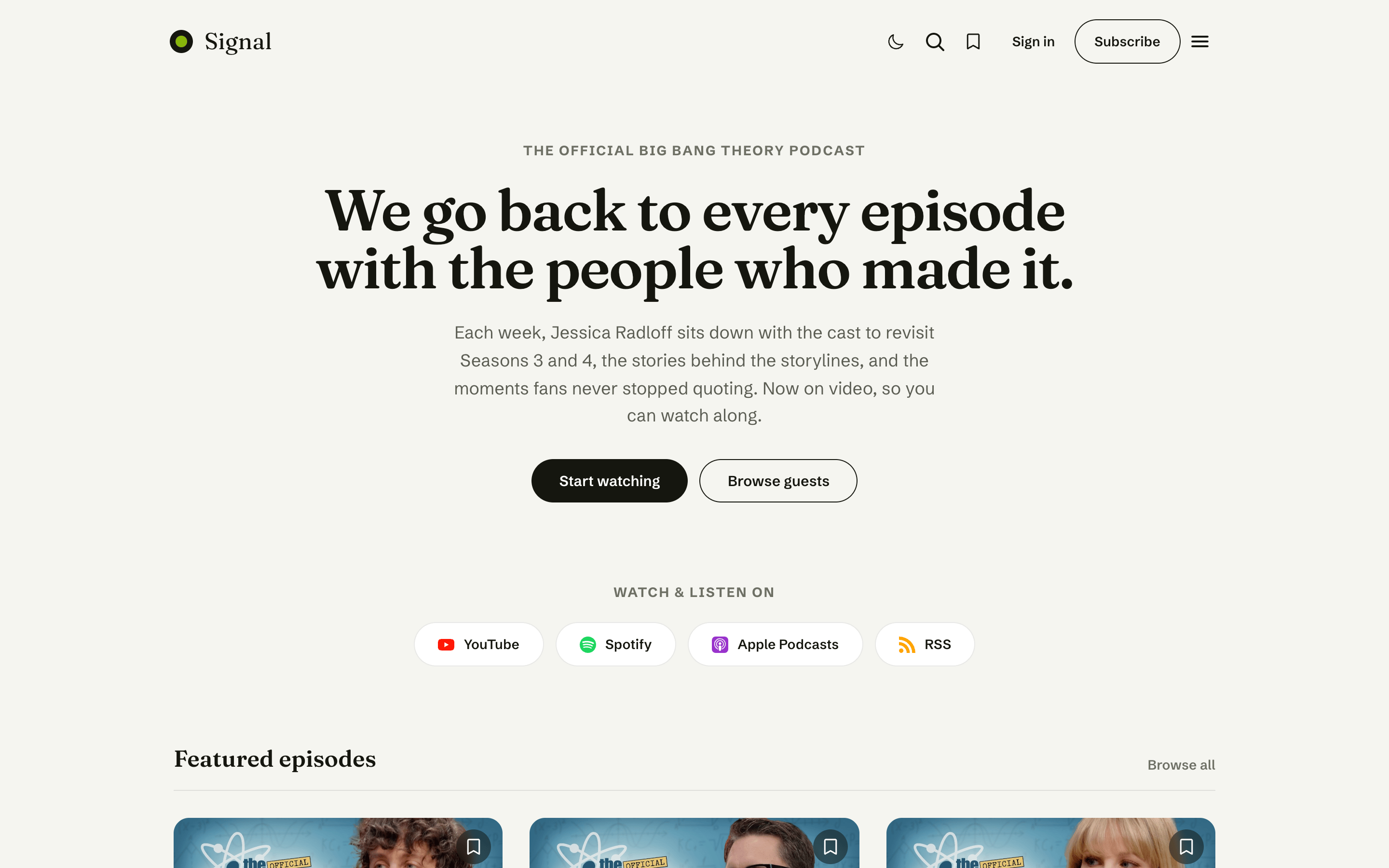
- Hamburger — the menu is tucked behind a hamburger button at every width, opening a drawer.
Both styles support multi-level dropdowns and external-link indicators. See Navigation for the full setup, including how to nest menu items.
Inline Navigation
Hamburger Navigation
Media player
Enable persistent player
When on, a video or audio episode keeps playing in a small floating mini-player as the visitor scrolls past it and moves between pages — no restart on every click. Turn it off to keep playback inline only. Learn how it works in Media player.
Mini player position
Choose which corner the floating mini-player docks to — Bottom right (default) or Bottom left. This only applies when Enable persistent player is on.